CAD Drawing (CAD Program)
CAD program for drawing, modeling, and designing in 3D (drawing program)
- Installs
- 15.50K
- Measured
- Rating
- 4.07
- Ratings
- 59
- 6 reviews
- Version
- Varies with device
- Updated 24 Feb 2026
- Released
- 21 Mar 2024
- Tracked since 12 May 2026
- Size
- —
Screenshots
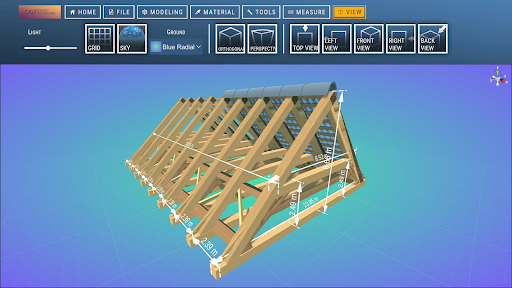
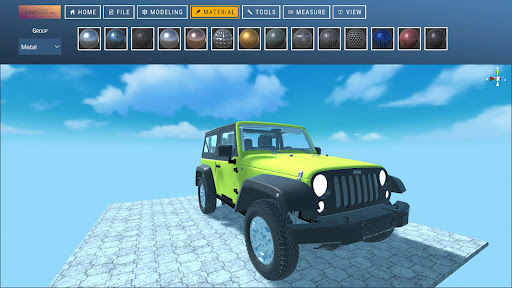
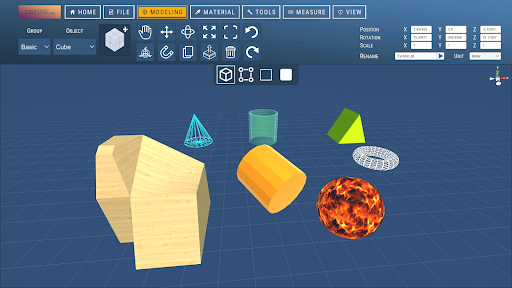
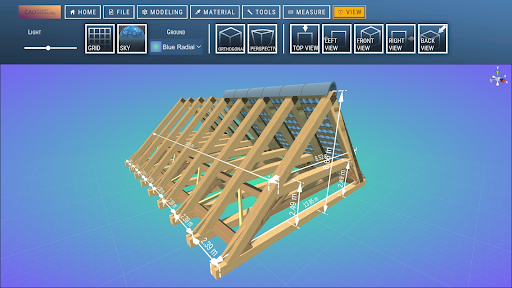
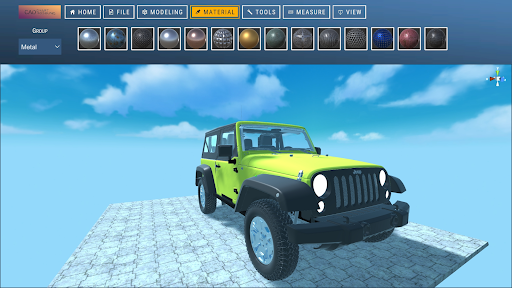
About CAD Drawing (CAD Program)
The description on the store listing
With CAD Drawing, the CAD program (CAD Smart Modeling), you can create 3D models, CAD drawings, and designs directly on your smartphone or tablet – without a 3D scanner or complicated software.
Many CAD and 3D programs are expensive, difficult to use, or only suitable for desktop use.
This CAD app offers you a simple, fast, and mobile workflow, ideal for CAD drawing, 3D modeling, design, and technical design on the go.
Whether you:
• Draw 3D models
• Create CAD sketches
• Model 3D objects
• Plan designs
• Create CAD designs for architecture, product design, or mechanical engineering
With this CAD drawing app, you always have a powerful 3D CAD program at your fingertips. …
Read the full description
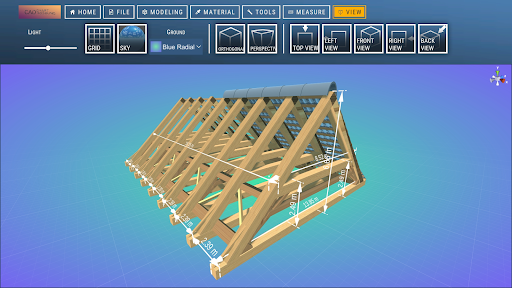
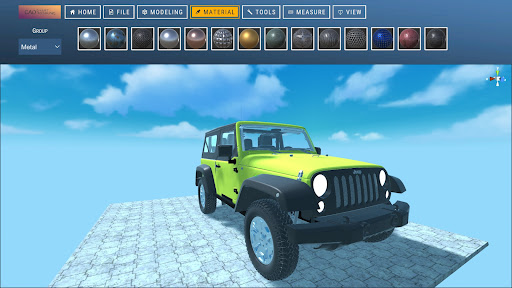
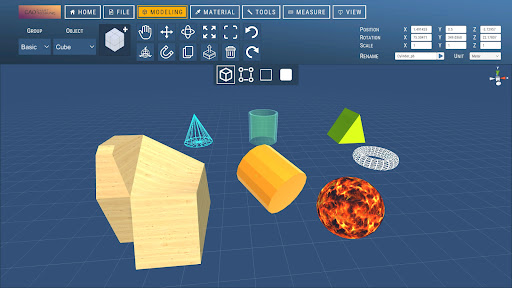
With CAD Drawing, the CAD program (CAD Smart Modeling), you can create 3D models, CAD drawings, and designs directly on your smartphone or tablet – without a 3D scanner or complicated software. Many CAD and 3D programs are expensive, difficult to use, or only suitable for desktop use. This CAD app offers you a simple, fast, and mobile workflow, ideal for CAD drawing, 3D modeling, design, and technical design on the go. Whether you: • Draw 3D models • Create CAD sketches • Model 3D objects • Plan designs • Create CAD designs for architecture, product design, or mechanical engineering With this CAD drawing app, you always have a powerful 3D CAD program at your fingertips. ________________________________________ Why draw with CAD software – CAD Smart Modeling? Even if you work with programs like Blender, AutoCAD, or other CAD software, this app is perfect for: • Quick 3D sketches on the go • Preliminary designs for CAD models • Mobile 3D drawing • Visualization of 3D shapes and designs By drawing in 3D instead of 2D, you are not limited to a single perspective and can identify problems early on. ________________________________________ Features & Tools of the CAD App 1. Fast CAD Workflow • Intuitive gesture control for fast CAD drawing • Select multiple nodes, edges, faces, and 3D objects simultaneously • Efficient work for 3D modeling and CAD design 2. Powerful Editing Tools • Edit nodes, edges, faces, and objects • Tools such as extrusion, freehand drawing, and scaling • Comprehensive tools for precise 3D modeling 3. Display & Analysis Functions • Adjustable grid with snapping function • Display of triangles, edge lengths, and distances • Switchable wireframe view, shadows, and axes 4. Materials • Over 20 materials for realistic 3D renderings 5. Precise CAD Tools • Orthographic camera • Precise movement, rotation, and scaling ________________________________________ 6. Import & Export of CAD and 3D Files • OBJ Import & Export • Further processing in programs such as: o Blender o SketchUp o Maya o Cinema 4D o AutoCAD o Fusion 360 o SolidWorks • Support for many formats via conversion: o STL, OBJ Ideal for: • CAD Design • 3D Printing • Architecture • Product Design • Technical Drawing Have fun trying it out!
Installs since 3 Sep 2026 Measured
Exact Google Play install counts, collected daily
Daily history starts once this app is in our daily install sample.
Ratings
59 ratings, 6 reviews
- 5 ★72%
- 4 ★6.5%
- 3 ★0.0%
- 2 ★6.5%
- 1 ★15%
Recent reviews
Latest public reviews from the store
- 28 Sep 2022
AHHH I love this game its so fun!! I actually play it on my free time and I like the aesthetic of it ,it's really cute!
- 29 Aug 2022
Bright and colourful! I like Island No.5 with the new mechanics!
Top chart positions
Latest Google Play chart ranks by country, last 10 days
Not in any tracked top chart in the last 10 days.
CAD Drawing (CAD Program) history
Release, install milestones, listing and store changes
- Reached 10,000+ installs 24 Feb 2026
- Reached 5,000+ installs 8 Jul 2025
- Reached 1,000+ installs 21 May 2024
- Reached 500+ installs 23 Apr 2024
- Reached 100+ installs 29 Mar 2024
- Reached 50+ installs 26 Mar 2024
- First released on the store 21 Mar 2024
Recent versions
Current version Varies with device
- Version 3.89 Oct 2025
- Version 3.731 Jul 2025
- Version 3.613 Jun 2025
- Version 3.126 May 2025
Listing keywords
Words and phrases CAD Drawing (CAD Program) repeats most in its store listing
Top phrases: cad drawing (5), cad program (4), 3d modeling (3), architecture product design (2), cad and 3d (2).
Highlighted words also appear in the title. Counts cover the title, short description and description.
Business model and tech
From the store listing and declared permissions
- Business model
- Free to downloadIn-app purchasesShows ads
- Sensitive access
- No sensitive permission declared
Compliance
What the listing and the app package show
- Store status
- Live
- Upkeep
- Updated 24 Feb 2026
- Registered in
- Germany
- Privacy policy
- Linked on the listing
- Advertising
- Shows ads
- In-app purchases
- Offered
- Age rating
- Everyone
Apps like CAD Drawing (CAD Program)
Biblia Santa ValeraKJV Bible offline3.4K installs★ 4.64
- Movie Ticket Booking - My TicketsIgnyte Apps146K installs★ 3.9
مواقيت الصلاة بمصر مع الآذانSTCOM.Dev64.5K installs★ 4.7
Smicval et VousSMICVAL20.1K installs★ 2.3
Mirror Link - Car Screen CastGekko Soft2.8K installs★ 3.88
Ma Bibli ancienne versionC3RB74.1K installs★ 3.5
Vajro Admin AppVajro Inc11.2K installs★ 4.0
QuotasQuotas GmbH Hamburg10.5K installs★ 3.9
كيف تعاملين زوجكteam of development13K installs★ 4.3
CAD Drawing (CAD Program): questions and answers
How many downloads does CAD Drawing (CAD Program) have?
CAD Drawing (CAD Program) has 15,504 installs on Google Play, measured from the store's own count on 3 Sep 2026.
Who makes CAD Drawing (CAD Program)?
CAD Drawing (CAD Program) is published by Sebastian Kemper, a developer based in DE.
When was CAD Drawing (CAD Program) last updated?
The latest version (Varies with device) was released on 24 Feb 2026.
Is CAD Drawing (CAD Program) free?
Yes. CAD Drawing (CAD Program) is free to download and offers in-app purchases, and it shows ads.
Is CAD Drawing (CAD Program) still available?
Yes. CAD Drawing (CAD Program) is live on Google Play as of 3 Sep 2026.
Track CAD Drawing (CAD Program) and its competitors
Watch any app for new versions, rating drops, chart moves and removals. Free plan, no card.