DIGI Clock Widget
Highly customizable digital time and date Home screen widget
- Installs
- 14.05M
- Measured
- Rating
- 4.56
- Ratings
- 177K
- 6.8K reviews
- Version
- 3.9.3
- Updated 5 Nov 2026
- Released
- 28 Jul 2011
- Tracked since 14 May 2026
- Size
- 9 MB
- Needs 5.0
Screenshots
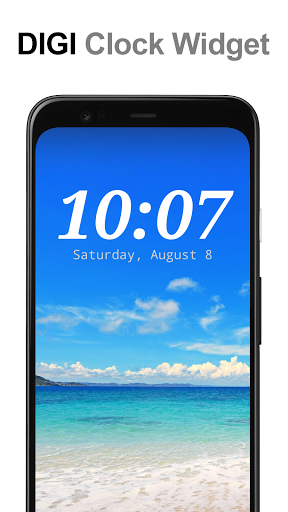
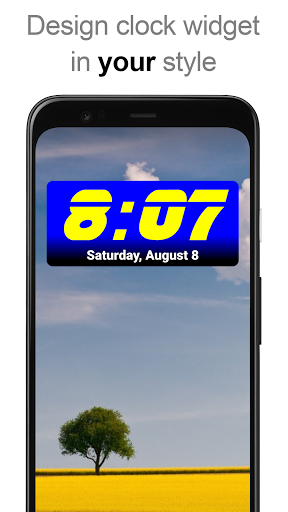
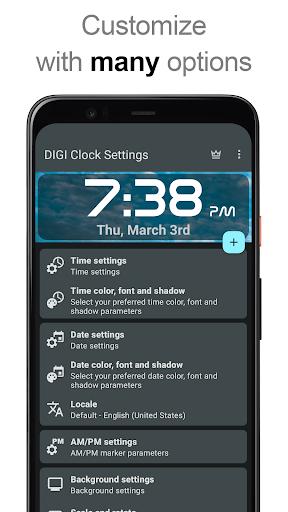
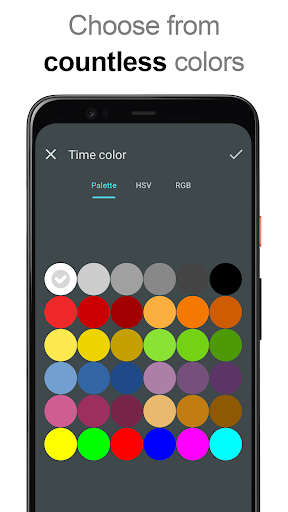
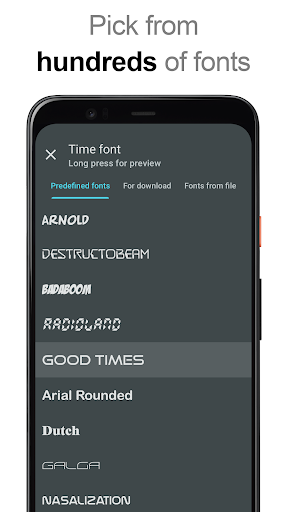
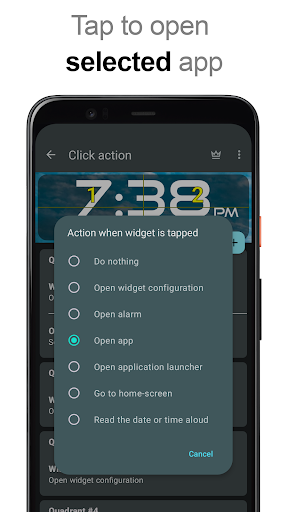
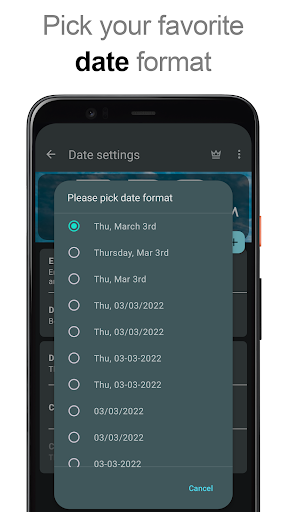
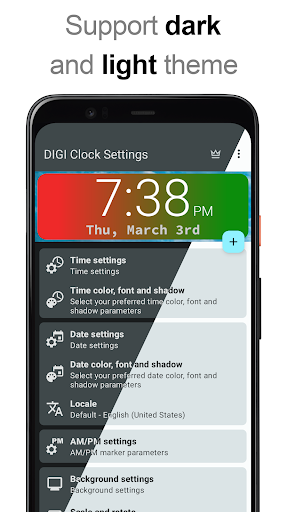
About DIGI Clock Widget
The description on the store listing
"<b>DIGI Clock Widget</b>" is a set of free and highly customizable Home screen digital time and date widgets:
2x1 widget - small
4x1 and 5x1 widget - wide, optionally with seconds
4x2 widget - big
5x2 and 6x3 widget - for tablets.
Features lots of customizations, like:
- widget preview during setup
- select widget click actions: tap on widget to load alarm application, widget settings or any installed application
- allows you select your preferred colors for time and date
- shadow effect with selectable color
- outlines
- locale preference, set date output in your language
- plenty of date formats + customizable date format
- show/hide AM-PM
- 12/24 hour selection
- alarm …
Read the full description
"<b>DIGI Clock Widget</b>" is a set of free and highly customizable Home screen digital time and date widgets: 2x1 widget - small 4x1 and 5x1 widget - wide, optionally with seconds 4x2 widget - big 5x2 and 6x3 widget - for tablets. Features lots of customizations, like: - widget preview during setup - select widget click actions: tap on widget to load alarm application, widget settings or any installed application - allows you select your preferred colors for time and date - shadow effect with selectable color - outlines - locale preference, set date output in your language - plenty of date formats + customizable date format - show/hide AM-PM - 12/24 hour selection - alarm icon - show time with seconds option (for 4x1 and 5x1 widget) - widget background with selectable color and opacity from 0% (transparent) to 100% (completely opaque) - as widget background you can use single color, two colors gradient or simply use your own photo - 40+ great fonts for time and date, hundreds of fonts available for download, or use your favorite font file from device memory - compatible with Android 11 - tablets friendly ... and even more ... <b>How to use?</b> This is a Home screen widget, please follow this instruction on how to add the widget to your Home screen: • Press the plus (+) button below the widget preview when available. • Select desired widget size. • Add widget to the Home screen from shown dialog. or add widget manually: • Long press empty space on your home screen. • Click “Widgets” from shown options. • Scroll down until you find "DIGI Clock”. • Touch and hold the desired widget’s icon, slide your finger where you want to place it, and lift your finger. This instruction may differ from device to device of by device manufacturer. If there is missing "DIGI Clock" in list of widgets, try to restart your device. <b>NOTICE</b> Please exclude this widget from any task killers, this will resolve the time freezing issue in most instances. Thanks for using DIGI Clock Widget & enjoy!
Installs, last 30 days Measured
Exact Google Play install counts, collected daily
Ratings
177,145 ratings, 6,801 reviews
- 5 ★76%
- 4 ★13%
- 3 ★5.0%
- 2 ★2.1%
- 1 ★3.9%
Recent reviews
Latest public reviews from the store
- 15 May 2026
me gusta mucho esta aplicación, la llevo usando por 2 años, hace unos días solicité la corrección de un bug y fue resuelto. hasta ahora todo va muy bien
- 13 May 2026
Too expensive
- 7 May 2026
Love the home screen widget. transparent, adjustable to full screen, monthly or weekly view. great. Used it 6 plus years.
- 7 May 2026
I like this. It's better than the widget that comes with Google calendar.
What reviewers bring up
Topics mentioned in the latest 50 reviews, by how many reviews mention them
Liked in good reviews (32 reviews)
- widget 10
- calendar 8
- android 3
- events 3
- transparent 2
- different 2
- beautiful 2
- possible 2
Raised in bad reviews (16 reviews)
- change 3
- show 3
- same calendar 2
- installed 2
- cannot 2
- wanted 2
- money 2
- month 2
Top chart positions
Latest Google Play chart ranks by country, last 10 days
- Countries ranked
- 2
- Best rank
- #40
- Top 10 placements
- 0
- of 2 chart placements
- Average rank
- #84.5
Best countries on Google Play
- 🇯🇵 Japan · Top free, Personalization#40
- 🇰🇷 South Korea · Top free, Personalization#129
DIGI Clock Widget history
Release, install milestones, listing and store changes
- Reached 10,000,000+ installs 24 Mar 2021
- Reached 5,000,000+ installs 13 May 2015
- Moved from Tools to Personalization 6 Apr 2013
- Reached 1,000,000+ installs 16 Nov 2012
- First released on the store 28 Jul 2011
Update frequency
How often DIGI Clock Widget ships a new version, month by month
4 updates in the last 12 months. More often than most similar apps: they shipped a median of 1 updates in the same year.
Recent versions
Current version 3.9.3
- Version 3.9.35 Nov 2026
New 'O' date format token for ordinal day suffixes (1st, 2nd, 3rd…), stability improvements (3.9.1, 3.9.2, 3.9.3). Update to Android 17 compatibility (3.9.0). Design changes and bug fixes (3.8.0). Improved support for RTL languages (3.7.0). Improved color and font pickers (3.6.1).
- Version 3.8.025 Apr 2026
Design changes and bug fixes (3.8.0). Improved support for RTL languages (3.7.0). Improved color and font pickers (3.6.1). Update to Android 16 compatibility (3.6.0). The ability to set custom corner rounding is back (3.6.0).
- Version 3.7.020 Mar 2026
Improved support for RTL languages (3.7.0) Improved color and font pickers (3.6.1). Update to Android 16 compatibility (3.6.0). The ability to set custom corner rounding is back (3.6.0).
- Version 3.6.11 Jan 2026
Listing keywords
Words and phrases DIGI Clock Widget repeats most in its store listing
Top phrases: home screen (6), digi clock (5), digi clock widget (3), clock widget (3), 4x1 and 5x1 (2).
Highlighted words also appear in the title. Counts cover the title, short description and description.
Business model and tech
From the store listing and declared permissions
- Business model
- Free to downloadIn-app purchasesShows ads
- Sensitive access
- No sensitive permission declared
Compliance
What the listing and the app package show
- Store status
- Live
- Upkeep
- Updated 5 Nov 2026
- Privacy policy
- Linked on the listing
- Advertising
- Shows ads
- In-app purchases
- Offered
- Age rating
- Everyone
Apps like DIGI Clock Widget
3D Live Wallpapers - 4K & 4DSmoothX Studio19.7M installs★ 4.63
Ultra Volume Control StylesZipoApps20.5M installs★ 4.37
Mirror: Emoji maker, StickersMirror AI21.7M installs★ 4.22
Themes for Android ™The AppKnight31.6M installs★ 4.46
Fingerprint Live Animation AppOne Music Player13.7M installs★ 4.26
Muviz Edge: AOD & Edge LightsSparkine Labs15.7M installs★ 4.55
Zain JoZain Jo5.8M installs★ 4.37
GO Launcher S – 3D Theme, Wallgo live llc8.8M installs★ 4.54
Widgets Art - Wallpaper, ThemeAnimoji Phone X & Emoji Maker Develop Team7.4M installs★ 4.68
DIGI Clock Widget: questions and answers
How many downloads does DIGI Clock Widget have?
DIGI Clock Widget has 14,054,009 installs on Google Play, measured from the store's own count on 21 Nov 2026.
Who makes DIGI Clock Widget?
DIGI Clock Widget is published by ForestTree.
When was DIGI Clock Widget last updated?
The latest version (3.9.3) was released on 5 Nov 2026.
Is DIGI Clock Widget free?
Yes. DIGI Clock Widget is free to download and offers in-app purchases, and it shows ads.
Is DIGI Clock Widget still available?
Yes. DIGI Clock Widget is live on Google Play as of 21 Nov 2026.
Track DIGI Clock Widget and its competitors
Watch any app for new versions, rating drops, chart moves and removals. Free plan, no card.