DIGI Clock Widget Plus
Customizable digital time and date widget
- Installs
- 76.66K
- Measured
- Rating
- 4.71
- Ratings
- 9.3K
- 758 reviews
- Version
- 3.9.3
- Updated 5 Nov 2026
- Released
- 6 Mar 2013
- Tracked since 14 May 2026
- Size
- 8 MB
- Needs 5.0
Screenshots
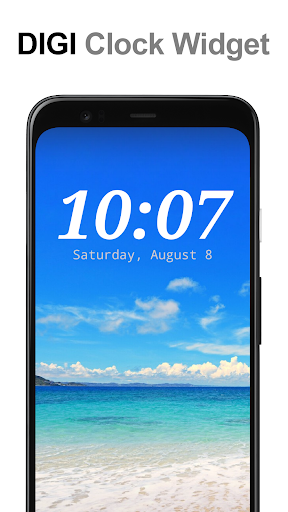
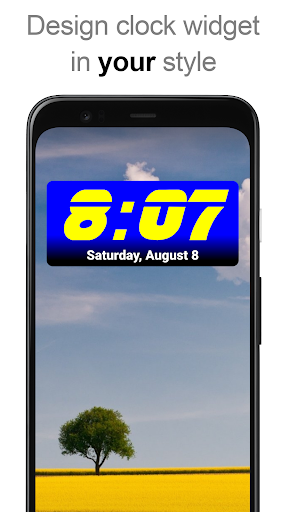
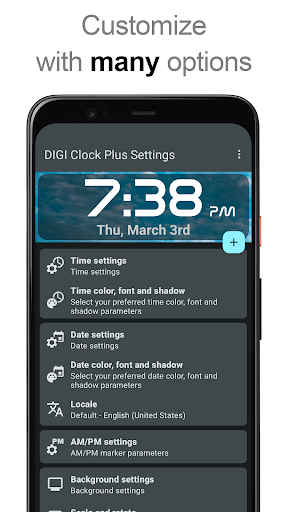
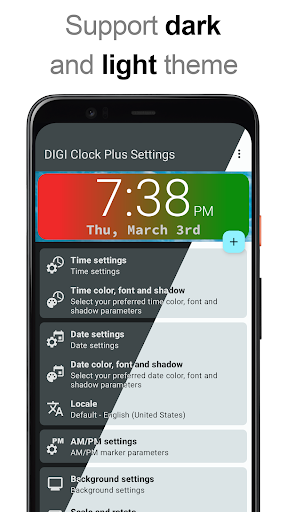
About DIGI Clock Widget Plus
The description on the store listing
"<b>DIGI Clock Widget Plus</b>" is ad-free version of "DIGI Clock Widget" - highly customizable digital time and date widgets:
2x1 widget - small
4x1 widget - wide optionally with seconds
4x2 widget - big
5x2 widget - for tablets and especially for Galaxy Note
6x3 widget - for tablets.
Features lots of customizations, like:
- widget preview during setup (on Android ICS+)
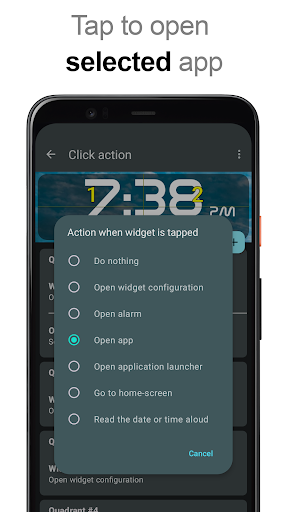
- select widget click actions: tap on widget to load alarm application, widget settings or any installed application
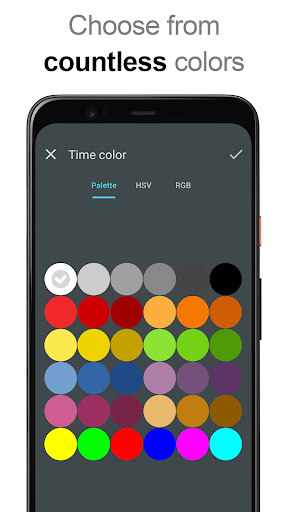
- allows you select your preferred colors for time and date separately
- shadow effect with selectable color
- outlines
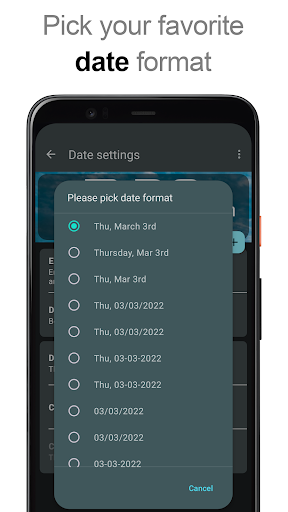
- locale preference, set date output in your language
- plenty of date …
Read the full description
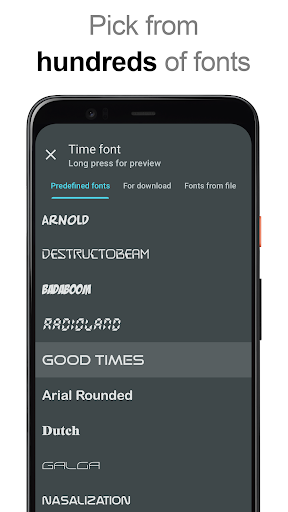
"<b>DIGI Clock Widget Plus</b>" is ad-free version of "DIGI Clock Widget" - highly customizable digital time and date widgets: 2x1 widget - small 4x1 widget - wide optionally with seconds 4x2 widget - big 5x2 widget - for tablets and especially for Galaxy Note 6x3 widget - for tablets. Features lots of customizations, like: - widget preview during setup (on Android ICS+) - select widget click actions: tap on widget to load alarm application, widget settings or any installed application - allows you select your preferred colors for time and date separately - shadow effect with selectable color - outlines - locale preference, set date output in your language - plenty of date formats + customizable date format - show/hide AM-PM - 12/24 hour selection - alarm icon - show time with seconds option (for 4x1 widget) - widget background with selectable color and opacity from 0% (transparent) to 100% (completely opaque) - use picture as widget background - 40 great fonts for time and date ... - ... or use your favorite font saved on memory card - ready for Honeycomb, ICS and Jelly Bean Android versions - recommended for tablets ... and even more ... <b>Problems with installation?</b> This is home screen widget and not the application, please read the instructions on how to use the widget: Older phones (before Android 4.0 ICS): • To add a widget, touch and hold an empty location on a home-screen. Menu will pop-up, select Widgets. • "Choose Widget" menu will popup. From there, find and select "DIGI Clock Plus" widget of desired size. Newer phones and tablets, Android 4.0 and later (Ice Cream Sandwich, Jelly Bean): • Touch the All Apps icon on your Home screen. • Click “Widgets” tab at the top of the screen. • From the main Widgets screen, you can swipe left until you find "DIGI Clock Plus” • Touch and hold the desired widget’s icon, slide your finger where you want to place it, and lift your finger. If there are missing "DIGI Clock Plus" in list of widgets, try to restart phone, it might help. To add the widget to your Android 4.2+ device's lock screen, simply swipe to the left-most page of your lock screen and touch the big "+" icon. Then, select "DIGI Clock Plus" add the widget. You can make this the primary lock screen widget, replacing the default clock, by first touching-and-holding it and then dragging it horizontally to the very rightmost position. <b>NOTICE</b> Do NOT move this app to SD-card! Widgets won't work once you move them to SD card. Please exclude this widget from any task killers, this will resolve the time freezing issue in most instances. When you want help me with translation of "DIGI Clock Widget Plus" to your language, visit please this site: http://www.getlocalization.com/DIGIClockWidget/ Thanks for using DIGI Clock Widget Plus!
Installs, last 30 days Measured
Exact Google Play install counts, collected daily
Ratings
9,326 ratings, 758 reviews
- 5 ★80%
- 4 ★9.2%
- 3 ★1.8%
- 2 ★4.6%
- 1 ★4.6%
Recent reviews
Latest public reviews from the store
- 1 Oct 2023
Odporúčam pridať filter podľa lokality
- 13 Jun 2023
Ciel projektu je velmi super. Aplikacia ale nedovoli odhlasit z push notifikaciu, preto 3 hviezdicky.
- 28 Aug 2021
Pri zadavani tec spadne. Vzdy :/
- 8 Oct 2020
Great application
Top chart positions
Latest Google Play chart ranks by country, last 10 days
Not in any tracked top chart in the last 10 days.
DIGI Clock Widget Plus history
Release, install milestones, listing and store changes
- Reached 50,000+ installs 1 Oct 2019
- First released on the store 6 Mar 2013
Update frequency
How often DIGI Clock Widget Plus ships a new version, month by month
4 updates in the last 12 months. More often than most similar apps: they shipped a median of 0 updates in the same year.
Recent versions
Current version 3.9.3
- Version 3.9.35 Nov 2026
New 'O' date format token for ordinal day suffixes (1st, 2nd, 3rd…), stability improvements (3.9.1, 3.9.2, 3.9.3). Update to Android 17 compatibility (3.9.0). Design changes and bug fixes (3.8.0). Improved support for RTL languages (3.7.0). Improved color and font pickers (3.6.1).
- Version 3.8.025 Apr 2026
Design changes and bug fixes (3.8.0). Improved support for RTL languages (3.7.0). Improved color and font pickers (3.6.1). Update to Android 16 compatibility (3.6.0). The ability to set custom corner rounding is back (3.6.0).
- Version 3.7.020 Mar 2026
Improved support for RTL languages (3.7.0) Improved color and font pickers (3.6.1). Update to Android 16 compatibility (3.6.0). The ability to set custom corner rounding is back (3.6.0).
- Version 3.6.11 Jan 2026
Listing keywords
Words and phrases DIGI Clock Widget Plus repeats most in its store listing
Top phrases: digi clock (9), digi clock widget (5), clock widget (5), clock widget plus (4), digi clock plus (4).
Highlighted words also appear in the title. Counts cover the title, short description and description.
Business model and tech
From the store listing and declared permissions
- Business model
- Paid, $3.49
- Sensitive access
- No sensitive permission declared
Compliance
What the listing and the app package show
- Store status
- Live
- Upkeep
- Updated 5 Nov 2026
- Privacy policy
- Linked on the listing
- Advertising
- No ads declared
- In-app purchases
- None declared
- Age rating
- Everyone
Apps like DIGI Clock Widget Plus
Emoji Love Stickers for Chatti2021 Cool Keyboard for Android2M installs★ 4.56
Social Ringtone, WallpapersOcean Float Mobile5.6M installs★ 4.3
Shiny Neon Hearts ThemeCustom Themes for Android Apps2.6M installs★ 4.83
iUX 11 Style - Icon PackLOIS Dev2.4M installs★ 3.98
Sports Racing Car BackgroundFancy keyboard for theme apps2.8M installs★ 4.8
Don't Touch My Phone: AlarmNeko Soft1.3M installs★ 4.58
Color Launcher, cool themesN Dev Team1.5M installs★ 4.31
FF Pro Bio Codes for Free FireArise Apps982K installs★ 4.58
Unlock screen by voice!GoodStuff6.2M installs★ 3.83
DIGI Clock Widget Plus: questions and answers
How many downloads does DIGI Clock Widget Plus have?
DIGI Clock Widget Plus has 76,655 installs on Google Play, measured from the store's own count on 21 Nov 2026.
Who makes DIGI Clock Widget Plus?
DIGI Clock Widget Plus is published by ForestTree.
When was DIGI Clock Widget Plus last updated?
The latest version (3.9.3) was released on 5 Nov 2026.
Is DIGI Clock Widget Plus free?
No. DIGI Clock Widget Plus is a paid app priced at $3.49.
Is DIGI Clock Widget Plus still available?
Yes. DIGI Clock Widget Plus is live on Google Play as of 21 Nov 2026.
Track DIGI Clock Widget Plus and its competitors
Watch any app for new versions, rating drops, chart moves and removals. Free plan, no card.