
ezPDF Reader for Enterprise
The PDF App - annotation & fill out forms. Plays TTS, Audio, Video & Animation
- Installs
- 74.46K
- Measured
- Rating
- 2.0
- Ratings
- 576
- 21 reviews
- Version
- 2.7.1.12
- Updated 11 Nov 2025
- Released
- 27 Feb 2014
- Tracked since 14 May 2026
- Size
- 33 MB
- Needs 4.0
Screenshots
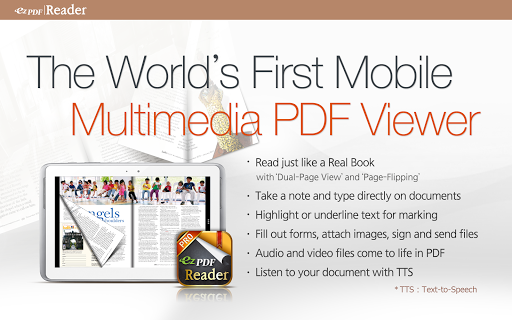


About ezPDF Reader for Enterprise
The description on the store listing
♦ Important ♦
This is the REDEEM CODE version of ezPDF Reader activated with a given code.
Please contact your company and school admin for the Redeem Code.
You may try our free trial version prior to purchase.
The paid version of the personal version is also sold separately.
♠ ♣ ♦ ♥ ♠ ♣ ♦ ♥ ♠ ♣ ♦ ♥ ♠ ♣ ♦ ♥ ♠ ♣ ♦ ♥
ezPDF Reader is the best selling, best rated and most commented Multimedia PDF viewer, annotator, form filler with calculations and paperless solution.
User Guide: http://goo.gl/hH7l08
● App Review
"Android Apps for Business: 10 Low-Cost Mobile Tools You Should Know About" by eWeek (http://bit.ly/LJTtEH)
"Plenty of PDF readers are available for …
Read the full description
♦ Important ♦ This is the REDEEM CODE version of ezPDF Reader activated with a given code. Please contact your company and school admin for the Redeem Code. You may try our free trial version prior to purchase. The paid version of the personal version is also sold separately. ♠ ♣ ♦ ♥ ♠ ♣ ♦ ♥ ♠ ♣ ♦ ♥ ♠ ♣ ♦ ♥ ♠ ♣ ♦ ♥ ezPDF Reader is the best selling, best rated and most commented Multimedia PDF viewer, annotator, form filler with calculations and paperless solution. User Guide: http://goo.gl/hH7l08 ● App Review "Android Apps for Business: 10 Low-Cost Mobile Tools You Should Know About" by eWeek (http://bit.ly/LJTtEH) "Plenty of PDF readers are available for Android devices, and a number of them are free. But ezPDF is by far the best of the bunch." Daniel A. Begun, author of Amazing Android Apps For Dummies ● Customized Viewing with flipping DUAL PAGE VIEW supported! Documents appear as they would on your PC, but customized to fit your mobile device's screen. Scanned and text based PDFs are all supported, including JPEG2000 and JBIG2 compression. Select Text Reflow, Fit to Text Column, Copy and paste text in PDF view and bookmark as you go or Change Reading Direction to ease reading ● PDF Form Filler Fill out your PDF form with ezPDF Reader. Sign with freehand, and send via email. ● Multimedia PDF Viewer - Audio, Video, Animation GIF and Read Aloud Plays multimedia files and animation GIF embedded into PDF. Use Voice Reading feature to have documents read to you with the continuous automatic page-turning feature. (It uses TTS feature from the device features) ● Annotation Features on PDF Useful tool to add text in text box and sticky notes; highlight, underline, or strikethrough texts; draw rectangles, ovals and freehand drawings. Add memo & append images, change color / thickness, resize and move them around as you like. All these comments are compatible with Adobe® Acrobat®. ● More Features -Form calculations supported -Support ePub format -Text View with reflow function. Night/Day Mode, Change font size and color (text and background) -Thumbnail image view -Search (Case sensitive, whole word or part, exact word, and/or operator) and highlighted result -Auto Fit Zoom for multi-column article or removing white margin -Crop / Rotate page -Scroll lock / unlock -Able to select text in PDF, save to clipboard, web search, share with other apps, check with dictionary (Support ColorDict) -Support hyperlinks (Go to page within the PDF, PDF to PDF, URL links to webpage) -Open Standard Password-protected PDF -Intuitive bookmarking & viewing bookmarks with its description and ribbon & thumbnail image -Auto Page Turn (secs) or Auto Scroll (up a screen full) -Table of Contents -Page navigation with thumbnail scroll images -Jump to a specific Page No. -Change reading direction - Arabic, Chinese, Japanese & Hebrew -Undo & Redo button -Support Trackball -Page Turning Effect (Flip) ON/OFF Tap Toggle Options -5-point-tap : Annotation Toolbar -4-point-tap : Notification Bar -3-point-tap : PDF ←→ Text Reflow -2-point-tap : Reduces the page to fit the width when enlarged -1-point-tap : Menu Please leave your comments, reviews, bug reports, suggestions, volume sales, and other business inquiries to android(at)unidocs.com twitter.com/ezpdf facebook.com/ezpdf ♥ SPECIAL OFFER ♥ ezPDF Multimedia PDF Maker (PC Program) is FREE for now. - Add hyperlinks and embed audio/video files into PDF. Download PC Program : http://www.unidocs.com/products/ezPDFMultimediaPDFMaker.zip Redeem Code (Serial No) : 3e2d666f79 User Guide : http://bit.ly/Wh1eCt
Installs since 29 Aug 2026 Measured
Exact Google Play install counts, collected daily
Ratings
576 ratings, 21 reviews
- 5 ★18%
- 4 ★12%
- 3 ★0.0%
- 2 ★0.0%
- 1 ★69%
Recent reviews
Latest public reviews from the store
- 30 Apr 2024
Hello my friend, i 💗 your Top Notch Design 👍 Amazing job like Allways 🏅
- 11 Mar 2021
Not sure how I missed this one. Just purchased and I absolutely love it. Your presets are absolutely amazing. Thank you.
- 10 Dec 2020
Very beautifully designed! A+
- 2 Dec 2020
Very good thanks
Top chart positions
Latest Google Play chart ranks by country, last 10 days
Not in any tracked top chart in the last 10 days.
ezPDF Reader for Enterprise history
Release, install milestones, listing and store changes
- Reached 50,000+ installs 23 Dec 2019
- Reached 10,000+ installs 23 Jan 2015
- Reached 5,000+ installs 16 May 2014
- Reached 1,000+ installs 15 Mar 2014
- Reached 500+ installs 9 Mar 2014
- First released on the store 27 Feb 2014
Update frequency
How often ezPDF Reader for Enterprise ships a new version, month by month
0 updates in the last 12 months. Less often than most similar apps: they shipped a median of 1 updates in the same year.
Recent versions
Current version 2.7.1.12
- Version 2.7.1.1210 Nov 2025
- App stability has been improved.
- Version 2.7.1.92 Apr 2025
- Version 2.7.1.814 Nov 2024
- Version 2.7.1.631 Jul 2023
Listing keywords
Words and phrases ezPDF Reader for Enterprise repeats most in its store listing
Top phrases: point tap (5), ezpdf reader (4), audio video (3), multimedia pdf (3), redeem code (3).
Highlighted words also appear in the title. Counts cover the title, short description and description.
Business model and tech
From the store listing and declared permissions
- Business model
- Free to download
- Sensitive access
- No sensitive permission declared
Compliance
What the listing and the app package show
- Store status
- Live
- Upkeep
- Updated 11 Nov 2025
- Privacy policy
- Linked on the listing
- Advertising
- No ads declared
- In-app purchases
- None declared
- Age rating
- Everyone
Apps like ezPDF Reader for Enterprise
X Sexy Video DownloaderVideo Studio Browser Apps145K installs★ 4.58
FileGenie AIChancey405K installs★ 3.86
Dualix: Web ScannerAegis Digital346K installs★ 4.67
Express TelecomunicacionesTeledifusora S.A.192K installs★ 1.13
PDF Viewer LiteIpsita Developer408K installs★ 3.89
HyToolsIMI Hydronic Engineering192K installs★ 1.58
Audio Memos SEImesart S.a.r.l.102K installs★ 3.64
Munily -Gestión de comunidadesTiko Technology Solutions S.A.225K installs★ 2.97
DeftPDF - PDF Editor, AnnotateSictec Infotech Inc.97.5K installs★ 3.94
ezPDF Reader for Enterprise: questions and answers
How many downloads does ezPDF Reader for Enterprise have?
ezPDF Reader for Enterprise has 74,463 installs on Google Play, measured from the store's own count on 16 Nov 2026.
Who makes ezPDF Reader for Enterprise?
ezPDF Reader for Enterprise is published by Unidocs Inc..
When was ezPDF Reader for Enterprise last updated?
The latest version (2.7.1.12) was released on 11 Nov 2025.
Is ezPDF Reader for Enterprise free?
Yes. ezPDF Reader for Enterprise is free to download.
Is ezPDF Reader for Enterprise still available?
Yes. ezPDF Reader for Enterprise is live on Google Play as of 16 Nov 2026.
Track ezPDF Reader for Enterprise and its competitors
Watch any app for new versions, rating drops, chart moves and removals. Free plan, no card.