ezPDF Reader PDF Annotate Form
PDF Reader, Annotator & Form Filler Plays TTS, Audio, Video & Animation
- Installs
- 792K
- Measured
- Rating
- 2.79
- Ratings
- 25.8K
- 4.3K reviews
- Version
- 2.7.1.12
- Updated 11 Nov 2025
- Released
- 1 Oct 2010
- Tracked since 14 May 2026
- Size
- 33 MB
- Needs 4.0
Screenshots


About ezPDF Reader PDF Annotate Form
The description on the store listing
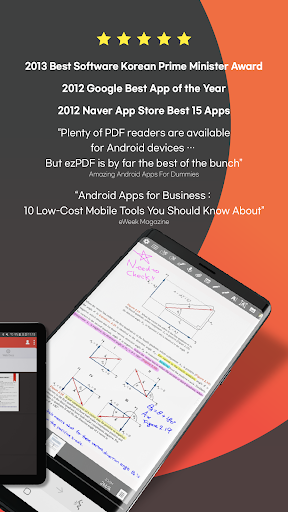
"Plenty of PDF readers are available for Android devices and a number of them are free. But ezPDF is by far the best of the bunch." Daniel A. Begun, author of Amazing Android Apps for Dummies
The great features about the ezPDF reader compared to the other PDF apps are that it can be used not only for viewing and highlighting documents, but also plays embedded multimedia files (audio, video & GIF animation), supports TTS (Text-to-Speech), and provides document protection using DRM Service.
ezPDF Reader has been awarded for the best app of the year from Google in 2012, the Best 15 Apps from Naver App Store in 2012, and the Prime Minister Award from the Korean Government in 2013.
★New …
Read the full description
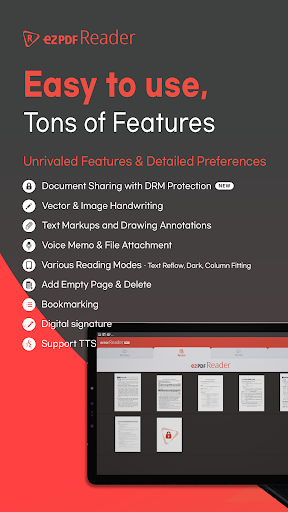
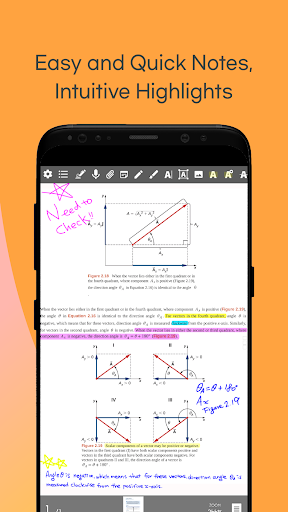
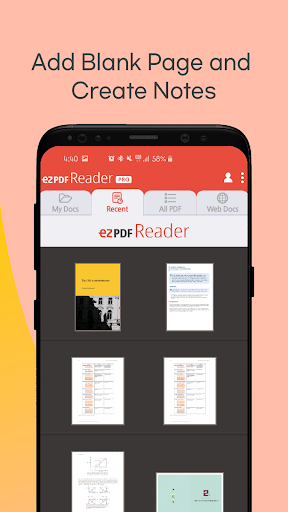
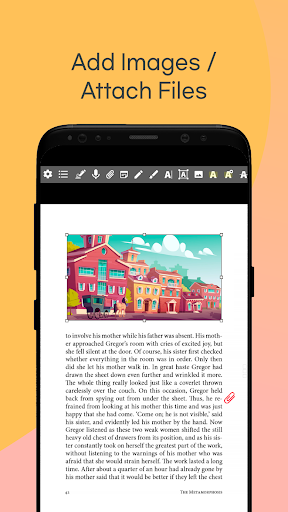
"Plenty of PDF readers are available for Android devices and a number of them are free. But ezPDF is by far the best of the bunch." Daniel A. Begun, author of Amazing Android Apps for Dummies The great features about the ezPDF reader compared to the other PDF apps are that it can be used not only for viewing and highlighting documents, but also plays embedded multimedia files (audio, video & GIF animation), supports TTS (Text-to-Speech), and provides document protection using DRM Service. ezPDF Reader has been awarded for the best app of the year from Google in 2012, the Best 15 Apps from Naver App Store in 2012, and the Prime Minister Award from the Korean Government in 2013. ★New Features★ ezPDF DRM Service (Free 3,000 Points, In-App Purchase)Apply DRM on your PDF Documents to share/distribute PDF securely. Share your sensitive documents such as contracts, invoices, and literary works with ezPDF DRM Service. ezPDF DRM Service ensures the prevention of misuse of sensitive documents and provides a platform to check histories of shared/distributed documents. In order to use the service, you must sign-up first then log-in. Click on the profile icon at the top-right section for more details. ● Viewing PDF Supports Reading Direction Change, Page Layout Settings Supports Text Search, Scroll Direction, Table of Contents, Hyperlinks, Lists (Annotations, Attachments) Supports Monochrome Mode and Night Mode to reduce eye strain Supports Auto Flip and Scroll Settings ● Playing Multimedia Contents on PDF ezPDF Reader supports multimedia contents such as audio and video files on your PDF documents. It can be played as a small window or in full-screen mode. ezPDF Reader can also play embedded GIF or APNG (Animated PNG) files. ● PDF Annotations You can comment on PDF freely adding annotations using texts, drawings, or voice recordings. Add highlights, underlines, or strikethroughs on your text. Import, export, or share your annotations. ● TTS (Text-to-Speech) ezPDF Reader supports TTS and it can still play while your screen is off. ● PDF Form Input When a PDF document has a fillable form, you can fill in the form fields. You can import form data from PDF or export data to PDF documents.Relatively smaller form data can be easily shared without the PDF. ● Share or Print PDF Print PDF from your device. Supports File Attachment and PDF Share. ● Useful Gestures Five Fingers Tap: Show/Hide Annotation Tool Bar Four Fingers Tap: Show/Hide Notification Bar Three Fingers Tap: Text Reflow / PDF Two Fingers Tap: Auto Width / Default One Finger Tap: Show/Hide Menu Q. Why does ezPDF ask for access to my Phone Call Functions? A. We need your permission to force stop the TTS when you receive phone calls while the TTS is running. Q. Why does ezPDF ask for access to my Microphone Functions? A. We need your permission to use your microphone for voice recording functionality. ● License ezPDF Readers on Google Play Store, Samsung Apps and etc. do not share licenses. Thus, they are not compatible with each other. Additionally, the license purchased on iPhone cannot be used on iPad and vice versa. ezPDF Reader has to be purchased separately on iPad and iPhone and their licenses are different from Android Versions. ● Contacts If you want to learn more about us: twitter.com/unidocs facebook.com/ezpdf Contact Developers [email protected]
Installs, last 30 days Measured
Exact Google Play install counts, collected daily
Ratings
25,830 ratings, 4,344 reviews
- 5 ★34%
- 4 ★10.0%
- 3 ★5.0%
- 2 ★6.0%
- 1 ★45%
Recent reviews
Latest public reviews from the store
No reviews in our sample for this app yet.
Top chart positions
Latest Google Play chart ranks by country, last 10 days
Not in any tracked top chart in the last 10 days.
ezPDF Reader PDF Annotate Form history
Release, install milestones, listing and store changes
- First released on the store 1 Oct 2010
Update frequency
How often ezPDF Reader PDF Annotate Form ships a new version, month by month
0 updates in the last 12 months. Less often than most similar apps: they shipped a median of 5 updates in the same year.
Recent versions
Current version 2.7.1.12
- Version 2.7.1.1210 Nov 2025
- Bug fixed
- Version 2.7.1.814 Nov 2024
- Version 2.7.1.631 Jul 2023
- Version 2.7.1.529 Jun 2023
Listing keywords
Words and phrases ezPDF Reader PDF Annotate Form repeats most in its store listing
Top phrases: ezpdf reader (7), drm service (4), fingers tap (4), ezpdf drm service (3), tap show hide (3).
Highlighted words also appear in the title. Counts cover the title, short description and description.
Business model and tech
From the store listing and declared permissions
- Business model
- Paid, $3.99
- Sensitive access
- No sensitive permission declared
Compliance
What the listing and the app package show
- Store status
- Live
- Upkeep
- Updated 11 Nov 2025
- Privacy policy
- Linked on the listing
- Advertising
- No ads declared
- In-app purchases
- None declared
- Age rating
- Everyone
Apps like ezPDF Reader PDF Annotate Form
Sticky Note Widget: SunaoArtsPlanet1.1M installs★ 4.77
eDO AppPWPW S.A.3.6M installs★ 4.05
Xploree AI KeyboardKeyPoint Technologies17.7M installs★ 4.16
App Permission Managero16i Apps8.7M installs★ 4.09
VPN Pro - Fast & Secure VPNBean Studio HQ15M installs★ 4.45
Google AdminGoogle LLC8.5M installs★ 3.55
PeopleFirst(Only RIL Group)Reliance Enterprise Mobility1.4M installs★ 5.0
AnyList: Grocery Shopping ListAnyList1.8M installs★ 4.86
Launcher OS27: Liquid GlassHK Crafted1.5M installs★ 4.46
ezPDF Reader PDF Annotate Form: questions and answers
How many downloads does ezPDF Reader PDF Annotate Form have?
ezPDF Reader PDF Annotate Form has 791,966 installs on Google Play, measured from the store's own count on 19 Nov 2026.
Who makes ezPDF Reader PDF Annotate Form?
ezPDF Reader PDF Annotate Form is published by Unidocs Inc..
When was ezPDF Reader PDF Annotate Form last updated?
The latest version (2.7.1.12) was released on 11 Nov 2025.
Is ezPDF Reader PDF Annotate Form free?
No. ezPDF Reader PDF Annotate Form is a paid app priced at $3.99.
Is ezPDF Reader PDF Annotate Form still available?
Yes. ezPDF Reader PDF Annotate Form is live on Google Play as of 19 Nov 2026.
Track ezPDF Reader PDF Annotate Form and its competitors
Watch any app for new versions, rating drops, chart moves and removals. Free plan, no card.