
Grid Maker For Drawing
Create custom grids for drawing using Grid Maker for drawing artists app
- Installs
- 46.88K
- Measured
- Rating
- 4.09
- Ratings
- 1.1K
- 2 reviews
- Version
- 1.0.9
- Updated 20 Aug 2026
- Released
- 27 May 2024
- Tracked since 13 May 2026
- Size
- —
Screenshots

About Grid Maker For Drawing
The description on the store listing
<b>Grid Maker - Grid for Drawing</b> is the original and most popular app for splitting your photos into grids and posting them directly to Instagram and also create a grid for drawing. 📸✨
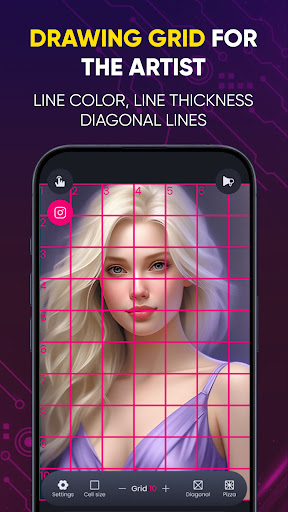
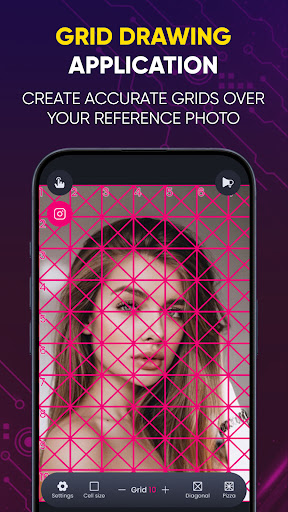
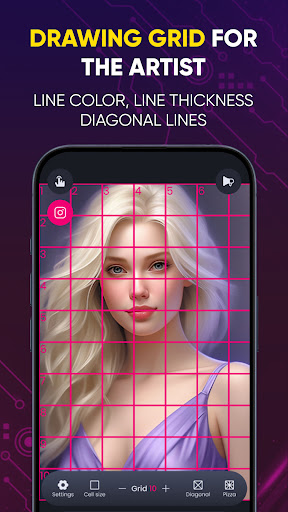
Grid Drawing is an art technique where you draw a grid over your reference photo and create a matching grid on your work surface, such as wood, paper, or canvas. The artist then reproduces the image by focusing on one square at a time until the entire picture is transferred or recreated. 🖼️✏️
<b>Grid Maker - Grid for Drawing</b> allows you to slice any picture into a 1x2, 1x3, 2x3, 3x3, 4x3, or 5x3 grid while maintaining high resolution. It then lets you quickly post the split images to Instagram, …
Read the full description
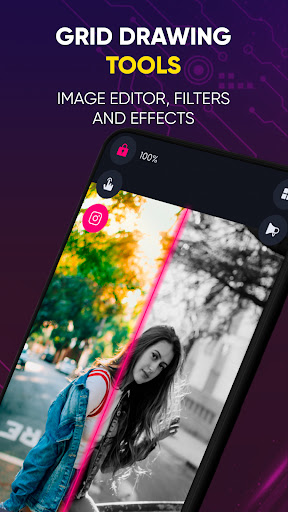
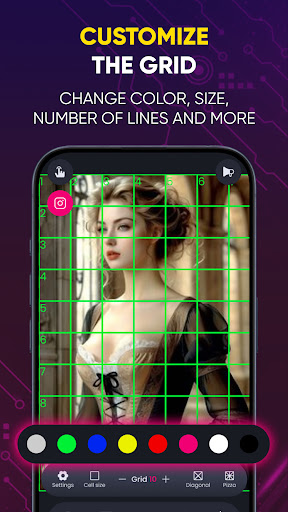
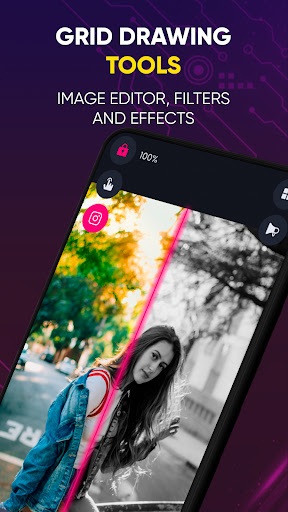
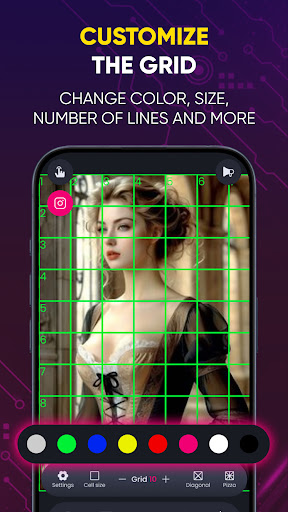
<b>Grid Maker - Grid for Drawing</b> is the original and most popular app for splitting your photos into grids and posting them directly to Instagram and also create a grid for drawing. 📸✨ Grid Drawing is an art technique where you draw a grid over your reference photo and create a matching grid on your work surface, such as wood, paper, or canvas. The artist then reproduces the image by focusing on one square at a time until the entire picture is transferred or recreated. 🖼️✏️ <b>Grid Maker - Grid for Drawing</b> allows you to slice any picture into a 1x2, 1x3, 2x3, 3x3, 4x3, or 5x3 grid while maintaining high resolution. It then lets you quickly post the split images to Instagram, displaying them as one big photo on your profile. Elevate your portrait painting and sketching with <b>Grid Maker</b>, the must-have tool for artists! This feature-packed app simplifies your drawing process with: 📏 <b>Customizable Grid Sizes:</b> Adjust the grid to any dimensions you need for precise scaling and accuracy. Adjust grids to fit your needs. 📸 <b>Photo Import & Project Saving</b> – Resume work anytime, anywhere and easily import reference photos from your gallery to overlay with a grid. 💾 🔍 <b>Zoom and Pan:</b> Zoom in and out and pan across your image for detailed work on each grid square. Prevent accidental zooming for precision. 🎨 <b>Color and Line Customization:</b> Customize grid colors and line thickness to suit your preferences and improve visibility. 6 Grid Colors – Customize grids for better visibility. 🖼️ <b>Aspect Ratio Lock:</b> Maintain the aspect ratio of your reference photo to ensure accurate reproduction. 🔢 <b>Measurement Tools:</b> Include built-in rulers and measurement tools to help with proportions and scaling. 💾 <b>Save and Load Projects:</b> Save your work and load previous projects to continue working on them later. 🔄 <b>Grid Rotation:</b> Rotate the grid to match the orientation of your reference photo. 📲 <b>Share Your Work:</b> Share your grid drawing projects directly to social media or with friends. ✨ <b>Layer Support:</b> Add multiple layers for tracing and sketching over your grid for more complex designs. 🖌️ <b>Drawing Tools:</b> Access a variety of drawing tools and brushes directly within the app to sketch your image. 🔔 <b>Tutorials and Tips:</b> Access in-app tutorials and tips to help you master grid drawing techniques. 🎨 <b>Grid Drawing is the ultimate app for both beginners and advanced artists seeking improvement, precision, and accuracy in their artwork.</b> 🌟 🌟<b>Brightness & Contrast Control</b> – Enhance image clarity. Benefits of the <b>Grid Drawing</b> technique: 📐 Proportional accuracy 📏 Scale and size modification 🧩 Breaking down complexity 👁️ Enhanced observational skills ✋ Improved hand-eye coordination 💪 Confidence building <b>Grid Maker for Drawing</b> simplifies the process by breaking down your reference photo into smaller squares (rows and columns), with each square containing a part of the overall picture. The artist then recreates those squares on a larger scale, one square at a time, with tremendous accuracy. This app enhances your drawing skills by maintaining proportions and image details. <b>Grid Maker</b> also comes with numerous tools and customizations that facilitate the accurate and timely transfer of your reference photo to your work surface with great precision. <b>Drawing Grid</b> for the Artist is designed for both beginners and advanced artists to improve their observational and drawing skills. 🎨✨
Installs since 29 Aug 2026 Measured
Exact Google Play install counts, collected daily
Ratings
1,080 ratings, 2 reviews
- 5 ★64%
- 4 ★11%
- 3 ★7.1%
- 2 ★7.1%
- 1 ★11%
Recent reviews
Latest public reviews from the store
- 17 Apr 2025
I loved the basic premise of the game. Something new and refreshing. Puzzle looks minimalistic and colourful.
- 14 Apr 2025
A great puzzle game that really gets you thinking! Easy rules to follow.
Top chart positions
Latest Google Play chart ranks by country, last 10 days
Not in any tracked top chart in the last 10 days.
Grid Maker For Drawing history
Release, install milestones, listing and store changes
- Reached 10,000+ installs 26 Feb 2025
- Reached 5,000+ installs 11 Sep 2024
- Reached 1,000+ installs 19 Jun 2024
- Reached 500+ installs 9 Jun 2024
- Reached 100+ installs 3 Jun 2024
- First released on the store 27 May 2024
Update frequency
How often Grid Maker For Drawing ships a new version, month by month
1 updates in the last 12 months. About as often as similar apps, which shipped a median of 1 updates in the same year.
Recent versions
Current version 1.0.9
- Version 1.0.820 Aug 2026
sdk, billing update
- Version 1.0.429 Aug 2025
billing and subs update
- Version 1.0.29 Aug 2024
Listing keywords
Words and phrases Grid Maker For Drawing repeats most in its store listing
Top phrases: grid maker (7), grid drawing (5), reference photo (5), grid for drawing (3), maker for drawing (3).
Highlighted words also appear in the title. Counts cover the title, short description and description.
Business model and tech
From the store listing and declared permissions
- Business model
- Free to downloadIn-app purchasesShows ads
- Subscriptions and payments
- Google Play billing
- Sensitive access
- Advertising ID
11 permissions
0 special access, 1 sensitive, 10 standard
- Show notificationsPOST_NOTIFICATIONSSensitive
- Ad attribution (Privacy Sandbox)ACCESS_ADSERVICES_ATTRIBUTIONStandard
- Read how it was installed (install referrer)BIND_GET_INSTALL_REFERRER_SERVICEStandard
- Read the advertising IDAD_IDStandard
- Read the advertising ID (Privacy Sandbox)ACCESS_ADSERVICES_AD_IDStandard
- Keep the phone awakeStandard
- Full internet accessStandard
- See network connectionsStandard
- Receive push messagesStandard
- Internal app permissionDYNAMIC_RECEIVER_NOT_EXPORTED_PERMISSIONStandard
- In-app purchases with Google PlayStandard
Compliance
What the listing and the app package show
- Store status
- Live
- Upkeep
- Updated 20 Aug 2026
- Registered in
- Australia
- Privacy policy
- Linked on the listing
- Advertising
- Shows ads
- In-app purchases
- Offered
- Age rating
- Everyone
- Sensitive permissions
- 1 sensitive of 11
- Location access
- No
- Camera and microphone
- Neither
Apps like Grid Maker For Drawing
BG Changer: Background RemoverThirra Labs816K installs★ 3.15
Text Animation GIF MakerDVG Tech Apps209K installs★ 3.63
Ballet lessons for beginnersWater Video Software149K installs★ 3.94
Inktica - pixel art editorArcuilo78.4K installs★ 4.34
Post Maker for Social Mediajustapps128K installs★ 4.5
Heroes and Villains ColoringTyler Ro227K installs★ 3.84
Cover Maker for Spotify7Taps Studio195K installs★ 3.5
Esports Gaming Logo MakerDevabits Inc286K installs★ 4.38
NotTiledMirwanda Center129K installs★ 3.74
Grid Maker For Drawing: questions and answers
How many downloads does Grid Maker For Drawing have?
Grid Maker For Drawing has 46,881 installs on Google Play, measured from the store's own count on 16 Nov 2026.
Who makes Grid Maker For Drawing?
Grid Maker For Drawing is published by GREEN TECH SOLUTIONS, a developer based in AU.
When was Grid Maker For Drawing last updated?
The latest version (1.0.9) was released on 20 Aug 2026.
Is Grid Maker For Drawing free?
Yes. Grid Maker For Drawing is free to download and offers in-app purchases, and it shows ads.
Is Grid Maker For Drawing still available?
Yes. Grid Maker For Drawing is live on Google Play as of 16 Nov 2026.
Track Grid Maker For Drawing and its competitors
Watch any app for new versions, rating drops, chart moves and removals. Free plan, no card.