
Microsoft OneNote: Save Notes
Powerful notepad to capture ideas & save notes. Easily organize & share notes
- Installs
- 1.01B
- Measured
- Rating
- 4.54
- Ratings
- 1.5M
- 53.9K reviews
- Version
- 16.0.20430.20038
- Updated 16 Sep 2026
- Released
- 7 Feb 2012
- Tracked since 10 May 2026
- Size
- —
- Needs 6.0
Screenshots


About Microsoft OneNote: Save Notes
The description on the store listing
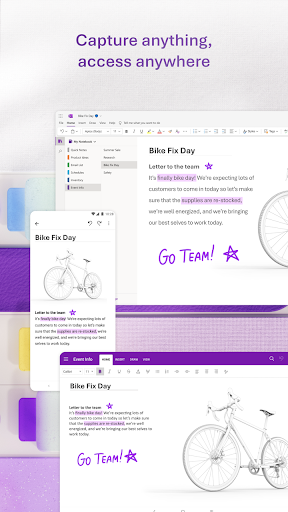
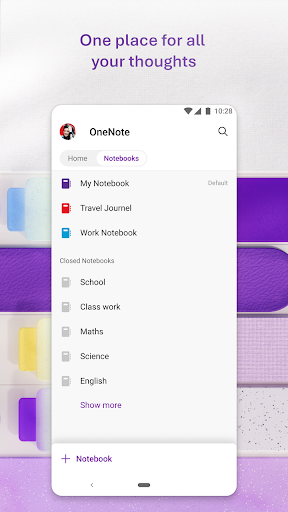
Organize your thoughts, discoveries, and ideas and simplify planning important moments in your life with your digital notepad. Take notes on your phone and sync them across all your devices with Microsoft OneNote.
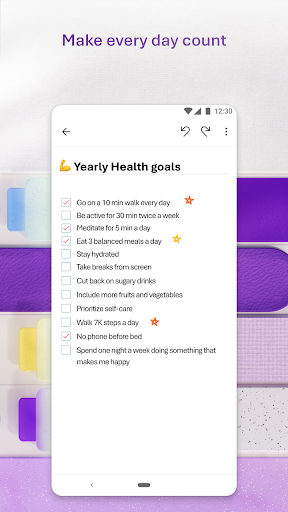
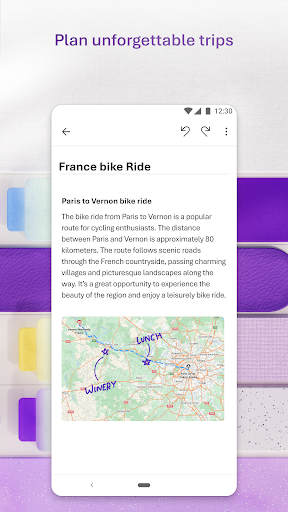
With OneNote, you can plan a big event, seize a moment of inspiration to create something new, and track your list of errands that are too important to forget. Take notes, write memos and make a digital sketchbook right on your phone. Capture pictures and add images to your notes.
Sync notes across your devices to access them anytime, anywhere. Save ideas and check your list at home, in the office, or on the go across your devices. Search your notes quickly and effortlessly. …
Read the full description
Organize your thoughts, discoveries, and ideas and simplify planning important moments in your life with your digital notepad. Take notes on your phone and sync them across all your devices with Microsoft OneNote. With OneNote, you can plan a big event, seize a moment of inspiration to create something new, and track your list of errands that are too important to forget. Take notes, write memos and make a digital sketchbook right on your phone. Capture pictures and add images to your notes. Sync notes across your devices to access them anytime, anywhere. Save ideas and check your list at home, in the office, or on the go across your devices. Search your notes quickly and effortlessly. Take notes, share ideas, organize and collaborate with Microsoft OneNote today. Homepage & Quick Capture Bar • Find all notes from your connected accounts in one place to easily create, find, & act on your notes • Now with Samsung Notes integration • Capture text, voice, ink or images to your notepad with Quick Capture • Capture notes in ink. Click the pen button & write down your thoughts Scan Pictures & Extract Text • Notes Scanner: Scan documents, pictures, or files to extract notes • Capture images to extract text from documents, files, & more • Apply different filters to change colors, add ink, crop images & more Audio Notes • Take accurate voice notes with voice dictation • Click the Mic button to begin recording, then click it again to end recording & save the file • Dictate notes in 27 languages (note some languages are in preview) & use Auto-Punctutation to automatically format your notes Capture Content & Get Organized • Write notes, draw & clip things from the web to add to your notebook • Use OneNote’s flexible canvas to place content anywhere you want Take Notes & Achieve More • Organize your notes using to-do lists, follow up items, marks for what’s important & custom labels • Use OneNote as a notebook, journal or a notepad Save Ideas At The Speed of Light • OneNote syncs your notes across all devices & lets multiple people work on the content together, at the same time • Notepad badge hovers on screen & lets you quickly write your thoughts down any time • Sticky notes are helpful for quick memos Collaborate & Share Notes • Take meeting notes, brainstorm projects, & draw attention to important points • Take notes & save ideas across your favorite devices, no matter what device your team likes to use • Search your notes with a fast & powerful search function Better Together With Microsoft Office • OneNote is part of the Office family & works great with your favorite apps, such as Excel or Word, to help you do more Write notes, save ideas & keep up with your to-do list with Microsoft OneNote. You can find answers to frequently asked questions about OneNote for Android at http://aka.ms/OnenoteAndroidFAQ Requirements: • Requires Android OS 9.0 or later. • A free Microsoft account is required to use OneNote. • OneNote opens existing notebooks created in Microsoft OneNote 2010 format or later. • To sync your notes to OneDrive for Business, sign in with your organization’s Office 365 or SharePoint account. This app is provided either by Microsoft or a third-party app publisher and is subject to a separate privacy statement and terms and conditions. Data provided through the use of this store and this app may be accessible to Microsoft or the third-party app publisher, as applicable, and transferred to, stored and processed in the United States or any other country where Microsoft or the app publisher and their affiliates or service providers maintain facilities. Please refer to Microsoft’s End User License Agreement (EULA) for Terms of Service for OneNote on Android. By installing the app, you agree to these terms and conditions: https://support.office.com/legal?llcc=en-us&aid=OneNoteForAndroidLicenseTerms.htm. Microsoft’s privacy statement is available at https://privacy.microsoft.com/en-us/privacystatement
Installs, last 30 days Measured
Exact Google Play install counts, collected daily
Ratings
1,505,003 ratings, 53,934 reviews
- 5 ★77%
- 4 ★15%
- 3 ★2.6%
- 2 ★1.3%
- 1 ★4.4%
Recent reviews
Latest public reviews from the store
- 18 May 2026
this helps with school projects
- 18 May 2026
good
- 18 May 2026
❤️❤️
- 18 May 2026
good
What reviewers bring up
Topics mentioned in the latest 50 reviews, by how many reviews mention them
Liked in good reviews (40 reviews)
- presentation 3
- school 2
Raised in bad reviews (9 reviews)
- microsoft 3
- features 2
- couldn't 2
- desktop 2
- haven't 2
- mobile 2
- suite 2
- pay 2
Top chart positions
Latest Google Play chart ranks by country, last 10 days
- Countries ranked
- 11
- Best rank
- #42
- Top 10 placements
- 0
- of 11 chart placements
- Average rank
- #106.9
Best countries on Google Play
- 🇦🇺 Australia · Top free, Productivity#42
- 🇬🇧 United Kingdom · Top free, Productivity#43
- 🇩🇪 Germany · Top free, Productivity#44
- 🇨🇦 Canada · Top free, Productivity#59
- 🇫🇷 France · Top free, Productivity#68
- 🇺🇸 United States · Top free, Productivity#87
| Country | Chart | Category | Rank | Best (10 days) | Date |
|---|---|---|---|---|---|
| 🇦🇺 Australia | Top free | Productivity | #42 | #35 | 19 Nov 2026 |
| 🇬🇧 United Kingdom | Top free | Productivity | #43 | #37 | 19 Nov 2026 |
| 🇩🇪 Germany | Top free | Productivity | #44 | #41 | 19 Nov 2026 |
| 🇨🇦 Canada | Top free | Productivity | #59 | #57 | 19 Nov 2026 |
| 🇫🇷 France | Top free | Productivity | #68 | #68 | 19 Nov 2026 |
| 🇺🇸 United States | Top free | Productivity | #87 | #87 | 19 Nov 2026 |
| 🇯🇵 Japan | Top free | Productivity | #87 | #87 | 19 Nov 2026 |
| 🇦🇹 Austria | Top free | All apps | #175 | #107 | 19 Nov 2026 |
| 🇲🇽 Mexico | Top free | Productivity | #179 | #175 | 19 Nov 2026 |
| 🇰🇷 South Korea | Top free | Productivity | #194 | #194 | 14 Nov 2026 |
Microsoft OneNote: Save Notes history
Release, install milestones, listing and store changes
- Reached 1,000,000,000+ installs 27 Mar 2026
- First released on the store 7 Feb 2012
Update frequency
How often Microsoft OneNote: Save Notes ships a new version, month by month
8 updates in the last 12 months. Less often than most similar apps: they shipped a median of 11 updates in the same year.
Recent versions
Current version 16.0.20430.20038
- Version 16.0.20430.2003816 Sep 2026
• Bug fixes and performance improvements.
- Version 16.0.20228.2021420 Aug 2026
• Bug fixes and performance improvements.
- Version 16.0.20228.201284 Aug 2026
• Bug fixes and performance improvements.
- Version 16.0.20131.2012613 Jul 2026
• Bug fixes and performance improvements.
Listing keywords
Words and phrases Microsoft OneNote: Save Notes repeats most in its store listing
Top phrases: microsoft onenote (5), take notes (5), save ideas (4), notes save ideas (2), party app publisher (2).
Highlighted words also appear in the title. Counts cover the title, short description and description.
Business model and tech
From the store listing and declared permissions
- Business model
- Free to download
- Sensitive access
- No sensitive permission declared
Compliance
What the listing and the app package show
- Store status
- Live
- Upkeep
- Updated 16 Sep 2026
- Registered in
- United States
- Privacy policy
- Linked on the listing
- Advertising
- No ads declared
- In-app purchases
- None declared
- Age rating
- Everyone
Apps like Microsoft OneNote: Save Notes
Chat AI: Ask Agent AnythingDeep Flow Apps47.7M installs★ 4.62
MEGAMega Ltd193M installs★ 4.62
My e&e& Egypt50.2M installs★ 3.53
Google AssistantGoogle LLC6.3B installs★ 3.75
File ManagerFile Manager Plus176M installs★ 4.67
My Robi - Offers, Usage, MoreROBI AXIATA PLC.71.1M installs★ 4.66
VPN Proxy Speed - Super VPNTOPAPPS TECH PTE LTD110M installs★ 4.8
Status Download - Video SaverShree Ganesha Labs204M installs★ 4.6
Narrator's Voice - TTSEscolha Tecnologia34.7M installs★ 4.2
Microsoft OneNote: Save Notes: questions and answers
How many downloads does Microsoft OneNote: Save Notes have?
Microsoft OneNote: Save Notes has 1,014,208,722 installs on Google Play, measured from the store's own count on 19 Nov 2026.
Who makes Microsoft OneNote: Save Notes?
Microsoft OneNote: Save Notes is published by Microsoft Corporation, a developer based in US.
When was Microsoft OneNote: Save Notes last updated?
The latest version (16.0.20430.20038) was released on 16 Sep 2026.
Is Microsoft OneNote: Save Notes free?
Yes. Microsoft OneNote: Save Notes is free to download.
Is Microsoft OneNote: Save Notes still available?
Yes. Microsoft OneNote: Save Notes is live on Google Play as of 19 Nov 2026.
Track Microsoft OneNote: Save Notes and its competitors
Watch any app for new versions, rating drops, chart moves and removals. Free plan, no card.