
My Backup
The easiest backup for Android Supporting the most content and the most devices
- Installs
- 3.23M
- Measured
- Rating
- 4.27
- Ratings
- 18.5K
- 2.1K reviews
- Version
- 4.9.1
- Updated 21 Oct 2026
- Released
- —
- Tracked since 13 May 2026
- Size
- 7 MB
- Needs 4.1
Screenshots
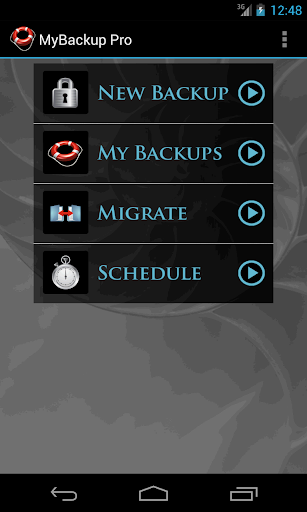
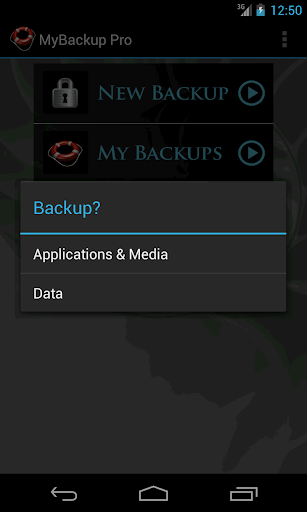
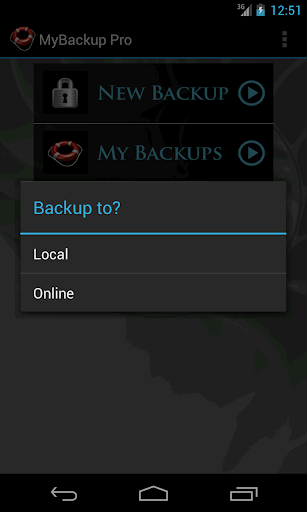


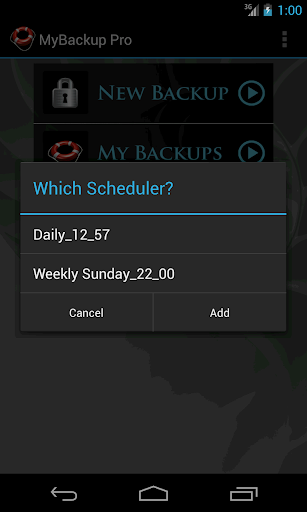

About My Backup
The description on the store listing
MyBackup is the easiest, most reliable, and feature packed Android backup solution available.
Supporting the most content, and the most Android devices.
For FREE:
* Backup locally to your device or SD card
* Backup and restore using an On The Go (OTG) USB card
* Cloud Backup
* Schedule multiple automatic backups
* Supporting THE MOST content including your Applications, Photos, Music, Videos, Contacts, Call log, Browser Bookmarks, SMS (text messages), MMS (message attachments), Calendar, System Settings, Dictionary, Music Playlists, APNs, Home Screens (Some devices), Alarms (Some devices), and more...
* Users with root access can backup APKs AND DATA!
* Backup and restore one …
Read the full description
MyBackup is the easiest, most reliable, and feature packed Android backup solution available. Supporting the most content, and the most Android devices. For FREE: * Backup locally to your device or SD card * Backup and restore using an On The Go (OTG) USB card * Cloud Backup * Schedule multiple automatic backups * Supporting THE MOST content including your Applications, Photos, Music, Videos, Contacts, Call log, Browser Bookmarks, SMS (text messages), MMS (message attachments), Calendar, System Settings, Dictionary, Music Playlists, APNs, Home Screens (Some devices), Alarms (Some devices), and more... * Users with root access can backup APKs AND DATA! * Backup and restore one device, to go across another device (data migration) you will need the Pro features Unlocked Pro features include: * Backup and Restore to any number of Android devices sharing the same account * Cloud backup support to any of the following services: 1) Rerware Cloud, 2) Dropbox, 3) Google Drive. * Direct backup to your computer over the Internet! * Direct migration from one Android device to another over WiFi * View your data and application backups online * Users with Root access can: - Freeze bloatware, system apps - Defrost frozen applications - Wipe Cache of applications - Wipe Data of applications - Uninstall applications - Force Close applications - And more... MyBackup will work on all Android mobile devices, regardless if they have root access or not. Find out why over 5 million people trust MyBackup as their secure source for a Backup Solution. NOTE: Data and setting of applications can only be supported if you have a rooted device, or if the application integrates with us. ________________________________ NEWS AND REVIEWS: CNET TV recommends Android users to use MyBackup Pro to backup their personal data. T-Mobile highlights MyBackup Pro in their quarterly magazine as "an application to have For the Security Minded." TechHive (PCWorld) gives MyBackup Pro 4.5 stars and recommends Android users to use MyBackup Pro to backup and secure their Android devices. ________________________________
Installs since 19 Jul 2026 Measured
Exact Google Play install counts, collected daily
Ratings
18,523 ratings, 2,062 reviews
- 5 ★74%
- 4 ★8.0%
- 3 ★2.0%
- 2 ★1.0%
- 1 ★15%
Recent reviews
Latest public reviews from the store
- 23 May 2021
helpful app
Top chart positions
Latest Google Play chart ranks by country, last 10 days
Not in any tracked top chart in the last 10 days.
My Backup history
Release, install milestones, listing and store changes
- Reached 1,000,000+ installs 17 Nov 2012
Update frequency
How often My Backup ships a new version, month by month
3 updates in the last 12 months. Less often than most similar apps: they shipped a median of 4 updates in the same year.
Recent versions
Current version 4.9.1
- Version 4.9.121 Oct 2026
v4.9.1 -New Android billing -Target SDK v4.9.0 -Fixed SMS restore issues on some phones v4.8.8 -Fixed hidden backup button bug on some phones - Misc fixes v4.8.6 -Target SDK 35 - Misc fixes v4.8.4 - Fixed Android 12+ issues v4.8.0 - Fixed apps backup on Android 11+ v4.7.8 - Fixed Android 11+ issues v4.7.7 - Fixed Dropbox issue - Fixed Google Drive issue v4.7.6 - Fixed SMS/MMS restore on Android 10 - Fixed intent redirection vulnerability
- Version 4.9.029 Aug 2026
v4.9.0 -Fixed SMS restore issues on some phones v4.8.8 -Fixed hidden backup button bug on some phones - Misc fixes v4.8.6 -Target SDK 35 - Misc fixes v4.8.4 - Fixed Android 12+ issues v4.8.0 - Fixed apps backup on Android 11+ v4.7.8 - Fixed Android 11+ issues v4.7.7 - Fixed Dropbox issue - Fixed Google Drive issue v4.7.6 - Fixed SMS/MMS restore on Android 10 - Fixed intent redirection vulnerability
- Version 4.8.85 Dec 2025
v4.8.8 -Fixed hidden backup button bug on some phones - Misc fixes v4.8.6 -Target SDK 35 - Misc fixes v4.8.4 - Fixed Android 12+ issues v4.8.0 - Fixed apps backup on Android 11+ v4.7.8 - Fixed Android 11+ issues v4.7.7 - Fixed Dropbox issue - Fixed Google Drive issue v4.7.6 - Fixed SMS/MMS restore on Android 10 - Fixed intent redirection vulnerability v4.7.3 - Fixed Google Drive issues and Misc fixes.
- Version 4.8.617 Jul 2025
Listing keywords
Words and phrases My Backup repeats most in its store listing
Top phrases: mybackup pro (4), backup and restore (3), android devices (3), root access (3), pro to backup (2).
Highlighted words also appear in the title. Counts cover the title, short description and description.
Business model and tech
From the store listing, the SDKs in the app package and its declared permissions
- Business model
- Free to downloadIn-app purchasesShows ads
- Built with
- No cross-platform framework or game engine detected
- Ad networks (1)
- AdMob
- Subscriptions and payments
- Google Play billing
- Analytics and crash reports
- Firebase
- Sensitive access
- ContactsPhone and callsText messagesCalendarPhotos, videos and filesAccounts on the deviceAdvertising ID
2 ad, attribution and analytics SDKs detected. SDKs are read from the app package and permissions from the store listing, so code that loads later is not seen.
Technology
36 SDKs found in the app package
Ad networks
Advertising and install-attribution SDKs found in the app package
- AdMob
52 permissions
6 special access, 11 sensitive, 35 standard
- Change system settingsWRITE_SETTINGSSpecial access
- Install other appsREQUEST_INSTALL_PACKAGESSpecial access
- Manage all filesMANAGE_EXTERNAL_STORAGESpecial access
- Read sensitive log dataSpecial access
- See every installed appQUERY_ALL_PACKAGESSpecial access
- Set exact alarmsSCHEDULE_EXACT_ALARMSpecial access
- Read calendar eventsSensitive
- Change contactsSensitive
- Read contactsSensitive
- See accounts on the deviceSensitive
- Change or delete shared storageSensitive
- Read shared storageSensitive
Compliance
What the listing and the app package show
- Store status
- Live
- Upkeep
- Updated 21 Oct 2026
- Registered in
- United States
- Privacy policy
- Linked on the listing
- Advertising
- Shows ads
- In-app purchases
- Offered
- Age rating
- Everyone
- Sensitive permissions
- 11 sensitive, 6 special access of 52
- Location access
- No
- Camera and microphone
- Neither
Apps like My Backup
Galaxy Watch ManagerSamsung Electronics Co., Ltd.7.3M installs★ 3.75
Auto Clicker - Auto Tapper AppYakinGlobal9.1M installs★ 3.48
USA VPN - Fast & Securehelalik2.2M installs★ 4.16
VPRN - XXXX Secure VPN ProxyRowdy Brother1.9M installs★ 4.04
QAP MultasQAPCORP465K installs★ 5.0
WiFi Speed Test - WiFi MeterWiFi Extender - WiFi Analyzer & WiFi Speed Test1.6M installs★ 4.05
File Recovery - Restore FilesLo Li9.4M installs★ 2.95
Save Status - Video Status AppCool Photo Apps Developer10.4M installs★ 4.48
E.ON - L'energia che ti serveE.ON Digital Technology GmbH525K installs★ 4.6
My Backup: questions and answers
How many downloads does My Backup have?
My Backup has 3,231,693 installs on Google Play, measured from the store's own count on 15 Nov 2026.
Who makes My Backup?
My Backup is published by Rerware, LLC, a developer based in US.
When was My Backup last updated?
The latest version (4.9.1) was released on 21 Oct 2026.
Is My Backup free?
Yes. My Backup is free to download and offers in-app purchases, and it shows ads.
Is My Backup still available?
Yes. My Backup is live on Google Play as of 15 Nov 2026.
Track My Backup and its competitors
Watch any app for new versions, rating drops, chart moves and removals. Free plan, no card.