
OneStep Reader Multi
The OneStep Reader converts printed text into high quality speech
- Installs
- 91.88K
- Measured
- Rating
- 2.0
- Ratings
- 69
- 7 reviews
- Version
- 3.2
- Updated 16 Dec 2024
- Released
- 14 Nov 2016
- Tracked since 13 May 2026
- Size
- 180 MB
- Needs 5.0
Also on App Store: OneStep Reader Multi (14 ratings)
Screenshots

About OneStep Reader Multi
The description on the store listing
To activate and use OneStep Reader Multi you need a license with valid username and password. If you do not yet have these, please contact your OneStep Reader Multi distributor or site administrator. A list of distributors where you can buy your license can be found on the OneStep Reader website www.onestepreader.com. You can also buy your license directly from the Play store by installing OneStep Reader instead of OneStep Reader Multi.
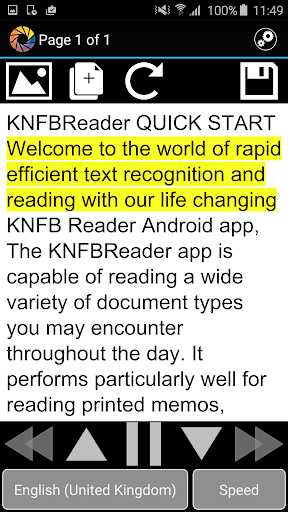
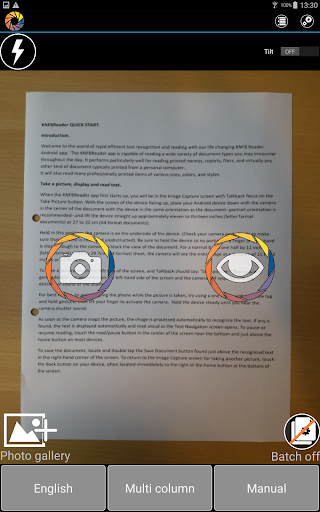
Take a pic, the app reads the print.
Supported by Google.
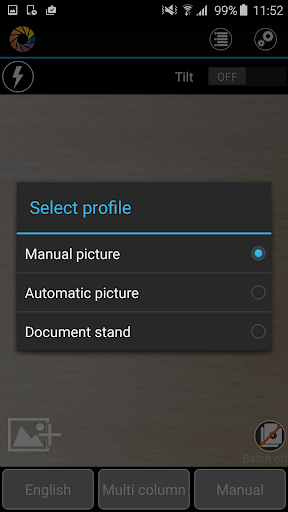
The app helps you get a good photo!
Hear it aloud, or read in Braille.
OneStep Reader is the winner of the 2016 AFB Access Award.
High quality text to speech; OCR.
Reads multiple …
Read the full description
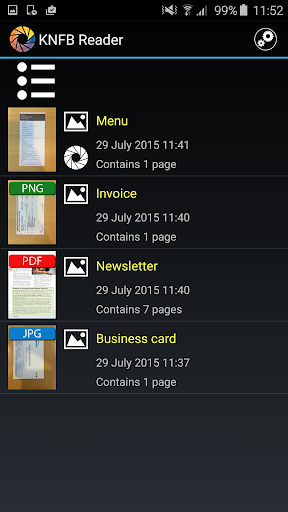
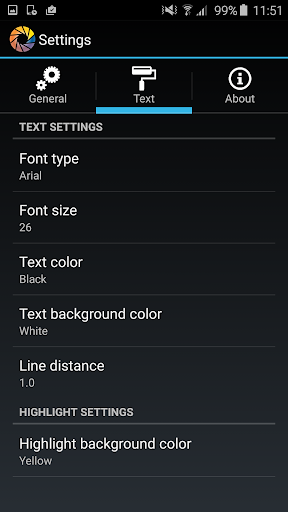
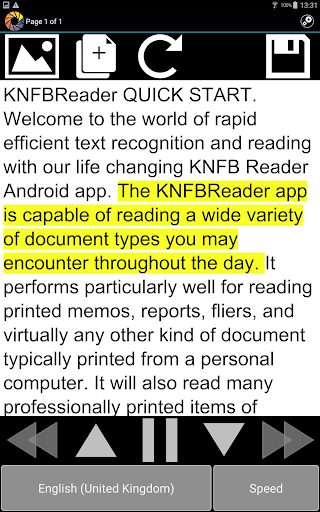
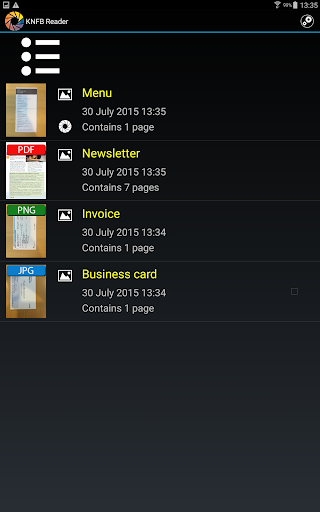
To activate and use OneStep Reader Multi you need a license with valid username and password. If you do not yet have these, please contact your OneStep Reader Multi distributor or site administrator. A list of distributors where you can buy your license can be found on the OneStep Reader website www.onestepreader.com. You can also buy your license directly from the Play store by installing OneStep Reader instead of OneStep Reader Multi. Take a pic, the app reads the print. Supported by Google. The app helps you get a good photo! Hear it aloud, or read in Braille. OneStep Reader is the winner of the 2016 AFB Access Award. High quality text to speech; OCR. Reads multiple pages. Viewfinder assist, tilt assist, and automatic text detection. Copy it. Send it. Reads image-based PDF and JPEG files. Exports HTML and TXT files. Navigates by line, sentence, word, or character. Synchronized text highlighting. Multiple language support. OneStep Reader is YOUR app. It was designed with you in mind. It will make the print yours. It’s easy to use. Take a photo, the app reads the text in clear synthetic speech or with a connected Braille display. It’s as simple as that. The app has also has synchronized text highlighting which reads along with the displayed text, a benefit for people with dyslexia and other reading disabilities. OneStep Reader is fully accessible using Google TalkBack. And if you’re worried about getting the right photo, the app will help you. It has text detection so you know you have the printed side of the page. It also has tilt assist and viewfinder assist – the app helps you get the whole page photographed. Just a tap of the finger and the print is yours. What can this app do? It can read receipts. Never worry about being overcharged again. You will know what has been put on your card at restaurants, stores, or in taxis. OneStep Reader can read package labels. Wonder who sent you that package? Want to know what came in the mail? Can’t remember when you bought that lunchmeat in the fridge? Need nutritional information from your breakfast cereal? OneStep Reader captures it all. Out shopping and need a price? OneStep Reader can read price tags, clothing labels, and tags on shelves. OneStep Reader can capture print from your computer or tablet screen. Screen reader not cooperating? Getting nothing aloud? Photograph the screen and know exactly what those error messages say. What about user manuals? So many items come with manuals, installation instructions or troubleshooting guides. OneStep Reader can read those too. It can scan multiple pages at a time in the batch mode. Just turn the pages as you shoot the photos. Your new appliance or Bluetooth earpiece is no longer a mystery. Can’t find a book through an accessible book service? Set your OneStep Reader to batch mode and scan the pages, save them for later and read them at your leisure. OneStep Reader has various options to adapt the font type, size and color, background color and the use of double highlighting. Visually impaired people or those with other print disabilities (such as dyslexia) can easily follow what is being read aloud on the screen by watching the cursor move across the document. Fully localized version (user interface, recognition and speech) available for: English, Norwegian (Bokmål), Dutch, French, German, Italian, Portuguese, Spanish, Swedish, Danish, Turkish, Russian and Polish. Other languages available for only speech and recognition: Finnish, Czech, Bulgarian, Ukrainian, Estonian and Greek Compatibility: • Optimal experience: Android device with a hexa or octa core CPU, an eight megapixel camera Visit our website at: www.onestepreader.com Please send feedback and suggestions to: [email protected]
Installs since 29 Aug 2026 Measured
Exact Google Play install counts, collected daily
Ratings
69 ratings, 7 reviews
- 5 ★9.0%
- 4 ★9.0%
- 3 ★9.0%
- 2 ★18%
- 1 ★55%
Recent reviews
Latest public reviews from the store
No reviews in our sample for this app yet.
What reviewers bring up
Topics mentioned in the latest 10 reviews, by how many reviews mention them
Liked in good reviews (0 reviews)
No topic comes up twice.
Raised in bad reviews (10 reviews)
- demo 2
- try 2
Top chart positions
Latest Google Play chart ranks by country, last 10 days
Not in any tracked top chart in the last 10 days.
OneStep Reader Multi history
Release, install milestones, listing and store changes
- Reached 5,000+ installs 15 Feb 2019
- Reached 1,000+ installs 21 Jun 2017
- Reached 500+ installs 18 Feb 2017
- Reached 100+ installs 26 Nov 2016
- First released on the store 14 Nov 2016
- Reached 10+ installs 24 Sep 2016
- Reached 5+ installs 21 Sep 2016
Update frequency
How often OneStep Reader Multi ships a new version, month by month
0 updates in the last 12 months. Less often than most similar apps: they shipped a median of 1 updates in the same year.
Recent versions
Current version 3.2
- Version 3.216 Dec 2024
- Improved OCR quality - Added an option to add external files
- Version 2.9.027 Oct 2020
- Version 2.8.611 Dec 2018
- Version 2.8.57 Mar 2018
Listing keywords
Words and phrases OneStep Reader Multi repeats most in its store listing
Top phrases: onestep reader (17), onestep reader multi (4), reader multi (4), reader can read (3), onestepreader com (3).
Highlighted words also appear in the title. Counts cover the title, short description and description.
Business model and tech
From the store listing, the SDKs in the app package and its declared permissions
- Business model
- Free to downloadIn-app purchases
- Built with
- No cross-platform framework or game engine detected
- Ad networks (0)
- None detected
- Subscriptions and payments
- Google Play billing
- Analytics and crash reports
- Flurry AnalyticsGoogle Analytics
- Sensitive access
- CameraPhotos, videos and files
2 ad, attribution and analytics SDKs detected. SDKs are read from the app package and permissions from the store listing, so code that loads later is not seen.
Technology
13 SDKs found in the app package
11 permissions
0 special access, 3 sensitive, 8 standard
- Take photos and videosSensitive
- Change or delete shared storageSensitive
- Read shared storageSensitive
- Control vibrationStandard
- Keep the phone awakeStandard
- See running appsStandard
- Full internet accessStandard
- See network connectionsStandard
- See Wi-Fi connectionsStandard
- Google Play license checkStandard
- In-app purchases with Google PlayStandard
Compliance
What the listing and the app package show
- Store status
- Live
- Upkeep
- Updated 16 Dec 2024
- Registered in
- Belgium
- Privacy policy
- Linked on the listing
- Advertising
- No ads declared
- In-app purchases
- None declared
- Age rating
- Everyone
- Sensitive permissions
- 3 sensitive of 11
- Location access
- No
- Camera and microphone
- Camera
Apps like OneStep Reader Multi
Live Bluetooth MicrophoneSH Solu21.5K installs★ 2.6
Persons with Disabilities RegiBytize, Inc.31.1K installs★ 4.3
Rok Remote For Smart TVNight-Dev Solutions7.2K installs★ 3.41
ЛапЭкспертЧетыре Лапы33.4K installs★ 2.7
FaB CounterStefanKarlsson10.7K installs★ 4.67
TestApp.ioTestApp.io17.6K installs★ 3.75
My Christmas BuddyMyBuzz Technologies Ltd13.4K installs★ 3.92
Camera Suite for HeroM-Apps3.6K installs★ 2.7
Seguridad Internet TelmexTelmex59.3K installs★ 3.8
OneStep Reader Multi: questions and answers
How many downloads does OneStep Reader Multi have?
OneStep Reader Multi has 91,880 installs on Google Play, measured from the store's own count on 8 Nov 2026.
Who makes OneStep Reader Multi?
OneStep Reader Multi is published by Sensotec, a developer based in BE.
When was OneStep Reader Multi last updated?
The latest version (3.2) was released on 16 Dec 2024.
Is OneStep Reader Multi free?
Yes. OneStep Reader Multi is free to download.
Is OneStep Reader Multi still available?
Yes. OneStep Reader Multi is live on Google Play as of 8 Nov 2026.
Track OneStep Reader Multi and its competitors
Watch any app for new versions, rating drops, chart moves and removals. Free plan, no card.