
PC Remote
Control your PC remotely — play, create, and use your phone as a virtual webcam.
- Installs
- 12.33M
- Measured
- Rating
- 3.63
- Ratings
- 55.7K
- 1.3K reviews
- Version
- 9.1.4
- Updated 24 Oct 2026
- Released
- 4 Apr 2013
- Tracked since 13 May 2026
- Size
- —
Also on App Store: PC Remote (304 ratings)
Screenshots


About PC Remote
The description on the store listing
Elevate your PC experience with Monect PC Remote, a versatile and free app designed to give you full control of your computer — whether you're nearby or miles away.
Key Features:
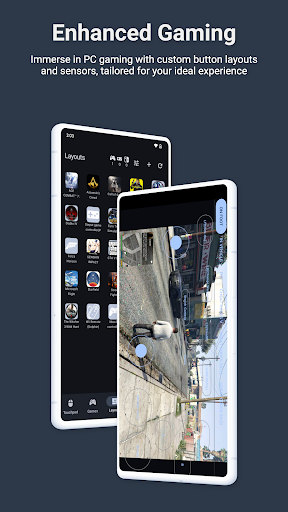
* Enhanced Gaming: Immerse yourself in PC gaming with custom button layouts and onboard sensors. Tailor them to your preferences for an unbeatable gaming experience.
* Real-time Screen and Camera Sharing: Share your PC screen and camera feed seamlessly with your smartphone. Experience your PC as if it's right in your hand.
* Virtual Camera: Use your phone’s high-quality camera as a virtual webcam on your PC. Perfect for video calls, streaming, and online meetings with crystal-clear visuals.
* Mouse …
Read the full description
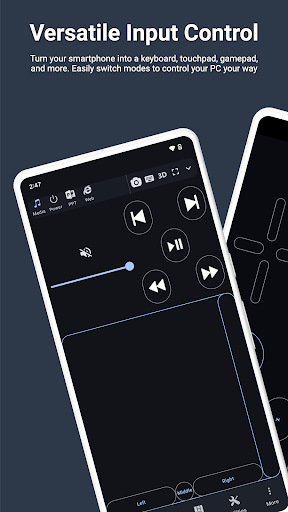
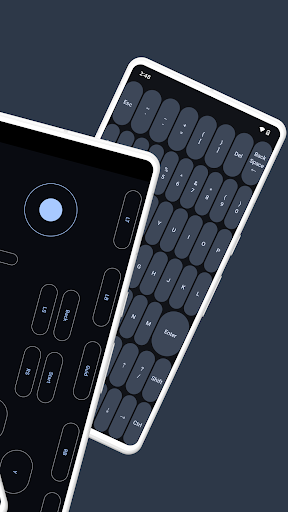
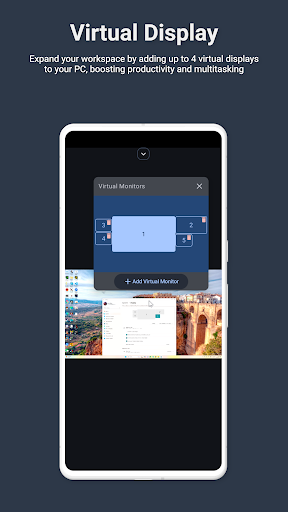
Elevate your PC experience with Monect PC Remote, a versatile and free app designed to give you full control of your computer — whether you're nearby or miles away. Key Features: * Enhanced Gaming: Immerse yourself in PC gaming with custom button layouts and onboard sensors. Tailor them to your preferences for an unbeatable gaming experience. * Real-time Screen and Camera Sharing: Share your PC screen and camera feed seamlessly with your smartphone. Experience your PC as if it's right in your hand. * Virtual Camera: Use your phone’s high-quality camera as a virtual webcam on your PC. Perfect for video calls, streaming, and online meetings with crystal-clear visuals. * Mouse and Keyboard Control: Use your phone as a wireless mouse and keyboard for your PC. Navigate, type, and control your computer effortlessly from anywhere. * Multi-Display Capabilities: Expand your workspace by adding up to 4 virtual displays to your PC, boosting productivity and multitasking. * Digital Artistry: Turn your device into a graphics drawing tablet with support for pressure-sensitive stylus pens. Unleash your creativity in software like Adobe Photoshop. * Effortless File Transfer: Seamlessly transfer files between your devices for ultimate convenience. * Top-Notch Security: Rest easy with our 256 Bit AES Session Encoding for secure remote network connections. How to Use: 1. Installation: Download Monect PC Remote from Google Play and the PC Remote Receiver from [https://www.monect.com/](https://www.monect.com/) on your computer. 2. Connect Your Device: Choose from multiple connection options: * Local Wi-Fi (on the same network) * Remote Wi-Fi (across different networks) * USB tethering from your device * Share your device's Wi-Fi hotspot * Bluetooth Note: Adobe Photoshop is a registered trademark of Adobe in the United States and other countries. Experience the freedom and control that Monect PC Remote offers, making your PC a truly versatile and powerful tool for work, play, and creativity — now with Virtual Camera and wireless Mouse & Keyboard control for even more possibilities.
Installs, last 30 days Measured
Exact Google Play install counts, collected daily
Ratings
55,681 ratings, 1,290 reviews
- 5 ★48%
- 4 ★13%
- 3 ★6.8%
- 2 ★6.2%
- 1 ★27%
Recent reviews
Latest public reviews from the store
- 3 Mar 2025
Genial
- 7 Feb 2025
Exelente
- 4 Feb 2025
Good n fast
- 11 Jan 2025
Great
Top chart positions
Latest Google Play chart ranks by country, last 10 days
Not in any tracked top chart in the last 10 days.
PC Remote history
Release, install milestones, listing and store changes
- Reached 10,000,000+ installs 1 Mar 2025
- Reached 5,000,000+ installs 3 Mar 2020
- First released on the store 4 Apr 2013
Update frequency
How often PC Remote ships a new version, month by month
5 updates in the last 12 months. More often than most similar apps: they shipped a median of 3 updates in the same year.
Recent versions
Current version 9.1.4
- Version 9.1.424 Oct 2026
Meet Monect AI — your new assistant for PC Remote. Chat by voice or text, ask about what's on your screen, and generate or edit images right on your PC. Also new: • 16 keyboard layouts, incl. QWERTZ, AZERTY & Nordic • Layout Store — discover and download even more layouts • Redesigned More page with host OS badges • Faster, more reliable reconnection • WebRTC-powered Task Manager • Open source licenses viewer • Various fixes and performance improvements
- Version 8.3.519 May 2026
- Fixed crashes and improved overall stability. - Improved connection and background service reliability. - Smoother input controls (touch, axis, and gamepad). - Added Save As for layouts. - Added layout component backgrounds in Remote Desktop, with improved rendering and polish.
- Version 8.3.210 Apr 2026
- Remote Camera now supports microphone streaming, so you can hear audio while viewing video. - Free users can now enjoy high-resolution remote desktop. - Bug fixes and performance improvements.
- Version 8.3.124 Mar 2026
Listing keywords
Words and phrases PC Remote repeats most in its store listing
Top phrases: pc remote (5), monect pc remote (3), monect pc (3), wi fi (3), mouse and keyboard (2).
Highlighted words also appear in the title. Counts cover the title, short description and description.
Business model and tech
From the store listing, the SDKs in the app package and its declared permissions
- Business model
- Free to downloadIn-app purchasesShows ads
- Built with
- No cross-platform framework or game engine detected
- Ad networks (1)
- AdMob
- Subscriptions and payments
- Google Play billing
- Analytics and crash reports
- Firebase
- Sensitive access
- LocationCameraMicrophonePhotos, videos and filesNearby devicesAdvertising ID
2 ad, attribution and analytics SDKs detected. SDKs are read from the app package and permissions from the store listing, so code that loads later is not seen.
Technology
21 SDKs found in the app package
Ad networks
Advertising and install-attribution SDKs found in the app package
- AdMob
30 permissions
0 special access, 8 sensitive, 22 standard
- Record audioSensitive
- Take photos and videosSensitive
- Change or delete shared storageSensitive
- Read shared storageSensitive
- Approximate locationSensitive
- Connect to paired Bluetooth devicesBLUETOOTH_CONNECTSensitive
- Find nearby Bluetooth devicesBLUETOOTH_SCANSensitive
- Show notificationsPOST_NOTIFICATIONSSensitive
- Ad attribution (Privacy Sandbox)ACCESS_ADSERVICES_ATTRIBUTIONStandard
- Ad topics (Privacy Sandbox)ACCESS_ADSERVICES_TOPICSStandard
- Read how it was installed (install referrer)BIND_GET_INSTALL_REFERRER_SERVICEStandard
- Read the advertising IDAD_IDStandard
Compliance
What the listing and the app package show
- Store status
- Live
- Upkeep
- Updated 24 Oct 2026
- Registered in
- China
- Privacy policy
- Linked on the listing
- Advertising
- Shows ads
- In-app purchases
- Offered
- Age rating
- Everyone
- Sensitive permissions
- 8 sensitive of 30
- Location access
- Yes, while in use
- Camera and microphone
- Both
Apps like PC Remote
English Spanish TranslatorNolreom Buremut6.3M installs★ 4.75
Network AnalyzerJiri Techet5.9M installs★ 4.73
Home WiFi AlertDoubleDot Studios24.9M installs★ 4.16
Game Booster Pro: Turbo ModeScoteam589K installs★ 4.48
Recover Deleted Photos - DSDetective Studio9.7M installs★ 3.68
Gener8 - Earn From Your DataGener81.3M installs★ 4.49
Android Device PolicyGoogle LLC503M installs★ 3.62
Clap To Find My PhonePhone Security Apps4.9M installs★ 4.15
Video Downloader for Twitter XAculix Technologies LLP2.3M installs★ 4.62
PC Remote: questions and answers
How many downloads does PC Remote have?
PC Remote has 12,328,837 installs on Google Play, measured from the store's own count on 19 Nov 2026.
Who makes PC Remote?
PC Remote is published by Monect (Suzhou) Co., Ltd., a developer based in CN.
When was PC Remote last updated?
The latest version (9.1.4) was released on 24 Oct 2026.
Is PC Remote free?
Yes. PC Remote is free to download and offers in-app purchases, and it shows ads.
Is PC Remote still available?
Yes. PC Remote is live on Google Play as of 19 Nov 2026.
Track PC Remote and its competitors
Watch any app for new versions, rating drops, chart moves and removals. Free plan, no card.