PDF Scanner Scan files & notes
Scan edit convert all your documents & photos to PDF files with camera scanner
- Installs
- 4.92M
- Measured
- Rating
- 4.25
- Ratings
- 18.5K
- 182 reviews
- Version
- 191.0
- Updated 1 Jul 2025
- Released
- 10 Mar 2017
- Tracked since 13 May 2026
- Size
- —
Screenshots


About PDF Scanner Scan files & notes
The description on the store listing
PDF Scanner Scan files documents, photos, ID, passport, notes...
Scan edit convert all your documents & photos to PDF files with camera scanner
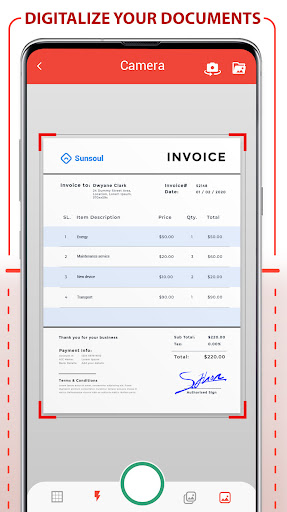
PDF Scanner Scan files documents, photos, ID, passport, notes... is the best app to create PDF from images and photos of your Phone. Your PDF scanner to scan files and docs. Create your own Doc file, you can create books, notes, journals, backups, photo albums ...
Scan your photos and convert your images into PDF format to generate your documents and scan your files. You can add filters to the images to make the texts clearer.
PDF Scanner Scan files documents, photos, ID, passport, notes... Key Features:
- Photo and Image Scanner …
Read the full description
PDF Scanner Scan files documents, photos, ID, passport, notes... Scan edit convert all your documents & photos to PDF files with camera scanner PDF Scanner Scan files documents, photos, ID, passport, notes... is the best app to create PDF from images and photos of your Phone. Your PDF scanner to scan files and docs. Create your own Doc file, you can create books, notes, journals, backups, photo albums ... Scan your photos and convert your images into PDF format to generate your documents and scan your files. You can add filters to the images to make the texts clearer. PDF Scanner Scan files documents, photos, ID, passport, notes... Key Features: - Photo and Image Scanner Using the camera of your phone, you can scan receipts, notes, invoices, business cards, certificates ... - Paper Size: Choose the best size for your document as A3, A4, A5, note, letter, postal and legal. - Password to protect your PDF Protect your scanned docs with the use of a password, keep your privacy and block any documents. - Improvement with the help of filters: Improve the quality of your documents with filters like Black and White, magic color, grayscale ... - Adjusting images You can deform the image and photos of your document to fit your needs - Intuitive interface Document Scanner is the most intuitive and practical tool for creating your PDF document. Convert to PDF, create, digitize files in PDF format is easy and fast thanks to Scanner Document - PDF Creator, the best photo scanner app. This PDF scanner app scan Doc to PDF. Simply use the document scanner, scan document, scan images, any photo or image you have in the gallery or generate a new photo from the mobile camera, you can apply filters to the pages to Create your perfect PDF file. It is a photo scanner and Doc scanner application to scan documents and scan images, very useful for making photo albums, journals, notes, letters, books ... Scan Doc to PDF, scan your photos and images, scan documents with the PDF scanner is immediate, the best way to scan Doc to PDF. Once the images have been scanned and converted to PDF you can apply the filter you want for a correct visualization, you can choose between black and white, magic color, grayscale etc. Once you have generated all the pages of your PDF document you can select the paper size of your PDF file, you can choose from many formats: A3, A4, A5, notes, letters, legal and postcards. You can also protect your PDF documents with password. You can Protect PDF documents with password to increases privacy and security since you can only see the PDF document that you created with your PDF scanner by scanning images if you enter the password previously chosen. This PDF scanner and photo scanner allows you to scan document, and scan PDF file. Generate PDF using the document scanner and create your PDF files to increase your PDF document library. Scanfy - PDF Scanner App is a photo scanner app, also a image scanner, document scanner. It is a mobile and portable scanner app to convert images to PDF and it scan Doc to PDF
Installs, last 30 days Measured
Exact Google Play install counts, collected daily
Ratings
18,485 ratings, 182 reviews
- 5 ★66%
- 4 ★16%
- 3 ★5.0%
- 2 ★2.9%
- 1 ★10%
Recent reviews
Latest public reviews from the store
- 11 May 2025
Based on testing the free version, it looks like it could be very useful! I am trying to time a 66 BPM pendulum grandfather clock (that would be 3960 BPH). However, I can't figure how to set that up. The auto setting reverts to 7200 BPH. Does the paid version permit setting to 3960?
- 29 Jan 2022
Fantastic app, exceptional quality and reporting. Instructions are sketchy. This app duplicates expensive machines, but to get it to work completely in a professional manner with a good running trace and waveform, you need to pay $30. Will work with phone internal mic regardless of what others say, but easier and more reliable with a guitar pickup or other mic options. Absolutely a great tool, and portable!
- 12 Jan 2021
This seems to function pretty well, in the free version, BUT it's not obvious that you need to select the beats per hour in a selection at the bottom... that's all that needs to be done! Thus, it is usable for a basic time test in the free version. I think that the developer could probably make A LOT MORE MONEY by REDUCING THE PRICE. There are very few app's on the Play store that ask for more than €10, and some of them seem to have a lot more development work behind them. Nür meine Meinung.
- 13 Aug 2020
Looks promising but really does require a decent additional mic to get any readings. Do not pay for the app unless you are sure you can get results with it. They seem to be offering a mic/amp system for sale to work with the app however by the time you've paid for the app and mic/amp unit they are selling you won't be far of the price of a reasonable (probably better) timegrapher unit from a certain online shopping site. I think it's too expensive for what you get both app and system wise.
What reviewers bring up
Topics mentioned in the latest 10 reviews, by how many reviews mention them
Liked in good reviews (4 reviews)
- quiet 3
- mechanical watch 2
- recording 2
- accurate 2
- seconds 2
- starts 2
- other 2
- right 2
Raised in bad reviews (3 reviews)
- without 2
Top chart positions
Latest Google Play chart ranks by country, last 10 days
Not in any tracked top chart in the last 10 days.
PDF Scanner Scan files & notes history
Release, install milestones, listing and store changes
- First released on the store 10 Mar 2017
Update frequency
How often PDF Scanner Scan files & notes ships a new version, month by month
0 updates in the last 12 months. Less often than most similar apps: they shipped a median of 4 updates in the same year.
Recent versions
Current version 191.0
- Version 191.01 Jul 2025
- ID Recognition improved - New Autocrop - Minor bugs fixed - New: Dark mode Thanks for using PDF Scanner! We publish updates regularly on Google Play with speed and reliability improvements to make PDF Scanner better every day.
- Version 190.02 May 2025
- Version 188.018 Sep 2024
- Version 187.06 Jun 2024
Listing keywords
Words and phrases PDF Scanner Scan files & notes repeats most in its store listing
Top phrases: pdf scanner (10), documents photos (5), scan files (5), scanner scan (5), doc to pdf (4).
Highlighted words also appear in the title. Counts cover the title, short description and description.
Business model and tech
From the store listing, the SDKs in the app package and its declared permissions
- Business model
- Free to downloadIn-app purchasesShows ads
- Built with
- No cross-platform framework or game engine detected
- Ad networks (1)
- AdMob
- Subscriptions and payments
- Google Play billing
- Analytics and crash reports
- FirebaseGoogle Analytics
- Sensitive access
- LocationCameraPhotos, videos and filesAccounts on the deviceAdvertising ID
3 ad, attribution and analytics SDKs detected. SDKs are read from the app package and permissions from the store listing, so code that loads later is not seen.
Technology
68 SDKs found in the app package
Ad networks
Advertising and install-attribution SDKs found in the app package
- AdMob
19 permissions
1 special access, 6 sensitive, 12 standard
- See which apps are usedPACKAGE_USAGE_STATSSpecial access
- Take photos and videosSensitive
- See accounts on the deviceSensitive
- Change or delete shared storageSensitive
- Read shared storageSensitive
- Approximate locationSensitive
- Show notificationsPOST_NOTIFICATIONSSensitive
- Ad attribution (Privacy Sandbox)ACCESS_ADSERVICES_ATTRIBUTIONStandard
- Ad topics (Privacy Sandbox)ACCESS_ADSERVICES_TOPICSStandard
- Read how it was installed (install referrer)BIND_GET_INSTALL_REFERRER_SERVICEStandard
- Read the advertising IDAD_IDStandard
- Read the advertising ID (Privacy Sandbox)ACCESS_ADSERVICES_AD_IDStandard
Compliance
What the listing and the app package show
- Store status
- Live
- Upkeep
- Updated 1 Jul 2025
- Registered in
- Spain
- Privacy policy
- Linked on the listing
- Advertising
- Shows ads
- In-app purchases
- Offered
- Age rating
- Everyone
- Sensitive permissions
- 6 sensitive, 1 special access of 19
- Location access
- Yes, while in use
- Camera and microphone
- Camera
Apps like PDF Scanner Scan files & notes
SimplenoteAutomattic, Inc1.9M installs★ 3.64
Thakur Prasad Calendar 2026Inditech bird2.1M installs★ 4.43
SGWorkPassMinistry of Manpower3.7M installs★ 3.93
BlockerHero - Porn BlockerTechsolvex1.6M installs★ 3.67
instdownfawazapp4.1M installs★ 4.3
NW PublisherNew World Publisher2.1M installs★ 4.74
CV & Resume CreatorDesygner Pty Ltd1.7M installs★ 4.65
identity onlineIDnow GmbH (iTM)1.4M installs★ 3.89
Collabora OfficeCollabora Productivity Limited1.6M installs★ 3.62
PDF Scanner Scan files & notes: questions and answers
How many downloads does PDF Scanner Scan files & notes have?
PDF Scanner Scan files & notes has 4,922,910 installs on Google Play, measured from the store's own count on 19 Nov 2026.
Who makes PDF Scanner Scan files & notes?
PDF Scanner Scan files & notes is published by Offiwiz, a developer based in ES.
When was PDF Scanner Scan files & notes last updated?
The latest version (191.0) was released on 1 Jul 2025.
Is PDF Scanner Scan files & notes free?
Yes. PDF Scanner Scan files & notes is free to download and offers in-app purchases, and it shows ads.
Is PDF Scanner Scan files & notes still available?
Yes. PDF Scanner Scan files & notes is live on Google Play as of 19 Nov 2026.
Track PDF Scanner Scan files & notes and its competitors
Watch any app for new versions, rating drops, chart moves and removals. Free plan, no card.