Remote WiFi Mouse
Remote WiFi Mouse app turns your phone into a wireless mouse for use with PC.
- Installs
- 85.96K
- Measured
- Rating
- 2.2
- Ratings
- 142
- 2 reviews
- Version
- Varies with device
- Updated 2 Feb 2023
- Released
- 2 Sep 2015
- Tracked since 12 May 2026
- Size
- 1 MB
- Needs 2.3
Screenshots


About Remote WiFi Mouse
The description on the store listing
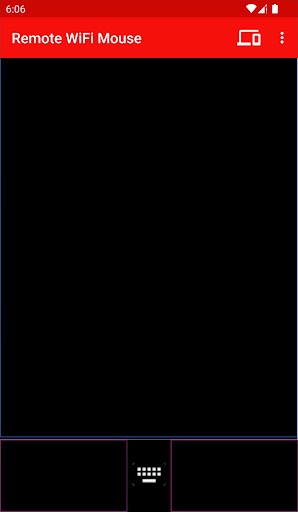
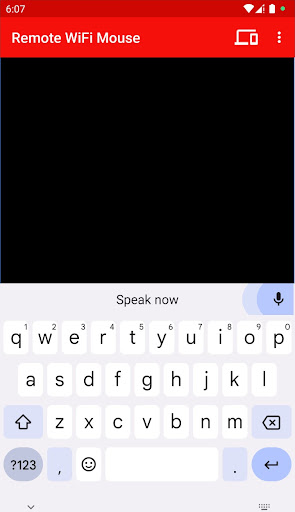
Remote WiFi Mouse turns your Android phone or tablet into a wireless mouse, keyboard and microphone and lets you control your Windows PC over a WiFi network. You can relax on the couch and <b>remote control your PC</b>.
Features:
* <b>Mouse cursor movement (remote control mouse)</b> - Slide finger on phone's screen to make the PC / Laptop mouse cursor make movement.
* <b>Mouse Left and Right click support</b> - Tap on the phone's screen to make PC mouse left button click.
* <b>Middle mouse button scroll</b> - Two fingers slide up/down to make PC middle mouse button scroll.
* <b>Remote keyboard input (Remote control keyboard)</b> - Press any mobile phone's key and PC will do the same …
Read the full description
Remote WiFi Mouse turns your Android phone or tablet into a wireless mouse, keyboard and microphone and lets you control your Windows PC over a WiFi network. You can relax on the couch and <b>remote control your PC</b>. Features: * <b>Mouse cursor movement (remote control mouse)</b> - Slide finger on phone's screen to make the PC / Laptop mouse cursor make movement. * <b>Mouse Left and Right click support</b> - Tap on the phone's screen to make PC mouse left button click. * <b>Middle mouse button scroll</b> - Two fingers slide up/down to make PC middle mouse button scroll. * <b>Remote keyboard input (Remote control keyboard)</b> - Press any mobile phone's key and PC will do the same thing. * <b>Speech-to-text (Speech Recognition)</b> - Dictate in any software or website on your PC by speaking into your phone/tablet. * <b>Music / Media Voice Commands</b> - No need to search songs on your computer. For example just say, Play Hips Don't Lie or Play Akon in voice command mode and the song will start playing on your computer. * Shut Down / Sleep / Restart / Log Off Remotely by voice commands. * Remote control PowerPoint (PPT) presentations / slideshow by voice commands. * Open Programs, Websites, Files on your PC by voice commands * Auto-connect on application startup * Compatible with XP / Windows Vista / Windows 7 / Windows 8 / Windows 10 * Control Mouse cursor speed / sensitivity <b>How to Connect App with PC?</b> 1) Ensure that your PC and Android device are connected to the same WiFi network. If you don't have a WiFi router, you can also use WiFi Hotspot facility to connect. Also make sure that Braina is running on your PC. You can download Braina for PC from here: <b>http://www.brainasoft.com/braina/download.html</b> 2) Now in order to connect, you will need IP address of your PC on the WiFi network. To get IP, go to Tools menu->Settings->Speech Recognition from Braina on PC. From the "Speech Option" drop-down select "Use Braina for Android". 3) You will see a list of IP addresses. Enter the first IP address on the list in Android App and click connect. If you get an error, then try entering the remaining IP addresses in the list one by one until you get connected. (Note: IP address will generally start with 192.168) Important: If there are firewalls in your network, the Remote WiFi Mouse app might not connect successfully with Braina assistant on your computer. See Frequently Asked Questions - http://www.brainasoft.com/remote_wifi_mouse/faqs.html for more information.
Installs since 29 Aug 2026 Measured
Exact Google Play install counts, collected daily
Ratings
142 ratings, 2 reviews
- 5 ★17%
- 4 ★0.0%
- 3 ★17%
- 2 ★0.0%
- 1 ★67%
Recent reviews
Latest public reviews from the store
- 21 Apr 2022
मम
- 30 Apr 2021
Good app if you add an auto right click and a scroll icon it will be perfect.
- 18 Jan 2021
It's ok, could be a lot better. The mouse tends to lag/stutter across the screen instead of smoothly moving around. This makes it difficult to precisely click things like a "play" or close window button. There is also a several second delay when typing on my phone vs when things show up on my screen. Given this, while it can be done, it is a struggle to operate a computer and perform basic tasks using this app. The potential is there, but it needs refinement to function smoothly.
- 17 Apr 2020
Good remote mouse. I downloaded their other app Braina pc remote control which has more functuonality than this and better user interface.
What reviewers bring up
Topics mentioned in the latest 19 reviews, by how many reviews mention them
Liked in good reviews (13 reviews)
- mouse 3
- control 2
- remote 2
- click 2
Raised in bad reviews (5 reviews)
- install 2
Top chart positions
Latest Google Play chart ranks by country, last 10 days
Not in any tracked top chart in the last 10 days.
Remote WiFi Mouse history
Release, install milestones, listing and store changes
- Reached 50,000+ installs 20 Aug 2019
- Reached 10,000+ installs 9 Aug 2016
- Reached 5,000+ installs 2 Apr 2016
- Reached 1,000+ installs 18 Nov 2015
- Reached 500+ installs 12 Oct 2015
- Reached 100+ installs 20 Sep 2015
- Moved from Productivity to Tools 16 Sep 2015
- Reached 50+ installs 12 Sep 2015
Recent versions
Current version Varies with device
- Version 225 Jan 2023
- Version 1.125 Nov 2015
Listing keywords
Words and phrases Remote WiFi Mouse repeats most in its store listing
Top phrases: remote wifi mouse (4), remote control (4), remote wifi (4), voice commands (4), wifi mouse (4).
Highlighted words also appear in the title. Counts cover the title, short description and description.
Business model and tech
From the store listing, the SDKs in the app package and its declared permissions
- Business model
- Free to downloadShows ads
- Built with
- No cross-platform framework or game engine detected
- Ad networks (0)
- None detected
- Sensitive access
- Microphone
0 ad, attribution and analytics SDKs detected. SDKs are read from the app package and permissions from the store listing, so code that loads later is not seen.
Technology
8 SDKs found in the app package
5 permissions
0 special access, 1 sensitive, 4 standard
- Record audioSensitive
- Connect to and disconnect from Wi-FiStandard
- Full internet accessStandard
- See network connectionsStandard
- See Wi-Fi connectionsStandard
Compliance
What the listing and the app package show
- Store status
- Live
- Upkeep
- No update since 2 Feb 2023
- Registered in
- India
- Privacy policy
- Linked on the listing
- Advertising
- Shows ads
- In-app purchases
- None declared
- Age rating
- Everyone
- Sensitive permissions
- 1 sensitive of 5
- Location access
- No
- Camera and microphone
- Microphone
Apps like Remote WiFi Mouse
Easy Schedule Notebookoxdb.net51.5K installs★ 5.0
Land Parcels Areas CalculatorGeoZidan46K installs★ 1.73
Gallery Vault - Hide PhotoMerryblue51K installs★ 4.2
Heat Index Calculator - How toVnMobileSolutions Inc.3.7K installs★ 4.24
2D OwnerTechnologyGateway46K installs★ 4.8
3D Print Cost CalculatorReme Le Hane38.5K installs★ 3.95
Bluetooth ScannerThe Tree Team51.3K installs★ 3.87
HD wifi EndoskopCEI Conrad Electronic International (HK) Limited117K installs★ 2.41
WGS84 ConverterPilaBlu - Apps111K installs★ 4.29
Remote WiFi Mouse: questions and answers
How many downloads does Remote WiFi Mouse have?
Remote WiFi Mouse has 85,962 installs on Google Play, measured from the store's own count on 14 Nov 2026.
Who makes Remote WiFi Mouse?
Remote WiFi Mouse is published by Brainasoft, a developer based in IN.
When was Remote WiFi Mouse last updated?
The latest version (Varies with device) was released on 2 Feb 2023.
Is Remote WiFi Mouse free?
Yes. Remote WiFi Mouse is free to download, and it shows ads.
Is Remote WiFi Mouse still available?
Yes. Remote WiFi Mouse is live on Google Play as of 14 Nov 2026.
Track Remote WiFi Mouse and its competitors
Watch any app for new versions, rating drops, chart moves and removals. Free plan, no card.