Stroboscope Engineer
Stroboscope app for measuring rotation, vibration, oscillaton or reciprocation
- Installs
- 69.70K
- Measured
- Rating
- 4.0
- Ratings
- 149
- 17 reviews
- Version
- 11.6
- Updated 28 Jan 2026
- Released
- 23 Oct 2021
- Tracked since 12 May 2026
- Size
- —
Screenshots


About Stroboscope Engineer
The description on the store listing
Stroboscope app and optical tachometer for measuring rotating, vibrating, oscillating or reciprocating objects. Optical tachometer can be used by starting it from MENU - TACHOMETER.
It is most commonly used for:
- adjusting speed of rotation - for example adjusting speed of rotation of turntable
- adjusting frequency of vibration
How to use:
1. Start app
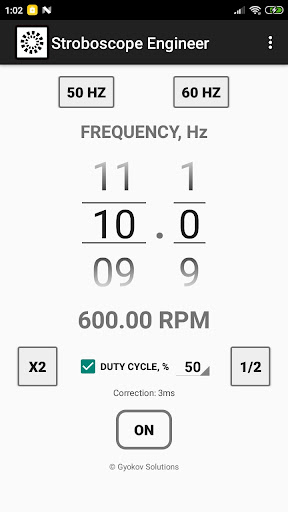
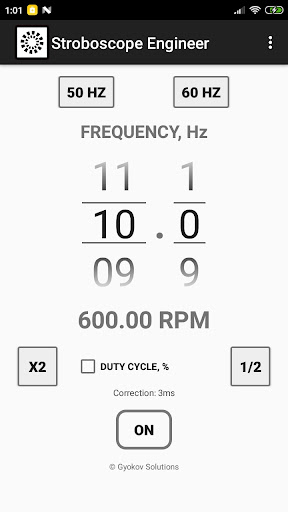
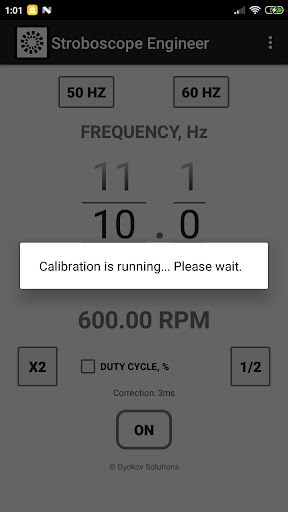
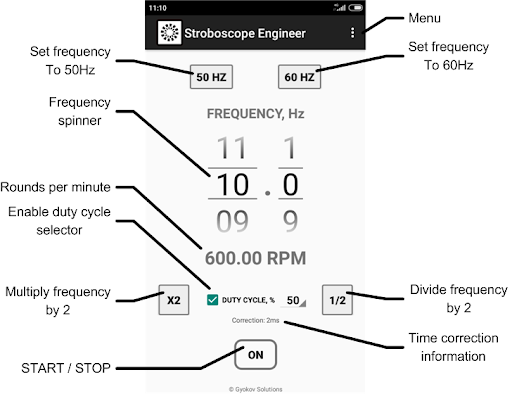
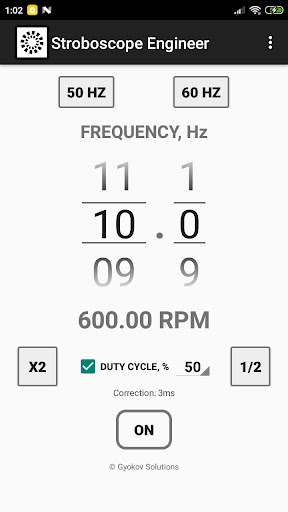
2. Set frequency of strobe light (in Hz) using number pickers
3. Press ON/OFF button to start the strobe light
- use button [x2] to double the frequency
- use button [1/2] to halve the frequency
- use button [50 Hz] to set frequency to 50 Hz. This is for turntable speed adjustment.
- use button [60 Hz] to set frequency to …
Read the full description
Stroboscope app and optical tachometer for measuring rotating, vibrating, oscillating or reciprocating objects. Optical tachometer can be used by starting it from MENU - TACHOMETER. It is most commonly used for: - adjusting speed of rotation - for example adjusting speed of rotation of turntable - adjusting frequency of vibration How to use: 1. Start app 2. Set frequency of strobe light (in Hz) using number pickers 3. Press ON/OFF button to start the strobe light - use button [x2] to double the frequency - use button [1/2] to halve the frequency - use button [50 Hz] to set frequency to 50 Hz. This is for turntable speed adjustment. - use button [60 Hz] to set frequency to 60 Hz. This is also for turntable adjustment. - activate duty cycle by checking [DUTY CYCLE] check box and adjust duty cycle in percentage. Duty cycle is the percentage of time per cycle when the flash light is on. - optionally you can calibrate the app by starting calibration from MENU - Calibrate. It is good to do calibration when frequency is changed. You can also set correction time manually in Settings. Accuracy of the stroboscope depends on latency of your device flash light. Optical tachometer can be used by starting it from MENU - TACHOMETER. It analyzes moving objects and determines frequency in Hz and RPM. How to use: - point the camera to the object and press START - hold steady for 5 seconds - result is shown in Hz and RPM You can save images captured during measurement by clicking on disk icon. At the end of measurement a message will be shown with information how many images were saved. Images are saved in folder Pictures/Stroboscope. The name of the images ends with information how many milliseconds they were taken relative to first picture. You can use this information to determine the object RPM by calculating time between similar images. Minimum and maximum frequency can be set in SETTINGS - TACHOMETER. Increasing minimum frequency will reduce time needed for measurement. Maximum frequency is 30Hz (1800 RPM). Reducing maximum frequency will improve time needed for processing during measurement.
Installs since 29 Aug 2026 Measured
Exact Google Play install counts, collected daily
Ratings
149 ratings, 17 reviews
- 5 ★59%
- 4 ★15%
- 3 ★7.4%
- 2 ★3.7%
- 1 ★15%
Recent reviews
Latest public reviews from the store
- 31 Jan 2026
good app in world
- 5 Jan 2026
for nice app
- 29 Dec 2025
অনেক বেশি ভালো
- 28 Dec 2025
ভালো
Top chart positions
Latest Google Play chart ranks by country, last 10 days
Not in any tracked top chart in the last 10 days.
Stroboscope Engineer history
Release, install milestones, listing and store changes
- Reached 50,000+ installs 28 Jan 2026
- Reached 10,000+ installs 13 Nov 2023
- Reached 5,000+ installs 24 Mar 2023
- Reached 1,000+ installs 14 Apr 2022
- Reached 500+ installs 3 Mar 2022
- Reached 100+ installs 9 Dec 2021
- First released on the store 23 Oct 2021
Recent versions
Current version 11.6
- Version 11.620 Sep 2025
Stroboscope app v11.6 - Android 15 ready v11.5 - Added optical tachometer. Use it from MENU - TACHOMETER. The app analyzes moving object and determines frequency in Hz and RPM. How to use: - point the camera to the object and press START - hold steady for 5 seconds - result is shown in Hz and RPM v10.8 - add up to 5 buttons for fast setting of favorite frequencies or RPM - alternative strobe method in Settings - Use alternative strobe method
- Version 11.56 May 2025
- Version 11.115 Apr 2025
- Version 10.87 Apr 2025
Listing keywords
Words and phrases Stroboscope Engineer repeats most in its store listing
Top phrases: duty cycle (4), maximum frequency (3), optical tachometer (3), set frequency (3), frequency to hz (2).
Highlighted words also appear in the title. Counts cover the title, short description and description.
Business model and tech
From the store listing, the SDKs in the app package and its declared permissions
- Business model
- Free to downloadShows ads
- Built with
- No cross-platform framework or game engine detected
- Ad networks (1)
- AdMob
- Sensitive access
- CameraPhotos, videos and filesAdvertising ID
1 ad, attribution and analytics SDKs detected. SDKs are read from the app package and permissions from the store listing, so code that loads later is not seen.
Technology
11 SDKs found in the app package
Ad networks
Advertising and install-attribution SDKs found in the app package
- AdMob
13 permissions
0 special access, 3 sensitive, 10 standard
- Take photos and videosSensitive
- Change or delete shared storageSensitive
- Read shared storageSensitive
- Ad attribution (Privacy Sandbox)ACCESS_ADSERVICES_ATTRIBUTIONStandard
- Ad topics (Privacy Sandbox)ACCESS_ADSERVICES_TOPICSStandard
- Read the advertising IDAD_IDStandard
- Read the advertising ID (Privacy Sandbox)ACCESS_ADSERVICES_AD_IDStandard
- Control the flashlightStandard
- Keep the phone awakeStandard
- Run a foreground serviceFOREGROUND_SERVICEStandard
- Full internet accessStandard
- See network connectionsStandard
Compliance
What the listing and the app package show
- Store status
- Live
- Upkeep
- Updated 28 Jan 2026
- Registered in
- Bulgaria
- Privacy policy
- Linked on the listing
- Advertising
- Shows ads
- In-app purchases
- None declared
- Age rating
- Everyone
- Sensitive permissions
- 3 sensitive of 13
- Location access
- No
- Camera and microphone
- Camera
Apps like Stroboscope Engineer
Easy Schedule Notebookoxdb.net51.5K installs★ 5.0
Land Parcels Areas CalculatorGeoZidan46K installs★ 1.73
Gallery Vault - Hide PhotoMerryblue51K installs★ 4.2
Heat Index Calculator - How toVnMobileSolutions Inc.3.7K installs★ 4.24
2D OwnerTechnologyGateway46K installs★ 4.8
3D Print Cost CalculatorReme Le Hane38.5K installs★ 3.95
Bluetooth ScannerThe Tree Team51.3K installs★ 3.87
HD wifi EndoskopCEI Conrad Electronic International (HK) Limited117K installs★ 2.41
WGS84 ConverterPilaBlu - Apps111K installs★ 4.29
Stroboscope Engineer: questions and answers
How many downloads does Stroboscope Engineer have?
Stroboscope Engineer has 69,699 installs on Google Play, measured from the store's own count on 15 Nov 2026.
Who makes Stroboscope Engineer?
Stroboscope Engineer is published by GyokovSolutions, a developer based in BG.
When was Stroboscope Engineer last updated?
The latest version (11.6) was released on 28 Jan 2026.
Is Stroboscope Engineer free?
Yes. Stroboscope Engineer is free to download, and it shows ads.
Is Stroboscope Engineer still available?
Yes. Stroboscope Engineer is live on Google Play as of 15 Nov 2026.
Track Stroboscope Engineer and its competitors
Watch any app for new versions, rating drops, chart moves and removals. Free plan, no card.