USB/IP Server
Share USB devices from an Android device to a PC via USB/IP
- Installs
- 170K
- Measured
- Rating
- 3.77
- Ratings
- 357
- 15 reviews
- Version
- 0.2
- Updated 29 Jun 2020
- Released
- 27 Jul 2014
- Tracked since 14 May 2026
- Size
- 0 MB
- Needs 3.1
Screenshots

About USB/IP Server
The description on the store listing
This app shares USB devices from an Android device to a PC via USB/IP. With this server running, you can share many USB devices from your Android device to a PC running the USB/IP software. Not all USB devices are supported by this app. Notably, devices that use isochronous transfers (usually video and audio capture devices) are not supported. If you find that your device is not supported, send me an e-mail and I'll see if I can do something about it.
This app uses native Android USB host APIs, so it does not require root. However, this app is not for the faint of heart because it requires some PC-side setup can be complex for inexperienced users.
With the app's USB/IP service …
Read the full description
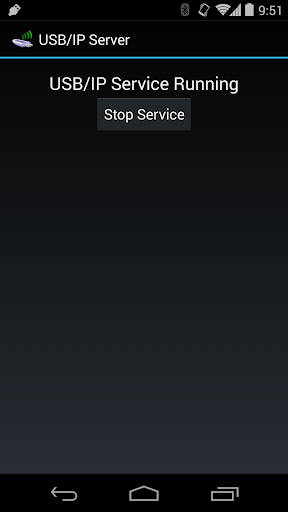
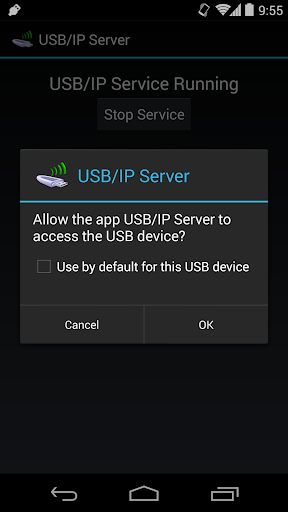
This app shares USB devices from an Android device to a PC via USB/IP. With this server running, you can share many USB devices from your Android device to a PC running the USB/IP software. Not all USB devices are supported by this app. Notably, devices that use isochronous transfers (usually video and audio capture devices) are not supported. If you find that your device is not supported, send me an e-mail and I'll see if I can do something about it. This app uses native Android USB host APIs, so it does not require root. However, this app is not for the faint of heart because it requires some PC-side setup can be complex for inexperienced users. With the app's USB/IP service running, you will be able to list USB devices connected to your Android device from your PC using the usbip utility. When you try to attach to them from your PC, the USB permission dialog will be displayed on your Android device. After you accept the permission dialog, the device will attach to your PC. Per the USB/IP specification, this app listens for TCP connections on port 3240. While the service is running, it will hold a partial wakelock and Wi-Fi lock to prevent the device from sleeping or disconnecting while serving USB devices on the network. This app is compatible with Linux's USB/IP driver in the latest kernel and the current Windows USB/IP driver. I've found that this app tends to work better with the Windows driver. Particularly, it seems mass storage and MTP are broken on Linux but work fine on Windows. USB input devices have worked equally well on both platforms in my testing. Some USB input devices aren't exposed by Android at all, particularly external mice and keyboards I've tested. These cannot be shared. Tested devices: T-Flight Hotas X (flight stick) - working on Windows and Linux Xbox 360 Wireless Receiver - working on Windows and Linux MTP device (Android phone) - working on Windows but not Linux Corsair Flash Voyager (flash drive) - working on Windows but not Linux iPhone - broken on Linux and Windows USB mouse - does not appear in device list USB keyboard - does not appear in device list
Installs since 29 Aug 2026 Measured
Exact Google Play install counts, collected daily
Ratings
357 ratings, 15 reviews
- 5 ★61%
- 4 ★9.3%
- 3 ★7.5%
- 2 ★3.6%
- 1 ★19%
Recent reviews
Latest public reviews from the store
No reviews in our sample for this app yet.
Top chart positions
Latest Google Play chart ranks by country, last 10 days
Not in any tracked top chart in the last 10 days.
USB/IP Server history
Release, install milestones, listing and store changes
- Reached 100,000+ installs 29 Jun 2020
- Reached 50,000+ installs 13 Jun 2018
- Reached 10,000+ installs 13 Sep 2015
- Reached 5,000+ installs 9 Mar 2015
- Reached 1,000+ installs 28 Oct 2014
- Reached 500+ installs 7 Oct 2014
- Reached 100+ installs 15 Aug 2014
- Reached 50+ installs 7 Aug 2014
Recent versions
Current version 0.2
- Version 0.210 Jan 2016
0.2 - Material theme on Lollipop and later - Updated for Marshmallow's new app permissions 0.1 - Initial alpha release
Listing keywords
Words and phrases USB/IP Server repeats most in its store listing
Top phrases: usb ip (8), usb devices (6), android device (5), working on windows (4), device to pc (3).
Highlighted words also appear in the title. Counts cover the title, short description and description.
Business model and tech
From the store listing and declared permissions
- Business model
- Free to download
- Sensitive access
- No sensitive permission declared
Compliance
What the listing and the app package show
- Store status
- Live
- Upkeep
- No update since 29 Jun 2020
- Registered in
- United States
- Privacy policy
- Linked on the listing
- Advertising
- No ads declared
- In-app purchases
- None declared
- Age rating
- Everyone
Apps like USB/IP Server
Apk GeneratorAks Apps92.9K installs★ 3.54
Total Control 2.0Extraflame S.p.A.30K installs★ 2.67
EASI DriverHungrypanda Au Pty Ltd43.8K installs★ 3.67
Waste calendarZampogna Gianluca33.5K installs★ 3.0
Offline Password ManagerYogesh Dama21.4K installs★ 3.77
OBD Pluswanbaolu46.9K installs★ 2.67
Dreamy Light Jar ThemesTheme Design Apps for Android31.1K installs★ 4.75
- Apk Plus Sharing app - Application ManagerApp Sharing Management Lab226K installs★ 4.56
LaserPecker Design SpaceShenzhen Hingin Technology Co., Ltd.80.4K installs★ 2.05
USB/IP Server: questions and answers
How many downloads does USB/IP Server have?
USB/IP Server has 169,560 installs on Google Play, measured from the store's own count on 14 Nov 2026.
Who makes USB/IP Server?
USB/IP Server is published by Cameron Gutman, a developer based in US.
When was USB/IP Server last updated?
The latest version (0.2) was released on 29 Jun 2020.
Is USB/IP Server free?
Yes. USB/IP Server is free to download.
Is USB/IP Server still available?
Yes. USB/IP Server is live on Google Play as of 14 Nov 2026.
Track USB/IP Server and its competitors
Watch any app for new versions, rating drops, chart moves and removals. Free plan, no card.