
UserLock Push
Two-factor authentication app to secure access for Active Directory identities.
- Installs
- 19.68K
- Measured
- Rating
- 4.74
- Ratings
- 173
- 1 reviews
- Version
- 1.6.0
- Updated 24 Sep 2026
- Released
- 31 Jul 2023
- Tracked since 13 May 2026
- Size
- —
Also on App Store: UserLock Push (311 ratings)
Screenshots



About UserLock Push
The description on the store listing
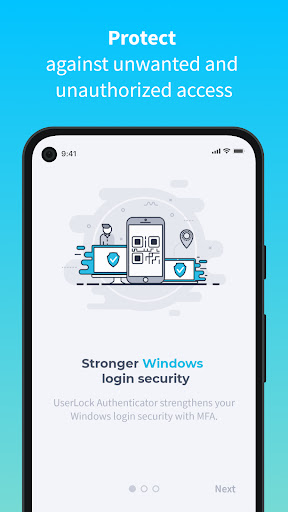
UserLock Push works with UserLock’s two-factor authentication solution to verify Active Directory user identities and secure their access to both on-premise and cloud resources.
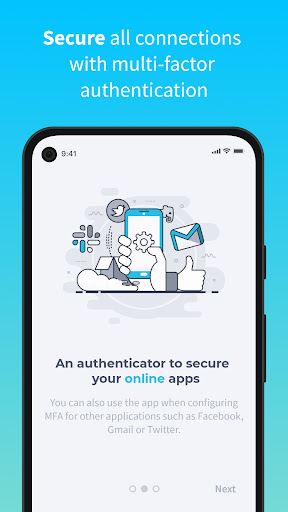
UserLock Push can also work with other services that require two-factor authentication passcodes, such as Gmail and Facebook.
• How the app works
After entering your Active Directory login credentials, UserLock Push gives you two easy options for two-factor authentication:
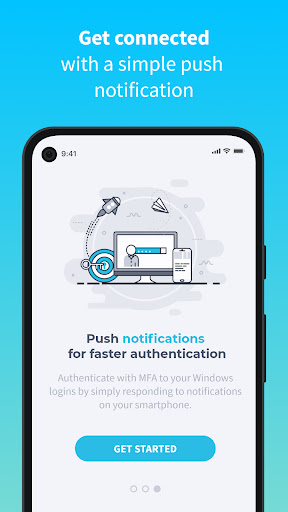
1. One-Tap: Simply respond to the application’s push notification for easy, one-tap two-factor authentication, or
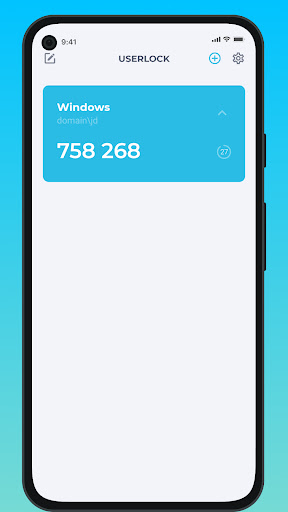
2. Enter the TOTP code generated by the app.
The app shows the location, device, and time of the login attempt to help …
Read the full description
UserLock Push works with UserLock’s two-factor authentication solution to verify Active Directory user identities and secure their access to both on-premise and cloud resources. UserLock Push can also work with other services that require two-factor authentication passcodes, such as Gmail and Facebook. • How the app works After entering your Active Directory login credentials, UserLock Push gives you two easy options for two-factor authentication: 1. One-Tap: Simply respond to the application’s push notification for easy, one-tap two-factor authentication, or 2. Enter the TOTP code generated by the app. The app shows the location, device, and time of the login attempt to help ensure you approve the correct request. To get a passcode for other applications and web services, enter your login credentials and then go to UserLock Push to recover the TOTP generated by the app. • Self-enrollment with UserLock Push Before enrolling with UserLock Push, your organization needs to enable UserLock and activate your account. Once this is done: 1. Install UserLock Push on your smartphone 2. Scan the QR code displayed at login 3. Enter the code generated by the app to confirm activation 4. UserLock Push is now configured as a second authentication method on your Active Directory account You can add third party accounts at any time for TOTP passcodes.
Installs since 28 Aug 2026 Measured
Exact Google Play install counts, collected daily
Ratings
173 ratings, 1 reviews
- 5 ★84%
- 4 ★11%
- 3 ★0.0%
- 2 ★2.5%
- 1 ★2.5%
Recent reviews
Latest public reviews from the store
- 23 Feb 2022
Great app, works a bit faster and takes photos of the check better. But I want 2 features that existed in the old one and I don't see in the new one. 1. When making an e-transfer, it used to show current balance of the account on every screen. Very nice, want it in the new version. 2. Linking a Colabria master card. Please make this available again. Saves time significantly.
- 4 Aug 2021
Was better before the latest updates removed useful login functionally. Users used to be able to remember their branch and username, but not auto login. However, as of the latest UI refresh they have removed this instead replacing it with a keep me logged in button (the most insecure feature ever made in this app). Automatic login should not be possible for security reasons, while remembering some of the many login credentials was helpful.
- 12 Apr 2019
I can't use the deposit function on my LG phone. The app stretches the cheque image no matter what distance I take the photo from, thus giving an error message every time. Super frustrating. Works fine for HTC and Samsung. Also doesn't allow to paste in any of the fields. So for an example can't copy an amount from one screen of another app/email and paste it into the bill payment screen.
What reviewers bring up
Topics mentioned in the latest 10 reviews, by how many reviews mention them
Liked in good reviews (2 reviews)
- screen 2
Raised in bad reviews (7 reviews)
- log 3
- unacceptable 2
- absolutely 2
- forever 2
- another 2
- banks 2
- error 2
- month 2
Top chart positions
Latest Google Play chart ranks by country, last 10 days
Not in any tracked top chart in the last 10 days.
UserLock Push history
Release, install milestones, listing and store changes
- Reached 10,000+ installs 28 Sep 2025
- Reached 5,000+ installs 18 Aug 2024
- Reached 1,000+ installs 1 Oct 2023
- First released on the store 31 Jul 2023
Update frequency
How often UserLock Push ships a new version, month by month
1 updates in the last 12 months. More often than most similar apps: they shipped a median of 0 updates in the same year.
Recent versions
Current version 1.6.0
- Version 1.6.024 Sep 2026
Changes: - Added a visual indicator when a TOTP code is about to expire.
- Version 1.4.45 Nov 2025
Improvements: - The app has been updated to provide a smoother and more stable experience. - Fixed an issue affecting users with a large number of accounts. - Fixed an issue with TOTP codes not displaying correctly on certain devices.
- Version 1.3.05 Apr 2024
- Version 1.2.027 Jul 2023
Listing keywords
Words and phrases UserLock Push repeats most in its store listing
Top phrases: userlock push (9), factor authentication (5), active directory (4), code generated (2), login credentials (2).
Highlighted words also appear in the title. Counts cover the title, short description and description.
Business model and tech
From the store listing and declared permissions
- Business model
- Free to download
- Sensitive access
- CameraMicrophonePhotos, videos and files
20 permissions
2 special access, 5 sensitive, 13 standard
- Change Do Not DisturbACCESS_NOTIFICATION_POLICYSpecial access
- Set exact alarmsSCHEDULE_EXACT_ALARMSpecial access
- Record audioSensitive
- Take photos and videosSensitive
- Change or delete shared storageSensitive
- Read shared storageSensitive
- Show notificationsPOST_NOTIFICATIONSSensitive
- Read how it was installed (install referrer)BIND_GET_INSTALL_REFERRER_SERVICEStandard
- Control vibrationStandard
- Keep the phone awakeStandard
- Run a foreground serviceFOREGROUND_SERVICEStandard
- Start when the phone turns onStandard
Compliance
What the listing and the app package show
- Store status
- Live
- Upkeep
- Updated 24 Sep 2026
- Registered in
- France
- Privacy policy
- Linked on the listing
- Advertising
- No ads declared
- In-app purchases
- None declared
- Age rating
- Everyone
- Sensitive permissions
- 5 sensitive, 2 special access of 20
- Location access
- No
- Camera and microphone
- Both
Apps like UserLock Push
Easy Schedule Notebookoxdb.net51.5K installs★ 5.0
Land Parcels Areas CalculatorGeoZidan46K installs★ 1.73
Gallery Vault - Hide PhotoMerryblue51K installs★ 4.2
Heat Index Calculator - How toVnMobileSolutions Inc.3.7K installs★ 4.24
2D OwnerTechnologyGateway46K installs★ 4.8
3D Print Cost CalculatorReme Le Hane38.5K installs★ 3.95
Bluetooth ScannerThe Tree Team51.3K installs★ 3.87
HD wifi EndoskopCEI Conrad Electronic International (HK) Limited117K installs★ 2.41
WGS84 ConverterPilaBlu - Apps111K installs★ 4.29
UserLock Push: questions and answers
How many downloads does UserLock Push have?
UserLock Push has 19,678 installs on Google Play, measured from the store's own count on 14 Nov 2026.
Who makes UserLock Push?
UserLock Push is published by IS Decisions, a developer based in FR.
When was UserLock Push last updated?
The latest version (1.6.0) was released on 24 Sep 2026.
Is UserLock Push free?
Yes. UserLock Push is free to download.
Is UserLock Push still available?
Yes. UserLock Push is live on Google Play as of 14 Nov 2026.
Track UserLock Push and its competitors
Watch any app for new versions, rating drops, chart moves and removals. Free plan, no card.