
VirtualTablet: Bluetooth
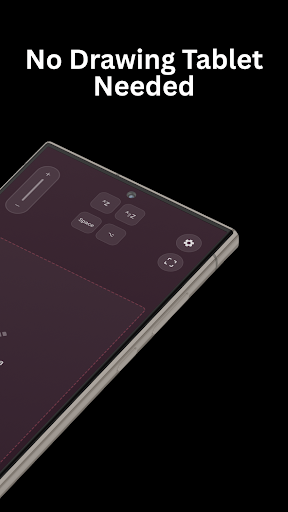
Use your Android device with S Pen as a Bluetooth graphic tablet for your PC
- Installs
- 51.95K
- Measured
- Rating
- 3.55
- Ratings
- 123
- 4 reviews
- Version
- Varies with device
- Updated 6 May 2026
- Released
- 4 Nov 2025
- Tracked since 13 May 2026
- Size
- —
Also on App Store: VirtualTablet: Bluetooth (6 ratings)
Screenshots



About VirtualTablet: Bluetooth
The description on the store listing
Transform Your Android into a Professional Drawing Tablet - Wireless & Bluetooth
Turn your Android phone or tablet into a wireless drawing tablet for your PC - just like Wacom!
🖊️ Perfect For:
Digital artists seeking an affordable graphic tablet alternative
Live screen annotation for presentations and teaching
Note-taking and PDF annotation with handwriting
Photo editing and graphic design
Gaming (OSU!, rhythm games)
Remote PC control with precision
🎨 Why Buy an Expensive Graphic Tablet?
VirtualTablet transforms your Android device into a professional bluetooth drawing pad with pressure, tilt support, and zero lag.
Save hundreds of dollars while getting the same …
Read the full description
Transform Your Android into a Professional Drawing Tablet - Wireless & Bluetooth Turn your Android phone or tablet into a wireless drawing tablet for your PC - just like Wacom! 🖊️ Perfect For: Digital artists seeking an affordable graphic tablet alternative Live screen annotation for presentations and teaching Note-taking and PDF annotation with handwriting Photo editing and graphic design Gaming (OSU!, rhythm games) Remote PC control with precision 🎨 Why Buy an Expensive Graphic Tablet? VirtualTablet transforms your Android device into a professional bluetooth drawing pad with pressure, tilt support, and zero lag. Save hundreds of dollars while getting the same professional features with Samsung S Pen! ✨ Key Features: ✓ Wireless Tablet Connection: Bluetooth connectivity with ultra-low latency ✓ S Pen & Active Stylus Support - Full pressure/tilt sensitivity for natural drawing - Hover detection for precise cursor control - Pen button support - Eraser tip functionality - Adjustable pressure sensitivity ✓ Wide Compatibility: Works with Photoshop, Affinity, Krita, Clip Studio, Illustrator, and more. ✓ Multi-Monitor Support: Select any monitor as your drawing surface ✓ Drawing Area Selection: Map your tablet to a specific portion of the screen ✓ Customizable keyboard shortcuts, zoom controls, pen button ✓ Tablet Color Theme Selection: Personalize your workspace with various color themes ✓ Gaming Ready: Perfect for OSU! and other precision games (raw input support) 💻 Easy Setup: ✓ Windows & Linux - Works instantly, no extra software needed! ✓ macOS - Requires an agent app available at https://www.sunnysidesoft.com/virtualtablet-bluetooth/download 📱 Device Compatibility: VirtualTablet requires Android support for the Bluetooth HID Device feature. Many Android phones and tablets work well, but some budget models may not provide this feature because of manufacturer limitations. Compatibility note: - Some budget models from manufacturers such as Xiaomi/Redmi, Realme, HONOR, TECNO, and Nokia/HMD may have limited or unavailable Bluetooth HID support. - Support can vary by model and firmware version. Enhanced features with: Samsung devices with S Pen & active stylus tablets (full features) Passive/capacitive stylus or finger touch (limited features: no hover, pressure, tilt support) Stop spending hundreds on expensive drawing tablets! VirtualTablet delivers the same professional wireless drawing tablet experience using the device you already own. Download now and start creating art wirelessly! Your Android is the only bluetooth graphic tablet you'll ever need.
Installs since 29 Aug 2026 Measured
Exact Google Play install counts, collected daily
Ratings
123 ratings, 4 reviews
- 5 ★67%
- 4 ★0.0%
- 3 ★0.0%
- 2 ★0.0%
- 1 ★33%
Recent reviews
Latest public reviews from the store
- 27 Apr 2025
very convenient
- 25 Feb 2025
So far so good. Dev - big thanks!
- 8 Jan 2025
Works perfectly as advertised. The best connection for this is easily via USB. There is virtually no lag and works well with drawing applications on my pc. My only complaint would be via wifi, as that connect is entirely based on the speed of the wifi chip of both your tablet and your computer. My only suggestion is to add buttons and key binding (like on actual drawing tablets)
- 8 Jun 2024
Won't give 5 stars and the wifi option doesn't seem to work for me, thankfully I mainly use USB mode, which seems to have little to no input delay.
What reviewers bring up
Topics mentioned in the latest 50 reviews, by how many reviews mention them
Liked in good reviews (25 reviews)
- usb 8
- wifi 7
- connection 6
- lag 4
- samsung 3
- support 3
- however 3
- button 3
Raised in bad reviews (21 reviews)
- bluetooth 6
- screen 5
- drawing 3
- waste 3
- paid 3
- program 2
- actual 2
- better 2
Top chart positions
Latest Google Play chart ranks by country, last 10 days
Not in any tracked top chart in the last 10 days.
VirtualTablet: Bluetooth history
Release, install milestones, listing and store changes
- Reached 10,000+ installs 10 Feb 2026
- Reached 5,000+ installs 30 Dec 2025
- Reached 1,000+ installs 22 Nov 2025
- Reached 500+ installs 21 Nov 2025
- First released on the store 4 Nov 2025
Update frequency
How often VirtualTablet: Bluetooth ships a new version, month by month
14 updates in the last 12 months. More often than most similar apps: they shipped a median of 0 updates in the same year.
Recent versions
Current version Varies with device
- Version 1.11.36 May 2026
- Version 1.11.22 May 2026
- Version 1.11.125 Apr 2026
- Version 1.11.012 Apr 2026
Listing keywords
Words and phrases VirtualTablet: Bluetooth repeats most in its store listing
Top phrases: graphic tablet (4), drawing tablet (3), pressure tilt (3), bluetooth graphic tablet (2), features with samsung (2).
Highlighted words also appear in the title. Counts cover the title, short description and description.
Business model and tech
From the store listing and declared permissions
- Business model
- Free to downloadIn-app purchasesShows ads
- Subscriptions and payments
- Google Play billing
- Sensitive access
- LocationNearby devicesAdvertising ID
21 permissions
0 special access, 4 sensitive, 17 standard
- Precise locationSensitive
- Connect to paired Bluetooth devicesBLUETOOTH_CONNECTSensitive
- Find nearby Bluetooth devicesBLUETOOTH_SCANSensitive
- Show notificationsPOST_NOTIFICATIONSSensitive
- Ad attribution (Privacy Sandbox)ACCESS_ADSERVICES_ATTRIBUTIONStandard
- Ad topics (Privacy Sandbox)ACCESS_ADSERVICES_TOPICSStandard
- Read how it was installed (install referrer)BIND_GET_INSTALL_REFERRER_SERVICEStandard
- Read the advertising IDAD_IDStandard
- Read the advertising ID (Privacy Sandbox)ACCESS_ADSERVICES_AD_IDStandard
- Control vibrationStandard
- Foreground service (connected device)FOREGROUND_SERVICE_CONNECTED_DEVICEStandard
- Keep the phone awakeStandard
Compliance
What the listing and the app package show
- Store status
- Live
- Upkeep
- Updated 6 May 2026
- Registered in
- South Korea
- Privacy policy
- Linked on the listing
- Advertising
- Shows ads
- In-app purchases
- Offered
- Age rating
- Everyone
- Sensitive permissions
- 4 sensitive of 21
- Location access
- Yes, while in use
- Camera and microphone
- Neither
Apps like VirtualTablet: Bluetooth
오직 온라인센터오직(주)242K installs★ 4.3
Simple LAN Chatnathanield.com12.4K installs★ 3.63
aDataConMonamazing-create13.6K installs★ 4.3
Universal TV Remote for All TVAlphard Solutions56K installs★ 3.17
Auto Scroll TTAbyssiniatech64.2K installs★ 2.67
Whistle SoundsInfinite_Apps64.4K installs★ 3.5
QR Barcode : Scanner & CreateScan Team320K installs★ 3.38
Calendario de Puerto Rico 2025FamilyAppsPro15.2K installs★ 4.57
Watt VA Amp Volt CalculationsElectroMission Co.53.2K installs★ 1.0
VirtualTablet: Bluetooth: questions and answers
How many downloads does VirtualTablet: Bluetooth have?
VirtualTablet: Bluetooth has 51,946 installs on Google Play, measured from the store's own count on 14 Nov 2026.
Who makes VirtualTablet: Bluetooth?
VirtualTablet: Bluetooth is published by Sunnysidesoft, a developer based in KR.
When was VirtualTablet: Bluetooth last updated?
The latest version (Varies with device) was released on 6 May 2026.
Is VirtualTablet: Bluetooth free?
Yes. VirtualTablet: Bluetooth is free to download and offers in-app purchases, and it shows ads.
Is VirtualTablet: Bluetooth still available?
Yes. VirtualTablet: Bluetooth is live on Google Play as of 14 Nov 2026.
Track VirtualTablet: Bluetooth and its competitors
Watch any app for new versions, rating drops, chart moves and removals. Free plan, no card.