
Zip File Reader: Rar Extractor
Zip File Reader allows the user to unzip, zip and rar files.
- Installs
- 27.41K
- Measured
- Rating
- 3.6
- Ratings
- 154
- 8 reviews
- Version
- Varies with device
- Updated 13 Aug 2025
- Released
- 5 Aug 2022
- Tracked since 13 May 2026
- Size
- —
Screenshots




About Zip File Reader: Rar Extractor
The description on the store listing
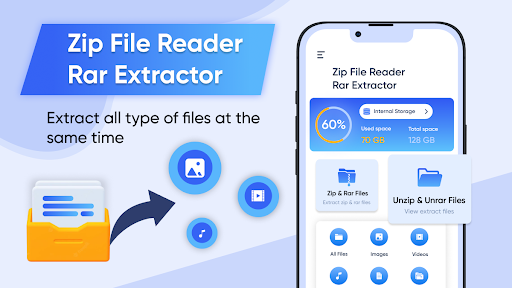
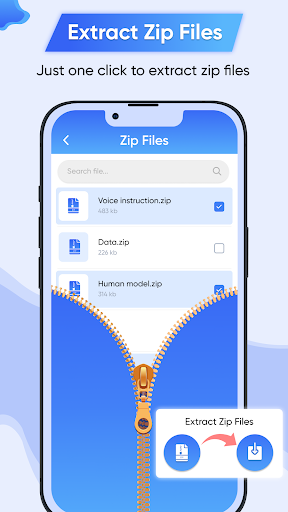
Zip file opener is a new zip unzip app that provides the user with a complete zip tool. They can compress and extract data most easily, that too for free. Zip file opener unzip files have the fastest unzip and zip feature with which the user can instantly compress and extract files in seconds depending upon their size. By using the zip feature of zip file opener app for android app, the user can increase the efficiency of the device by saving its storage space. It also tends to improve file transfer via email. The zip file format will encrypt the data, thus making it quicker for the user to send emails with smaller files.
Furthermore, the zip app allows the user to unzip files stored on …
Read the full description
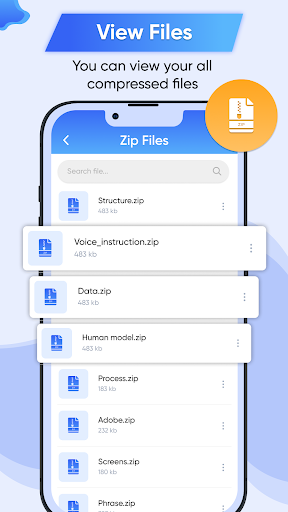
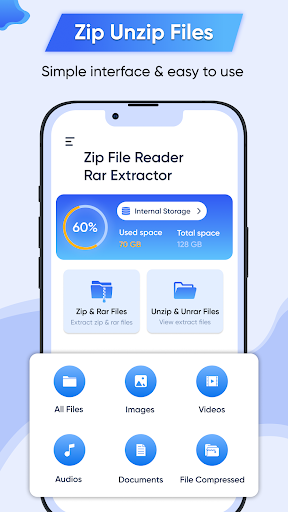
Zip file opener is a new zip unzip app that provides the user with a complete zip tool. They can compress and extract data most easily, that too for free. Zip file opener unzip files have the fastest unzip and zip feature with which the user can instantly compress and extract files in seconds depending upon their size. By using the zip feature of zip file opener app for android app, the user can increase the efficiency of the device by saving its storage space. It also tends to improve file transfer via email. The zip file format will encrypt the data, thus making it quicker for the user to send emails with smaller files. Furthermore, the zip app allows the user to unzip files stored on the device. If the user wants to work with the zip files, they are required to unzip them first. Hence, this tool is equally important and beneficial for the user. The zip file reader free download has six features including; all files, images, videos, audios, documents, and my compressed files. In addition, the zip file reader app shows the internal storage of the device. Through this feature, the user can determine the free space and total space of the device. Finally, the user can also share the application with his friends and family with just a click. <b>Features of Zip File Reader: Rar Extractor </b> Zipfile app is a beneficial app for smartphone users as it allows them to zip and unzip files as well as rar files instantly for free. The all files feature of the zip file reader allows the user to compress, share or delete the files stored in the device. The user can also protect these files using a password of their choice. All the files will display on the screen along with their title, size, and date of creation. The user can also search for any particular file using the search bar at the top. The images feature of the zip file reader for android free authorizes the user to compress, share or delete images stored on the device. All the images will display on the screen along with its title, size, and date of creation. The user can also search for any particular image using the search bar at the top. The videos feature of the zip file extractor for android lets the user compress, share or delete video files stored on the device. All the videos will display on the screen along with its title, size, and date of creation. The user can also search for any particular video using the search bar at the top. The audio feature of zip file viewer allows the user to compress, share or delete audio files stored on the device. All the audios will display on the screen along with its title, size, and date of creation. The user can also search for any particular audio file using the search bar at the top. The documents feature of the open zip files app allows the user to compress, share or delete document files stored on the device. All the documents will display on the screen along with its title, size, and date of creation. The user can also search for any particular document file using the search bar at the top of the zip reader app. My compressed files feature includes all the files compressed by the user using the unzip zip file opener tool. The user can extract, read or rename the file by simply clicking on it. All the compressed files will display on the screen along with its title, size, and date of creation. The user can also search for any particular document file using the search bar at the top. <b> How to Use Zip File Reader: Rar Extractor </b> If the user wants to compress any particular file, they are required to click on the all files tab on the home screen of the zip extractor. After selecting the file, they simply need to click on the compress button at the bottom. They can also rename the file before saving it. The user can look for their compressed file in my compressed files tab. For this, they need to select my compressed files tab at the home screen of app files zip.
Installs since 29 Aug 2026 Measured
Exact Google Play install counts, collected daily
Ratings
154 ratings, 8 reviews
- 5 ★58%
- 4 ★0.0%
- 3 ★6.8%
- 2 ★6.8%
- 1 ★29%
Recent reviews
Latest public reviews from the store
- 18 May 2026
good
- 18 May 2026
best
- 17 May 2026
সুমন
- 17 May 2026
sohil khan
What reviewers bring up
Topics mentioned in the latest 50 reviews, by how many reviews mention them
Liked in good reviews (39 reviews)
- blood pressure 3
Raised in bad reviews (9 reviews)
- interested 2
Top chart positions
Latest Google Play chart ranks by country, last 10 days
Not in any tracked top chart in the last 10 days.
Zip File Reader: Rar Extractor history
Release, install milestones, listing and store changes
- Reached 10,000+ installs 27 Jan 2025
- Reached 5,000+ installs 29 Aug 2023
- Reached 1,000+ installs 25 Nov 2022
- Reached 500+ installs 14 Oct 2022
- First released on the store 5 Aug 2022
Recent versions
Current version Varies with device
- Version 1.1.413 Aug 2025
- Version 1.1.24 Aug 2024
- Version 1.1.127 Aug 2023
- Version 1.1.024 Jan 2023
Listing keywords
Words and phrases Zip File Reader: Rar Extractor repeats most in its store listing
Top phrases: zip file (15), zip file reader (8), file reader (8), creation the user (6), date of creation (6).
Highlighted words also appear in the title. Counts cover the title, short description and description.
Business model and tech
From the store listing and declared permissions
- Business model
- Free to downloadShows ads
- Sensitive access
- No sensitive permission declared
Compliance
What the listing and the app package show
- Store status
- Live
- Upkeep
- Updated 13 Aug 2025
- Registered in
- Pakistan
- Privacy policy
- Linked on the listing
- Advertising
- Shows ads
- In-app purchases
- None declared
- Age rating
- Everyone
Apps like Zip File Reader: Rar Extractor
Easy Schedule Notebookoxdb.net51.5K installs★ 5.0
Land Parcels Areas CalculatorGeoZidan46K installs★ 1.73
Gallery Vault - Hide PhotoMerryblue51K installs★ 4.2
Heat Index Calculator - How toVnMobileSolutions Inc.3.7K installs★ 4.24
2D OwnerTechnologyGateway46K installs★ 4.8
3D Print Cost CalculatorReme Le Hane38.5K installs★ 3.95
Bluetooth ScannerThe Tree Team51.3K installs★ 3.87
HD wifi EndoskopCEI Conrad Electronic International (HK) Limited117K installs★ 2.41
WGS84 ConverterPilaBlu - Apps111K installs★ 4.29
Zip File Reader: Rar Extractor: questions and answers
How many downloads does Zip File Reader: Rar Extractor have?
Zip File Reader: Rar Extractor has 27,411 installs on Google Play, measured from the store's own count on 14 Nov 2026.
Who makes Zip File Reader: Rar Extractor?
Zip File Reader: Rar Extractor is published by Techry Apps, a developer based in PK.
When was Zip File Reader: Rar Extractor last updated?
The latest version (Varies with device) was released on 13 Aug 2025.
Is Zip File Reader: Rar Extractor free?
Yes. Zip File Reader: Rar Extractor is free to download, and it shows ads.
Is Zip File Reader: Rar Extractor still available?
Yes. Zip File Reader: Rar Extractor is live on Google Play as of 14 Nov 2026.
Track Zip File Reader: Rar Extractor and its competitors
Watch any app for new versions, rating drops, chart moves and removals. Free plan, no card.