
- Installs
- —
- Apple does not publish download counts
- Rating
- 4.69
- Ratings
- 21.6K
- 21.6K reviews
- Version
- 8.16.1
- Updated 4 Nov 2026
- Released
- 15 Feb 2012
- Tracked since 11 May 2026
- Size
- 621 MB
- Needs 17.0
Also on Google Play: Autodesk Forma (5K ratings)
Screenshots
About Autodesk Forma
The description on the store listing
Autodesk Inc.
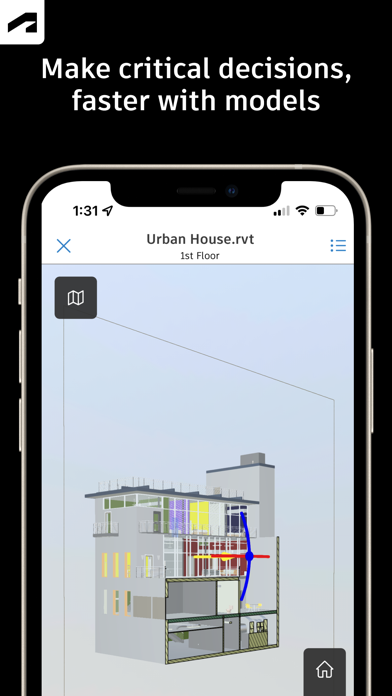
Capture punch list items, markup drawings, log daily reports, view the latest sheets, and review 3D models from the jobsite with the Forma mobile construction app.
The Forma mobile app puts the tools and project information you rely on in your hands. Stay connected to your crews on site, manage projects, and keep work moving.
Make critical decisions faster with the Forma mobile construction app:
• Forma Build Essentials for efficient, focused field execution
• Forma Build for connecting field execution and project management
Forma Build Essentials:
Built for lean crews and growing jobs. Projects are quick to set up, easy to access, and designed for everyday work …
Read the full description
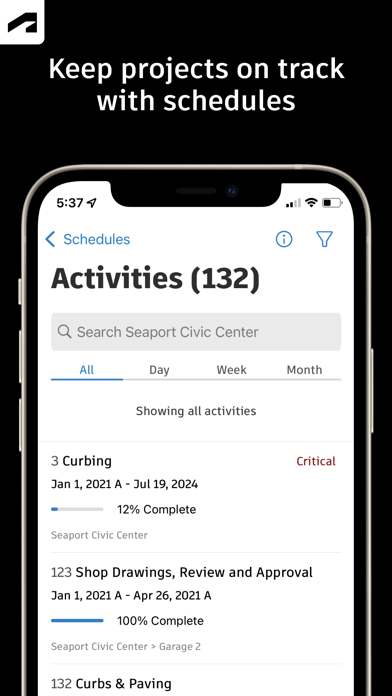
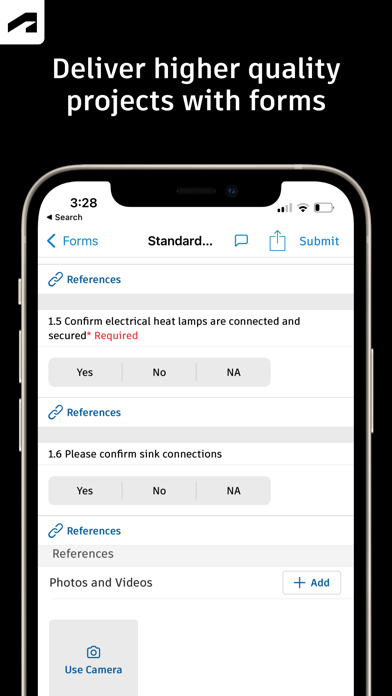
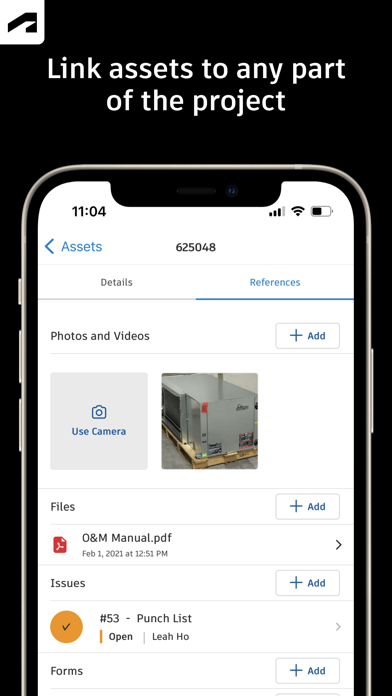
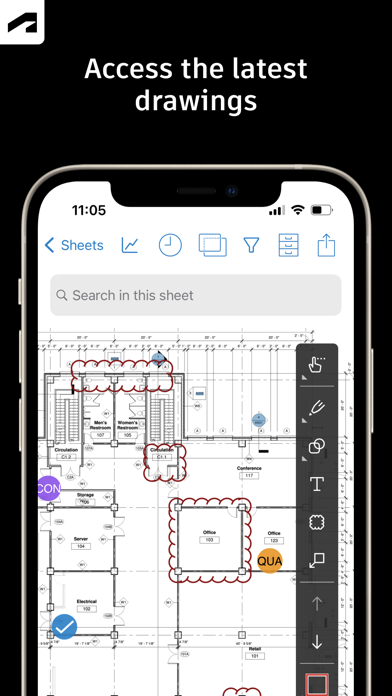
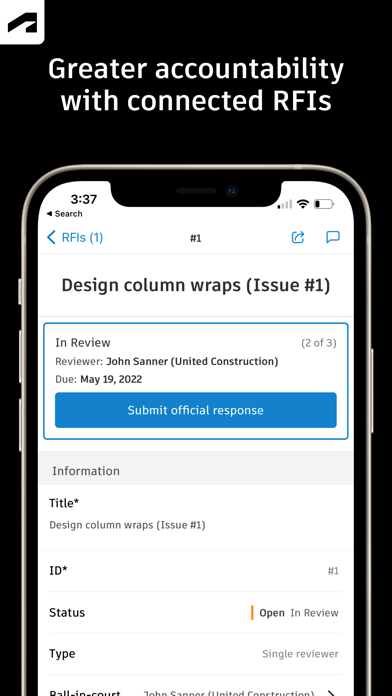
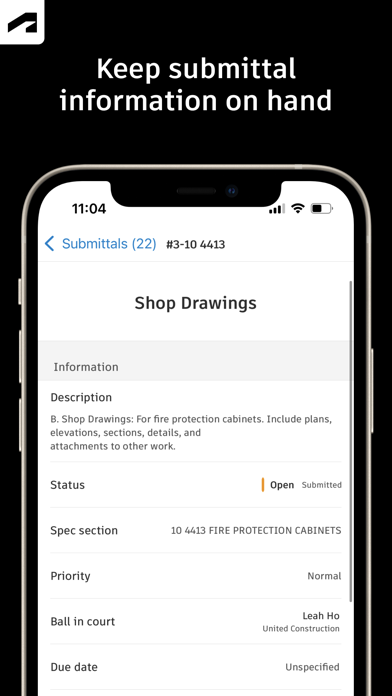
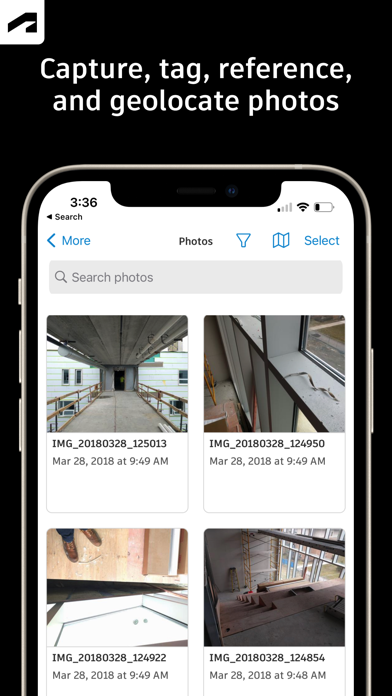
Autodesk Inc. Capture punch list items, markup drawings, log daily reports, view the latest sheets, and review 3D models from the jobsite with the Forma mobile construction app. The Forma mobile app puts the tools and project information you rely on in your hands. Stay connected to your crews on site, manage projects, and keep work moving. Make critical decisions faster with the Forma mobile construction app: • Forma Build Essentials for efficient, focused field execution • Forma Build for connecting field execution and project management Forma Build Essentials: Built for lean crews and growing jobs. Projects are quick to set up, easy to access, and designed for everyday work on site. • Capture punch list items and issues from the field • Complete daily reports, logs, and forms • View current construction sheets, drawings, files, and models • Open project files and documentation Latest sheets, files, and models View and mark up sheets directly from the jobsite. Access project files and review 3D models to understand design intent and context. Confirm the latest versions before work begins. • View and mark up drawings • Open project files, sheets, and construction documents • Review 3D models Punch list and issue tracking Capture punch list items and issues as you walk the jobsite. Track quality concerns. Log safety observations, near misses, and good catches. Assign responsibility and track work from open to closed. • Log issues with photos, locations, and references • Assign owners and due dates • Track progress from open to closed Daily reports, checklists, and forms Capture daily activity and site conditions, complete quality or safety inspections, and attach photos, signatures, and supporting files. • Complete daily reports and logs • Record site conditions and project information • Attach photos and signatures Fast mobile workflows Open a project and jump straight into work. • Access sheets, issues, forms, photos, and models quickly • Use shortcuts for common field actions • Keep project information accessible as connectivity changes Forma Build: With Forma Build, bring the office and field together to keep projects aligned and on track with connected project management workflows. • Includes core field capabilities • Review project schedules and work plans • Manage RFIs and track responses • Access approved submittals • Capture meeting notes and manage correspondence • Track project assets • Manage document and package reviews Connected across Forma: The Forma mobile app connects you to your Forma project information, construction documents, files, and 3D models across Forma Build Essentials, Forma Build, PlanGrid, Forma Design Collaboration, and Forma Data Management, while providing access to files created in Autodesk tools like Revit, Navisworks, and AutoCAD. See what our customers have to say: "The ability to access 3D models from the field eliminates confusion and allows us to come to a real-time resolution for any issues onsite. This capability reduces risk and provides cost and time savings while ensuring we deliver high-quality projects to our clients." Briana Mitchell, Project Manager, Boldt Company "We have about 460 field employees and for them to access documents in real-time directly on their iPhone or their iPad is priceless." Ken Mabe, Director of Field Operations, Eckardt Group
Installs, last 30 days
Apple does not publish download counts. Estimates are in testing.
Estimated store revenue Estimated Beta
App Store, worldwide, monthly rate from the last 12 chart days to 19 Nov 2026
Below the top 100 grossing apps in the markets we calibrate. In the United States that usually means under about $6.4M a month. App Store purchases and subscriptions only, before Apple's 15 to 30% fee. Ads and web payments are not included.
Ratings
21,643 ratings, 21,643 reviews
- 5 ★83%
- 4 ★10%
- 3 ★2.8%
- 2 ★0.9%
- 1 ★3.0%
Recent reviews
Latest public reviews from the store
- 2 Sep 2021
Great app but need other download options
I got into using this app as it’s one used by one of our clients on many different projects. App is great when it comes to access documents and drawings for the project. My only complain is that when accessing a project, it only will allow you to download the whole set of documents related, and when you have many projects as well as using other apps, it is a problem with data download and memory storage. I also use Procore with a different client which allows me to download only the documents I need instead of a whole package worth multiple GBs of data, it’s easier when you’re not on WiFi. Just saying this in here as a suggestion of what could be improved here.
- 15 Mar 2018
Great communications toolbox.
I find the use of this in the projects we do to be essential after the free trail period. We are a mechanical company traveling in several directions remodeling major retailers, so imagine all the blueprints I would have to carry. Maintaining the paper work is a breeze with several ways to implement. The instantaneous communication is one of the best thins about this. Documentation is simple with this cloud based system. The only problems I encountered were user error. The support staff at PlanGrid is really committed to helping me in any way possible. Took the time to make sure I knew how to successfully succeed at using this tool. Very Pleasant experience. If thinking about how to speed up the production and planning of a project, I highly recommend this application system. Good job guys.
What reviewers bring up
Topics mentioned in the latest 8 reviews, by how many reviews mention them
Liked in good reviews (2 reviews)
No topic comes up twice.
Raised in bad reviews (6 reviews)
- plangrid 3
- project 3
- see 3
- absolutely 2
- management 2
- scripting 2
- autodesk 2
- computer 2
Top chart positions
Latest App Store chart ranks by country, last 10 days
- Countries ranked
- 2 of 50
- Best rank
- #71
- Top 10 placements
- 0
- of 2 chart placements
- Average rank
- #82.5
Best countries on App Store
- 🇵🇱 Poland · Top grossing, Business#71
- 🇮🇪 Ireland · Top free, Business#94
| Country | Chart | Category | Rank | Best (10 days) | Date |
|---|---|---|---|---|---|
| 🇵🇱 Poland | Top grossing | Business | #71 | #71 | 18 Nov 2026 |
| 🇮🇪 Ireland | Top free | Business | #94 | #94 | 17 Nov 2026 |
Autodesk Forma history
Release, install milestones, listing and store changes
- First released on the store 15 Feb 2012
Update frequency
How often Autodesk Forma ships a new version, month by month
14 updates in the last 12 months. More often than most similar apps: they shipped a median of 4 updates in the same year.
Recent versions
Current version 8.16.1
- Version 8.16.04 Nov 2026
What's New: Autodesk Construction Cloud mobile is now the Forma mobile app. The tools teams rely on every day continue to deliver the same trusted capabilities and performance, with no data migration and no disruption to existing workflows, licensing, integrations, or project data. The tools now operate in a more connected industry cloud that strengthens continuity across the project lifecycle. In this release: • Introducing Forma Build Essentials, bringing together core jobsite tools in one efficient and focused workspace. Teams can capture punch list items and issues with photos and locations, view the latest files and models, mark up drawings, and log daily reports on web or mobile. • New projects now have access to an enhanced photos experience with albums, permission controls. • Mobile updates include faster project entry, improved photo sync, native sharing with deep links, and faster issue creation with quick create and copy and paste support. • Additional bug fixes and performance improvements are also included in this release.
- Version 8.11.131 Aug 2026
What's New: Autodesk Construction Cloud mobile is now the Forma mobile app. The tools teams rely on every day continue to deliver the same trusted capabilities and performance, with no data migration and no disruption to existing workflows, licensing, integrations, or project data. The tools now operate in a more connected industry cloud that strengthens continuity across the project lifecycle. In this release: • Introducing Forma Build Essentials, bringing together core jobsite tools in one efficient and focused workspace. Teams can capture punch list items and issues with photos and locations, view the latest files and models, mark up drawings, and log daily reports on web or mobile. • New projects now have access to an enhanced photos experience with albums, permission controls. • Mobile updates include faster project entry, improved photo sync, native sharing with deep links, and faster issue creation with quick create and copy and paste support. • Additional bug fixes and performance improvements are also included in this release.
- Version 8.11.027 Aug 2026
What's New: Autodesk Construction Cloud mobile is now the Forma mobile app. The tools teams rely on every day continue to deliver the same trusted capabilities and performance, with no data migration and no disruption to existing workflows, licensing, integrations, or project data. The tools now operate in a more connected industry cloud that strengthens continuity across the project lifecycle. In this release: • Introducing Forma Build Essentials, bringing together core jobsite tools in one efficient and focused workspace. Teams can capture punch list items and issues with photos and locations, view the latest files and models, mark up drawings, and log daily reports on web or mobile. • New projects now have access to an enhanced photos experience with albums, permission controls. • Mobile updates include faster project entry, improved photo sync, native sharing with deep links, and faster issue creation with quick create and copy and paste support. • Additional bug fixes and performance improvements are also included in this release.
- Version 8.10.121 Aug 2026
What's New: Autodesk Construction Cloud mobile is now the Forma mobile app. The tools teams rely on every day continue to deliver the same trusted capabilities and performance, with no data migration and no disruption to existing workflows, licensing, integrations, or project data. The tools now operate in a more connected industry cloud that strengthens continuity across the project lifecycle. In this release: • Introducing Forma Build Essentials, bringing together core jobsite tools in one efficient and focused workspace. Teams can capture punch list items and issues with photos and locations, view the latest files and models, mark up drawings, and log daily reports on web or mobile. • New projects now have access to an enhanced photos experience with albums, permission controls. • Mobile updates include faster project entry, improved photo sync, native sharing with deep links, and faster issue creation with quick create and copy and paste support. • Additional bug fixes and performance improvements are also included in this release.
Listing keywords
Words and phrases Autodesk Forma repeats most in its store listing
Top phrases: forma build (7), 3d models (5), daily reports (4), forma mobile (4), project information (4).
Highlighted words also appear in the title. Counts cover the title, short description and description.
Compliance
What the listing and the app package show
- Store status
- Live
- Upkeep
- Updated 4 Nov 2026
- Age rating
- 4+
Apps like Autodesk Forma
 Georgia PowerGeorgia Power Company★ 4.66
 WorkWhileWorkforce as a Service, Inc.★ 4.68
 Zoom Workplace for IntuneZoom Communications, Inc.★ 4.7
 Backstage - Casting CallsBackstage LLC★ 4.73
 randstad: jobs for workersswipejobs★ 4.77
 DHL Express Mobile AppDHL Express★ 4.55
 Peoples e-AccountSmart Energy Systems LLC★ 4.71
 TapeACall Pro: Call RecorderMosaic S.r.l.★ 4.52
 Altametrics SchedulesAltametrics Inc★ 4.69
Autodesk Forma: questions and answers
Who makes Autodesk Forma?
Autodesk Forma is published by Autodesk Inc..
When was Autodesk Forma last updated?
The latest version (8.16.1) was released on 4 Nov 2026.
Is Autodesk Forma free?
Yes. Autodesk Forma is free to download.
Is Autodesk Forma still available?
Yes. Autodesk Forma is live on App Store as of 19 Nov 2026.
Track Autodesk Forma and its competitors
Watch any app for new versions, rating drops, chart moves and removals. Free plan, no card.