- Installs
- —
- Apple does not publish download counts
- Rating
- 4.58
- Ratings
- 132
- 132 reviews
- Version
- 5.3.1
- Updated 6 Dec 2023
- Released
- 7 May 2013
- Tracked since 10 May 2026
- Size
- 24 MB
- Needs 12.0
Screenshots


About Cosmic Brush
The description on the store listing
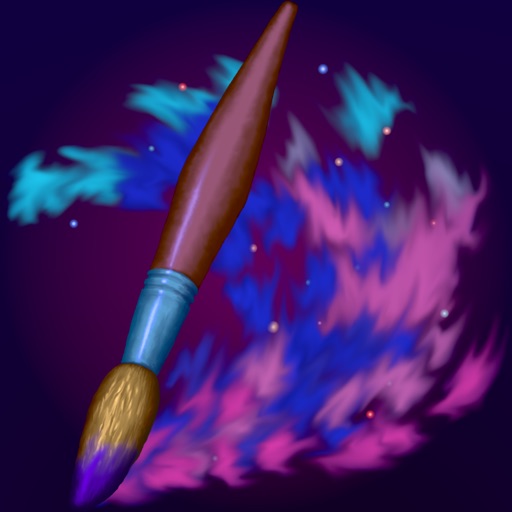
Paint a beautiful piece of art or just doodle on a photo.
Only your imagination sets the limits for what you can create!
• INSPIRING PAINTING TOOLS •
Be as creative as you want with inspiring out-of-this-world painting tools like 3D-Shaded Brush, Halo Brush, Plasma Chain Brush, and Translucent Brush.
It also has Lighten and Darken tools, a tremendous help when you want to add some depth and life to your drawings.
• FINGERTIP = STROKE SIZE •
When you paint, the app measures how much of your finger is touching the screen and changes the stroke size accordingly.
Apply just the corner of your fingertip for a thin line, or the whole fingerprint area for a broad stroke.
A 2nd tool assigned to …
Read the full description
Paint a beautiful piece of art or just doodle on a photo. Only your imagination sets the limits for what you can create! • INSPIRING PAINTING TOOLS • Be as creative as you want with inspiring out-of-this-world painting tools like 3D-Shaded Brush, Halo Brush, Plasma Chain Brush, and Translucent Brush. It also has Lighten and Darken tools, a tremendous help when you want to add some depth and life to your drawings. • FINGERTIP = STROKE SIZE • When you paint, the app measures how much of your finger is touching the screen and changes the stroke size accordingly. Apply just the corner of your fingertip for a thin line, or the whole fingerprint area for a broad stroke. A 2nd tool assigned to your finger will still use this feature, so don’t ignore it just because you have an Apple Pencil! • LEFT-HANDED? • Just swipe the toolbar over to the other side! • PARAMETERS CAN BE CHANGED LIVE • Use any buttons or controls to change/adjust color, size, force, simultaneously while painting. • UNIVERSAL PURCHASE • If you choose to buy the Pro upgrade, this one-time in-app purchase will unlock all Pro features in the app on all available platforms (iPad-iPhone-Mac)! • METAL • The engine is based on Metal, with 128-bit color and floating-point arithmetic. • SWIFT • The app was developed entirely using Swift (earlier versions used C++). • APPLE PENCIL SUPPORT • FULL SCREEN PAINTING • • DARK MODE • LANDSCAPE • PORTRAIT • WIDE COLOR • • MULTIPLE LAYERS • PHOTO TRACING MODE (Pro feature) •
Installs since 29 Aug 2026
Apple does not publish download counts. Estimates are in testing.
Estimated store revenue Estimated Beta
App Store, worldwide, monthly rate from the last 12 chart days to 19 Nov 2026
Below the top 100 grossing apps in the markets we calibrate. In the United States that usually means under about $6.4M a month. App Store purchases and subscriptions only, before Apple's 15 to 30% fee. Ads and web payments are not included.
Ratings
132 ratings, 132 reviews
No rating breakdown published for this app.
Recent reviews
Latest public reviews from the store
- 31 Jul 2024
Fun doodle app for glowy artworks
While I prefer Lux Draw over all I think as this developers glow art focused apps go, Cosmic Brush is fun and good for neon effects! Keep in mind that despite the two apps having the same format m structure, and functions, they do not share brushes and you will have to purchase them both separately if you want to get a reasonable number of layers and functions for both sets of brushes. Really, the two apps should have been one with a scrolling tool bar. Still, it’s enjoyable. I’d suggest try out both apps, see which one you like better, and upgrade that one. Color modulation is great.
- 31 Dec 2019
Reasons why you should download Cosmic brush
I love Cosmic brush a ton because it’s an Apple Pencil app and all you have to do when you want to use your finger to draw is tap the finger on the screen and and then pick a color to draw with and the battery on the Apple Pencil doesn’t have to be dead! And when you are coloring there are 5 or 6 ways to use 1 color. And the background is really dark and dark background make a lot of colors look like there’re almost glowing in the dark and some other colors can glow on black but the color will turn out to have much more light, so much light that some colors can even make any galaxy in space! It’s like when you finish your drawing you feel like your in the painting 🖼.
- 18 Mar 2019
Awesome
This is a must have app...just like a review said even if you are not a great artist. Maybe coloring is your thing this is great for that also. The biggest deal for me is when a developer keeps his apps updated and keeps making them even better. I am so happy with this developer art apps that I have every single one. You will not regret getting all of the apps either. I color and draw in them. To the developer keep up the great work.....
- 15 Jan 2015
Looks good
I have not even played this andi think it looks good already so it better be good #i hope so
What reviewers bring up
Topics mentioned in the latest 8 reviews, by how many reviews mention them
Liked in good reviews (6 reviews)
- better 3
- color 3
- draw 3
- cosmic brush 2
- think 2
- other 2
- glow 2
- art 2
Raised in bad reviews (2 reviews)
No topic comes up twice.
Top chart positions
Latest App Store chart ranks by country, last 10 days
Not in any tracked top chart in the last 10 days.
Cosmic Brush history
Release, install milestones, listing and store changes
- First released on the store 7 May 2013
Update frequency
How often Cosmic Brush ships a new version, month by month
0 updates in the last 12 months. Less often than most similar apps: they shipped a median of 2 updates in the same year.
Recent versions
Current version 5.3.1
- Version 5.3.16 Dec 2023
[NEW] Added some selection options (like “Select All”) in Work in Progress (Gallery). Long-press the Multi-Select button or tap “Selected…” next to the buttons. [NEW] Added “Reset to Default” button to the Scrollable Palette Area menu (to open that menu, scroll the palette to its beginning and tap the largest of the three buttons that appear). [IMPROVED] Adjusted the spacing between the thumbnails in Work in Progress (Gallery). [FIXED] Dismissing some types of alerts by tapping outside would sometimes block the painting tools (for both touch and Apple Pencil). [FIXED] A minor, rare user interface graphics glitch. [FIXED] Pasting multiple files in Work in Progress (Gallery) did not always select all the imported pics. [IMPROVED] (for devices with attached hardware keyboard) Minor changes/additions to the keyboard shortcuts in Work in Progress (Gallery), and the shortcuts for Copy, Paste, Duplicate now work with layers if the Layers stack is open. [FIXED] Rotating the device could, in some very rare circumstances, cause the app to crash. [IMPROVED] Tapping or long-pressing a dial could result in an unintentional adjustment (especially if using Apple Pencil). [FIXED] Copy Layer was not always working properly. [FIXED] Some minor multi-select issues in Work in Progress (Gallery). [FIXED] A couple of drag & drop issues. [FIXED] A very improbable crash bug. [IMPROVED] A few minor things.
Listing keywords
Words and phrases Cosmic Brush repeats most in its store listing
Top phrases: apple pencil (2), painting tools (2), stroke size (2).
Highlighted words also appear in the title. Counts cover the title, short description and description.
Compliance
What the listing and the app package show
- Store status
- Live
- Upkeep
- No update since 6 Dec 2023
- Age rating
- 4+
Apps like Cosmic Brush
 Baby + Pregnancy Collage MakerT-Logic★ 4.69
 Cartoon Photo Editor: PicToonRomain Sion★ 4.56
 Nail Diva - Try On NailsMaksym Sutkovenko★ 4.4
 How to draw Anime Ar drawingMellas Ayman★ 4.42
 Genie AI - AI Video Generator发家 罗★ 3.3
 Vixa – AI Video GeneratorKOEL STUDIO LIMITED★ 4.27
 JGGL: AI Generated ImagesAILAB FOR CLOUD SERVICE & DATACENTERS PROVIDERS CO. L.L.C★ 4.76
 MyEdit: AI Photo GeneratorCyberLink★ 2.93
 AI Action Figure Video MakerTulsi Vasani★ 3.52
Cosmic Brush: questions and answers
Who makes Cosmic Brush?
Cosmic Brush is published by Norbyte.
When was Cosmic Brush last updated?
The latest version (5.3.1) was released on 6 Dec 2023.
Is Cosmic Brush free?
Yes. Cosmic Brush is free to download.
Is Cosmic Brush still available?
Yes. Cosmic Brush is live on App Store as of 14 Nov 2026.
Track Cosmic Brush and its competitors
Watch any app for new versions, rating drops, chart moves and removals. Free plan, no card.