
- Installs
- —
- Apple does not publish download counts
- Rating
- 4.72
- Ratings
- 120
- 120 reviews
- Version
- 5.4.2
- Updated 19 Dec 2023
- Released
- 2 Sep 2011
- Tracked since 16 May 2026
- Size
- 22 MB
- Needs 12.0
Screenshots



About WowPaint
The description on the store listing
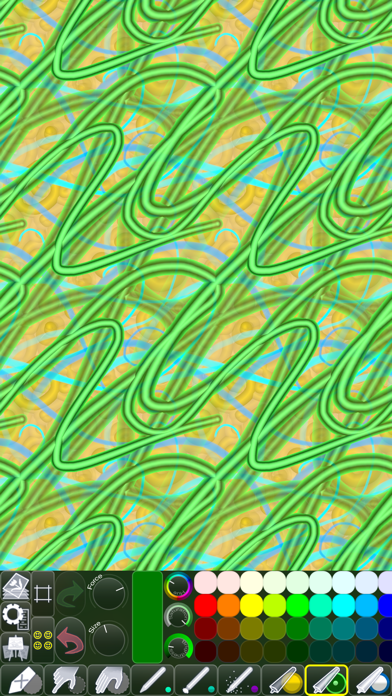
Pattern/texture designers: You’ll find the app’s unique feature set very useful when making repeatable images (patterns).
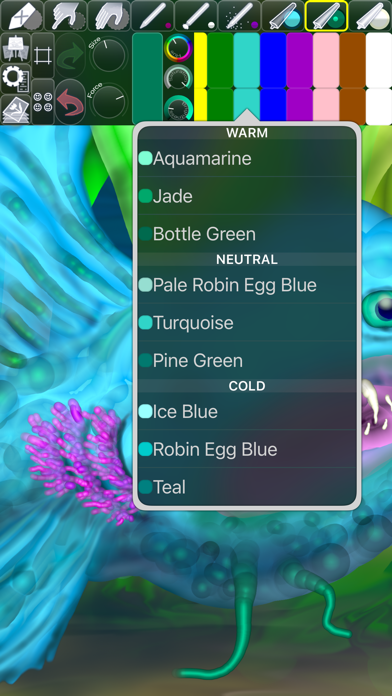
Other artists: WowPaint is great for drawing and painting “normal” art as well!
• CREATE SEAMLESS PATTERNS •
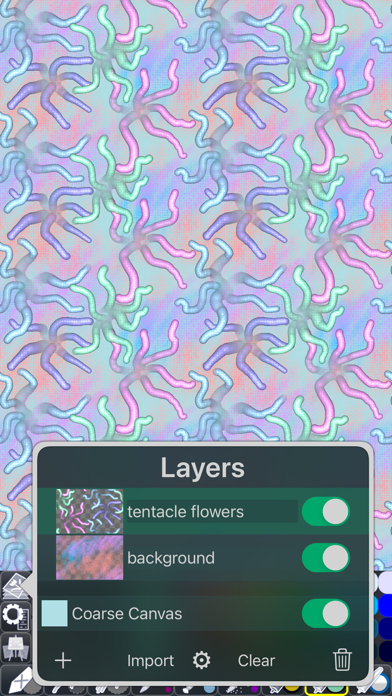
Use the Seamless Pattern Options to aid you in creating seamless patterns that can be used as website or desktop backgrounds, in print, or for textures in 3d modeling.
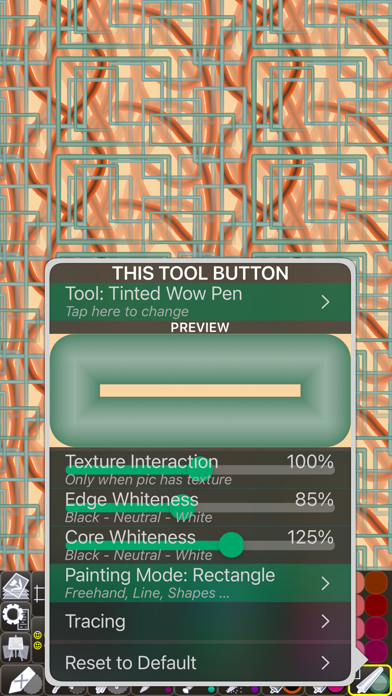
When you have switched on Wrap X/Y, any strokes you paint that go over the picture’s edge will continue on the opposite side.
That means that there will be no hard edges where strokes are cut off (since they continue instead), which makes the picture a perfect candidate for being seamlessly …
Read the full description
Pattern/texture designers: You’ll find the app’s unique feature set very useful when making repeatable images (patterns). Other artists: WowPaint is great for drawing and painting “normal” art as well! • CREATE SEAMLESS PATTERNS • Use the Seamless Pattern Options to aid you in creating seamless patterns that can be used as website or desktop backgrounds, in print, or for textures in 3d modeling. When you have switched on Wrap X/Y, any strokes you paint that go over the picture’s edge will continue on the opposite side. That means that there will be no hard edges where strokes are cut off (since they continue instead), which makes the picture a perfect candidate for being seamlessly repeated. A tremendous help when using the Wrapped Painting mode is the option of having the picture displayed as tiles next to each other. You’re free to paint anywhere on these tiles, and you will see the results in real time. You can also switch on Edge Indicators, to make it easier to see where the picture being repeated begins and ends. • FINGERTIP = STROKE SIZE • When you paint, the app measures how much of your finger is touching the screen and changes the stroke size accordingly. There’s a huge difference between using just the corner of your fingertip and pressing down the whole fingerprint area! A 2nd tool assigned to your finger will still use this feature, so don’t ignore it just because you have an Apple Pencil! • LEFT-HANDED? • Just swipe the toolbar over to the other side! • PARAMETERS CAN BE CHANGED LIVE • Use any buttons or controls to change/adjust color, size, force, simultaneously while painting. • UNIVERSAL PURCHASE • If you choose to buy the Pro upgrade, this one-time in-app purchase will unlock all Pro features in the app on all available platforms (iPad-iPhone-Mac)! • METAL • The engine is based on Metal, with 128-bit color and floating-point arithmetic. • SWIFT • The app was developed entirely using Swift (earlier versions used C++). • APPLE PENCIL SUPPORT • FULL SCREEN PAINTING • • DARK MODE • LANDSCAPE • PORTRAIT • WIDE COLOR • • MULTIPLE LAYERS • PHOTO TRACING MODE (Pro feature) •
Installs since 29 Aug 2026
Apple does not publish download counts. Estimates are in testing.
Estimated store revenue Estimated Beta
App Store, worldwide, monthly rate from the last 12 chart days to 19 Nov 2026
Below the top 100 grossing apps in the markets we calibrate. In the United States that usually means under about $6.4M a month. App Store purchases and subscriptions only, before Apple's 15 to 30% fee. Ads and web payments are not included.
Ratings
120 ratings, 120 reviews
No rating breakdown published for this app.
Recent reviews
Latest public reviews from the store
- 31 Jul 2024
Like painting with spray foam!
This is a fun, simple app packing a surprising amount of functionality. I wish it was combined with the very similar apps from the same developer; having them separate seems very artificial and weird and I want to use all the brushes together. To put it meanly all these apps from this person work the exact same except for the older Chill Paint, but stop you from using the brushes together to make you buy the same pro features multiple times. To put it nicely, it keeps the apps individually simple and lets people find what they’re searching for on the App Store in specific terms I guess. Still, it’s silly! I want to use all the brushes together! Basically I’m peeved because I like these apps so much. I wouldn't care if they were lame. Definitely give it a download. They pack a punch with a surprising number of features. All these apps are missing some really basic stuff I’d expect of an art app but also have a bunch of features, once you buy pro, that I wish all art apps had. You’ll have to give it a try yourself. I love the wow brushes! They provide such a unique and interesting sculptural look. I’m gonna be using this for a long time
- 14 Jul 2024
Perfect option for the photoshop challenged!
I've tried to make repeating patterns using photoshop, illustrator, canva, pages, Foto, and on and on. I finally downloaded this little gem of an app as my last try and it's amazing. At least give it a try before you spend $500 on softwared that will take you 2 years to learn. I made a pattern significantly better than my AI efforts, manual efforts, or any other sort of effort in the first 20 minutes. Thank you!
- 3 Jul 2023
WOW Paint - Powerful - Unique
Different from all other paint Apps in what it does - allows tremendous creativity outside the box.
- 2 Oct 2022
I wish! I WHOLE HEARTEDLY WISH I COULD DRAW in this APP
WHY are so many things called wow? WOW? anyway...I CAN MAKE lines and in fact see them GO ONTO the next tile /as if I am creating a SEAMLESS PATTERN" right....but I SEE a GAP- I DO NOT UNDErSTAND what I COULD DO with any concept, because I cannot create ANYTHING WORTH LOOKING AT IN THIS APP. NOW MY IPAD IS TYPING DELAYED - PLUS PLEASE EXPLAIN IN APP TIP JAR?? I never saw TIP-JAR PAYMENT CHOICE-IN APPLE IPAD APP STORE! and there is more questions....but Im not gonna make a list! Would be lovely if it did like what is almost able+ smooth drawing- shading- and better color choice-like put this ability in Procreate. please don't be cross with me! i really want to be able to do-Im not capable of using Adobe stuff- And Im reading at a other app-that you must load apps into the browser? What does this mean? lac
What reviewers bring up
Topics mentioned in the latest 8 reviews, by how many reviews mention them
Liked in good reviews (6 reviews)
- little 3
- definitely 2
- repeating 2
- patterns 2
- brushes 2
- limited 2
- unique 2
- doodle 2
Raised in bad reviews (1 reviews)
No topic comes up twice.
Top chart positions
Latest App Store chart ranks by country, last 10 days
Not in any tracked top chart in the last 10 days.
WowPaint history
Release, install milestones, listing and store changes
- First released on the store 2 Sep 2011
Update frequency
How often WowPaint ships a new version, month by month
0 updates in the last 12 months. Less often than most similar apps: they shipped a median of 2 updates in the same year.
Recent versions
Current version 5.4.2
- Version 5.4.219 Dec 2023
[NEW] Added “Reset to Default” button to the Scrollable Palette Area menu (to open that menu, scroll the palette to its beginning and tap the largest of the three buttons that appear). [FIXED] A couple of rare user interface layout glitches. [FIXED] Some issues when tapping to add to the selection while dragging the thumbnails in Work in Progress (Gallery). [FIXED] Pasting multiple files in Work in Progress (Gallery) did not always select all the imported pics. [FIXED] Rotating the device could, in some very rare circumstances, cause the app to crash. [IMPROVED] Tapping or long-pressing a dial could result in an unintentional adjustment (especially if using Apple Pencil). [IMPROVED] A few minor things.
Listing keywords
Words and phrases WowPaint repeats most in its store listing
Top phrases: apple pencil (2), seamless patterns (2), stroke size (2).
Highlighted words also appear in the title. Counts cover the title, short description and description.
Compliance
What the listing and the app package show
- Store status
- Live
- Upkeep
- No update since 19 Dec 2023
- Age rating
- 4+
Apps like WowPaint
 Baby + Pregnancy Collage MakerT-Logic★ 4.69
 Cartoon Photo Editor: PicToonRomain Sion★ 4.56
 Nail Diva - Try On NailsMaksym Sutkovenko★ 4.4
 How to draw Anime Ar drawingMellas Ayman★ 4.42
 Genie AI - AI Video Generator发家 罗★ 3.3
 Vixa – AI Video GeneratorKOEL STUDIO LIMITED★ 4.27
 JGGL: AI Generated ImagesAILAB FOR CLOUD SERVICE & DATACENTERS PROVIDERS CO. L.L.C★ 4.76
 MyEdit: AI Photo GeneratorCyberLink★ 2.93
 AI Action Figure Video MakerTulsi Vasani★ 3.52
WowPaint: questions and answers
Who makes WowPaint?
WowPaint is published by Norbyte.
When was WowPaint last updated?
The latest version (5.4.2) was released on 19 Dec 2023.
Is WowPaint free?
Yes. WowPaint is free to download.
Is WowPaint still available?
Yes. WowPaint is live on App Store as of 14 Nov 2026.
Track WowPaint and its competitors
Watch any app for new versions, rating drops, chart moves and removals. Free plan, no card.