
- Installs
- —
- Apple does not publish download counts
- Rating
- —
- Ratings
- —
- Version
- 2.70
- Updated 8 May 2026
- Released
- 24 Jan 2017
- Tracked since 10 May 2026
- Size
- 13 MB
- Needs 11.0
Screenshots

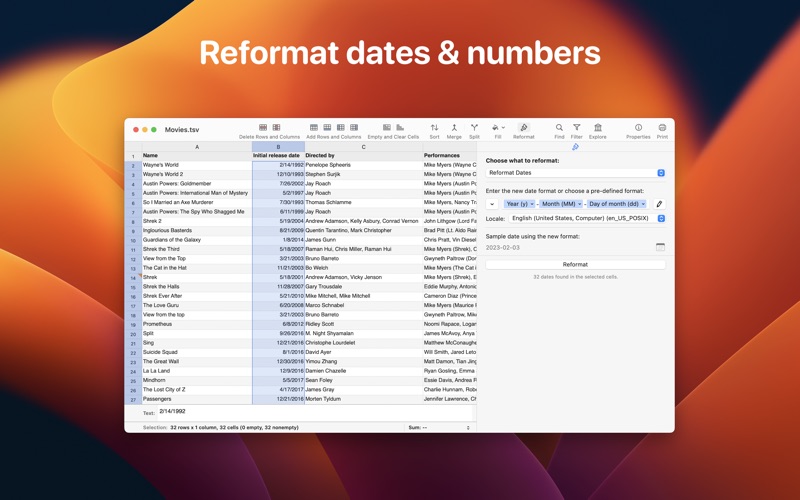


About Easy CSV Editor
The description on the store listing
Easy CSV Editor is one of the best editors for CSV and TSV files you'll find on the market.
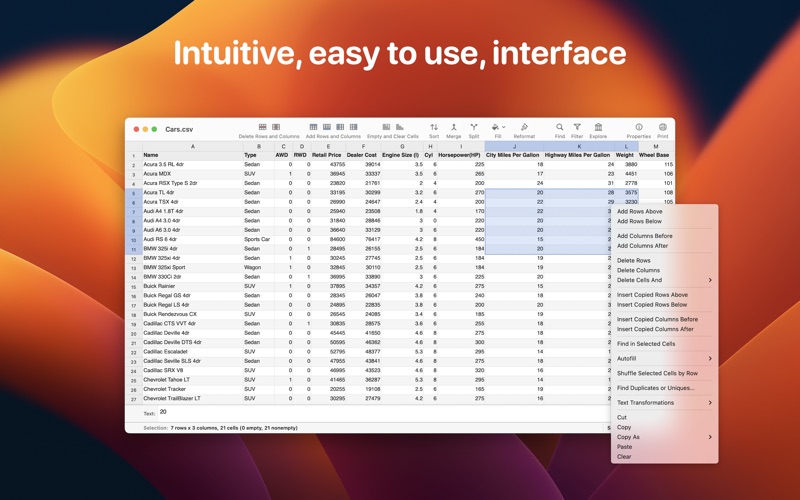
In a clean and user-friendly interface it offers simplicity and flexibility to edit both small and large documents.
The app is built entirely using the native technologies provided by Apple for the macOS and seamlessly integrated in the environment. That's why you'll feel right at home from the moment you open the app.
We greatly value your privacy, so everything you do in the app is done locally, nothing leaves your computer. No analytics, no servers, no phoning home. You can even use the app when you have no internet connection.
# Core Features
• Open, create, edit & save CSV files even if they …
Read the full description
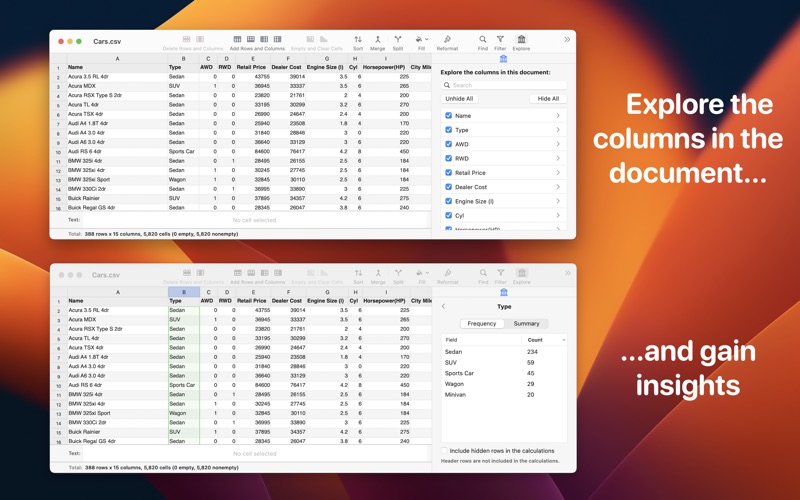
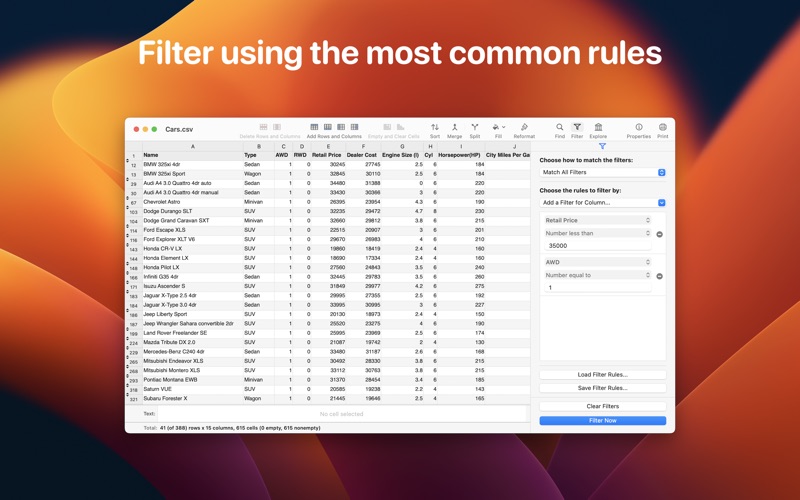
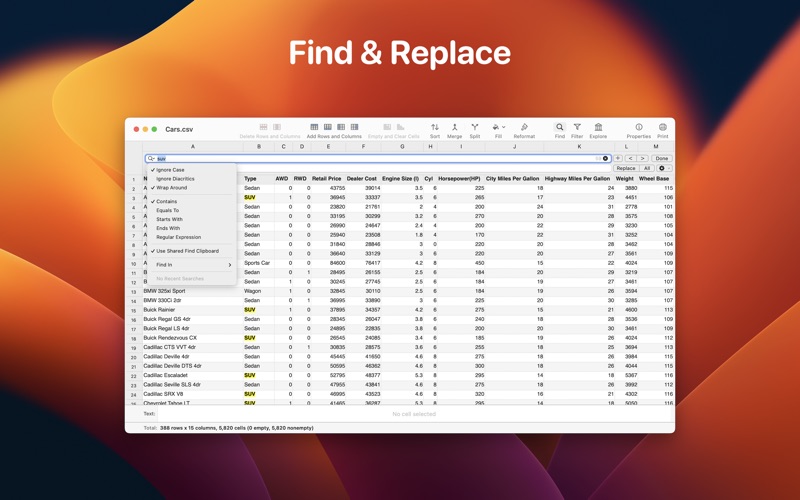
Easy CSV Editor is one of the best editors for CSV and TSV files you'll find on the market. In a clean and user-friendly interface it offers simplicity and flexibility to edit both small and large documents. The app is built entirely using the native technologies provided by Apple for the macOS and seamlessly integrated in the environment. That's why you'll feel right at home from the moment you open the app. We greatly value your privacy, so everything you do in the app is done locally, nothing leaves your computer. No analytics, no servers, no phoning home. You can even use the app when you have no internet connection. # Core Features • Open, create, edit & save CSV files even if they are not properly formatted, like don't have the same number of fields in each row • Data preservation - your data remains unchanged, just like you expect, including numbers with leading zeroes • Auto-detect CSV format, while providing you the option to adjust the detected parameters • Progress indicator along with a time estimate when loading huge files • Visualize & change the properties of an opened CSV document • Detect CSV comment lines & treat them differently • Easily navigate in the document using well established shortcuts (check "Help -> Keyboard Shortcuts" for all of them) • Copy, cut or clear a group of cells or entire rows or columns • Set as header rows up to 10 rows & up to 10 columns as header columns. Choose if they stay frozen or not. • Resize rows & columns so you can easily see the whole content of the cells • Hide rows & columns • Drag & move entire columns or rows • Autofill by dragging the right corner of the selected cells • Move cells by dragging the selection's margins • Shuffle selected cells by row • Text transformations for the selected cells: trim, enclose, HTML escape/unescape & more • Fill the selected cells using text of your choice • Find duplicate or unique data • Merge or split the selected cells or columns • Split documents by number of rows or document size • Status bar at the bottom of the window, showing various statistics & calculations • A big, resizable, text box located above the status bar showing the content of selected cell. You can edit the text in this box, too. • Full support for Undo & Redo • Print • Support for tabs • Dark mode • A lot of options available in the Preferences to make the app look & behave exactly the way you want # Data Detection & Reformatting • Auto-detect numbers & dates • Change the format of dates & numbers # Column Explorer • Provides a compact interface which lets you explore & manage the columns from the document in a very easy & intuitive way • Drill down to get more statistics for those columns which are of interest to you # Filter • Focus on the very specific data that you want to check by using the powerful filtering capabilities existing in the app • Filter by multiple columns & choose from the many rules which are available • Save & (re)load the filter rules - handy when you want to apply them to multiple files with the same structure # Sort • Sort the entire document or selected rows or just specific cells • Fine tune the sorting by including multiple columns # Find & Replace • Find and replace text using a familiar, yet powerful, interface • For power users there's support for ICU regular expressions (both for find & for replace) but there's also support to search for built in patterns (i.e. email addresses, phone numbers or web addresses) • Choose where to search: in the entire document or specific columns, rows or cells # Import & Export • Export CSV as: Excel files, Markdown, HTML, XML, JSON, PLIST • Import CSV from: Excel files, XML sources (local files or remote URLs), RSS feeds, JSON data, HTML tables in web pages, tables in (Multi)Markdown files, .vcard files, macOS' Contacts • Import & Export is available as an in-app purchase, but a trial is available for free For more info & screenshots please visit https://vdt-labs.com/easy-csv-editor
Installs
Apple does not publish download counts. Estimates are in testing.
We publish iOS estimates only after they pass a back-test against real numbers. Chart history below is measured.
Estimated store revenue Estimated Beta
App Store, worldwide, monthly rate from the last 12 chart days to 19 Nov 2026
Below the top 100 grossing apps in the markets we calibrate. In the United States that usually means under about $6.4M a month. App Store purchases and subscriptions only, before Apple's 15 to 30% fee. Ads and web payments are not included.
Ratings
No rating breakdown published for this app.
Recent reviews
Latest public reviews from the store
No reviews in our sample for this app yet.
Top chart positions
Latest App Store chart ranks by country, last 10 days
Not in any tracked top chart in the last 10 days.
Easy CSV Editor history
Release, install milestones, listing and store changes
- First released on the store 24 Jan 2017
Update frequency
How often Easy CSV Editor ships a new version, month by month
1 updates in the last 12 months. More often than most similar apps: they shipped a median of 0 updates in the same year.
Recent versions
Current version 2.70
- Version 2.708 May 2026
Improvements • When editing a cell whose content is wider than the column the editable text field is temporarily expanded vertically so the full content becomes visible while editing. Fixes • The list of suggestions when editing cells is no longer displayed when deleting text. This is in-line with other established spreadsheet apps (i.e. Numbers).
Listing keywords
Words and phrases Easy CSV Editor repeats most in its store listing
Top phrases: selected cells (5), auto detect (2), columns choose (2), csv editor (2), detect csv (2).
Highlighted words also appear in the title. Counts cover the title, short description and description.
Compliance
What the listing and the app package show
- Store status
- Live
- Upkeep
- Updated 8 May 2026
- Age rating
- 4+
Apps like Easy CSV Editor
 iProxy - Sys admin toolsN-Lab★ 4.06
 WA Virtual Number - WANoMarkakod Reklam Tasarim ve Yazilim Hizmetleri Ticaret Limited★ 4.44
 C/C++ LLVM Clang小文 黄★ 4.32
 StoreView: App Screenshot ToolElshan Aliyev★ 4.53
 Yomo: Docker & Portainer春晖 杜★ 4.79
 Termux -TERMUX LIMITED LIABILITY COMPANY★ 4.4
 Debug Anywhere浩鑫 庄★ 4.62
 Easy SSHArgsment Limited★ 4.55
 SSL CheckerOrave Technologies★ 4.61
Easy CSV Editor: questions and answers
Who makes Easy CSV Editor?
Easy CSV Editor is published by VDT LABS S.R.L..
When was Easy CSV Editor last updated?
The latest version (2.70) was released on 8 May 2026.
Is Easy CSV Editor free?
No. Easy CSV Editor is a paid app priced at $9.99.
Is Easy CSV Editor still available?
Yes. Easy CSV Editor is live on App Store as of 10 May 2026.
Track Easy CSV Editor and its competitors
Watch any app for new versions, rating drops, chart moves and removals. Free plan, no card.