- Installs
- —
- Apple does not publish download counts
- Rating
- —
- Ratings
- —
- Version
- 2.9
- Updated 14 Oct 2025
- Released
- 17 Nov 2012
- Tracked since 10 May 2026
- Size
- 6 MB
- Needs 11.0
Screenshots


About JSON Editor
The description on the store listing
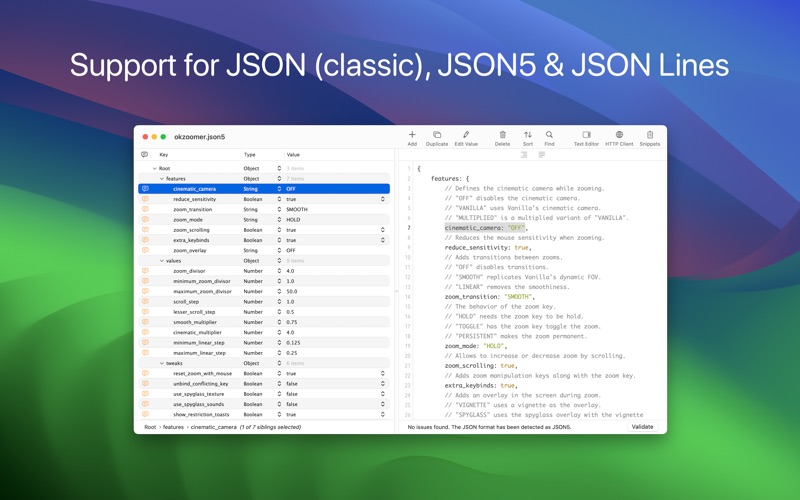
JSON Editor is a tree & text editor for JSON, JSON5 and JSON Lines data formats. In a clean and user-friendly interface, it allows you to create, visualize, modify, validate, format and save your JSON documents.
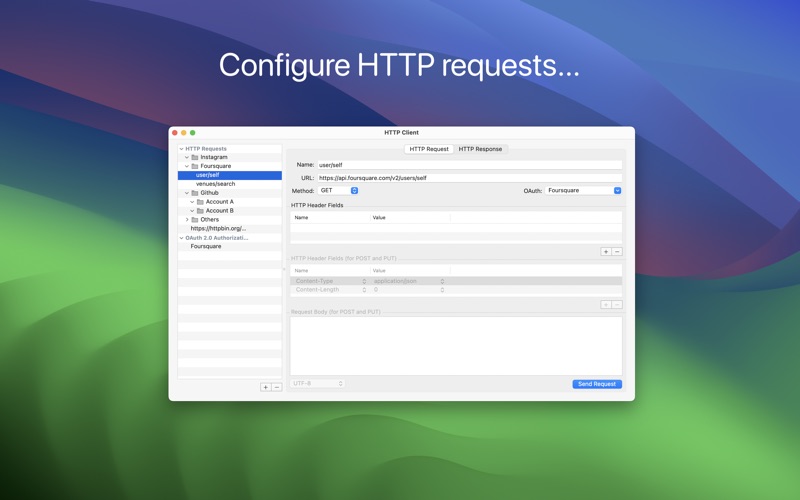
Along with the included HTTP Client, is a powerful tool to inspect and debug your API endpoints.
JSON Editor has the smarts needed to make the minimum changes when editing a file, even in the tree mode.
This is especially useful when you keep the files in a repository, because only the relevant changes will be shown when diff-ing the edited files.
JSON Tree Editor
• Presents the JSON in a "tree" like interface, making easier to understand how the data is structured
• Makes the …
Read the full description
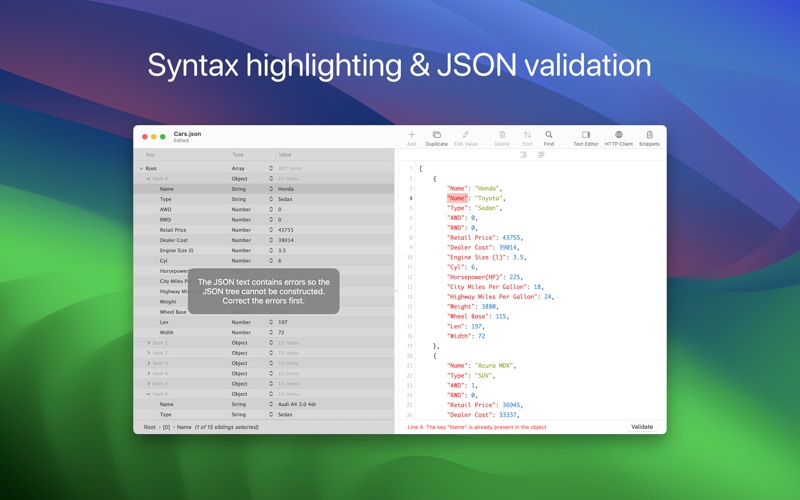
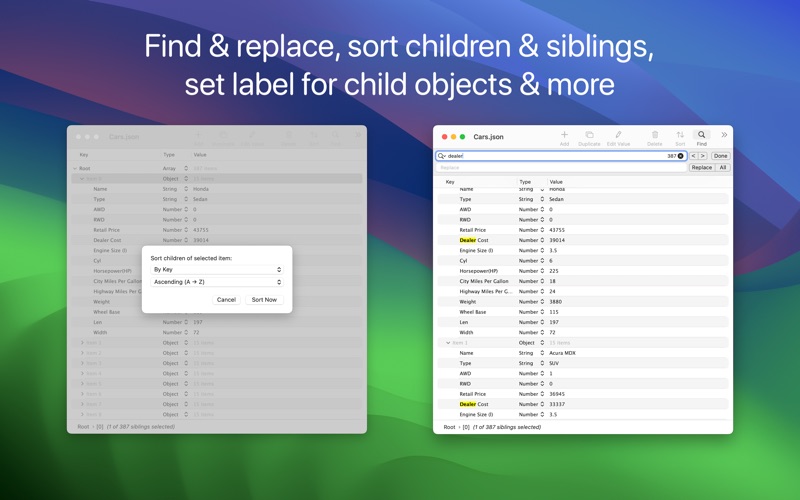
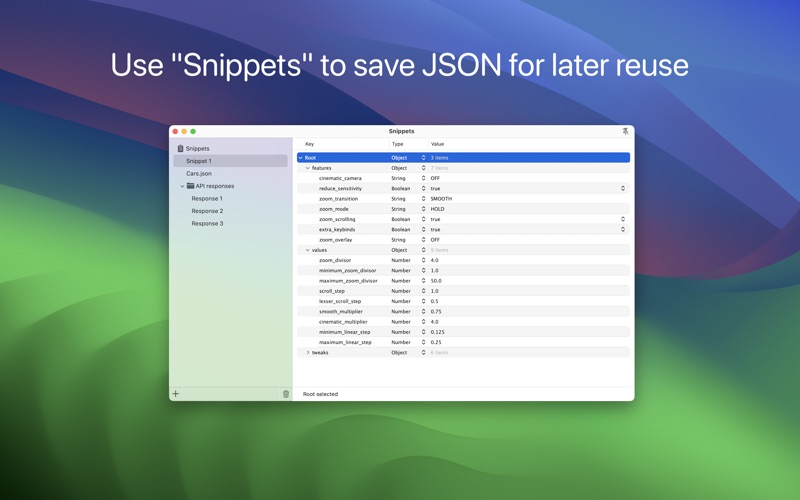
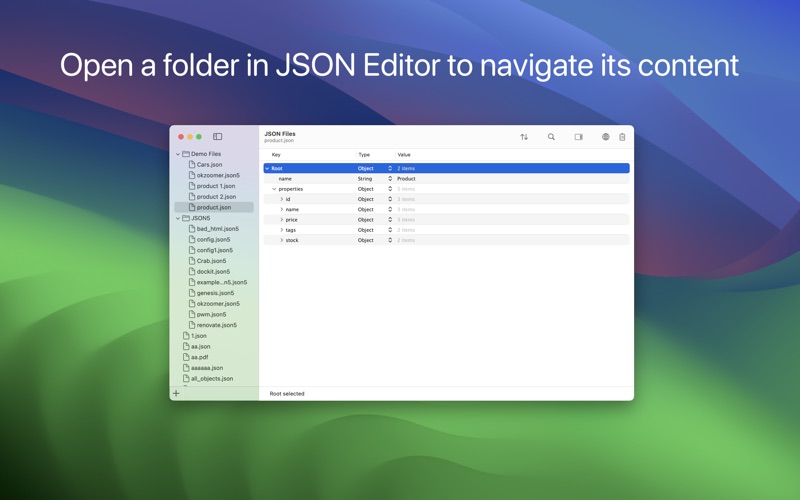
JSON Editor is a tree & text editor for JSON, JSON5 and JSON Lines data formats. In a clean and user-friendly interface, it allows you to create, visualize, modify, validate, format and save your JSON documents. Along with the included HTTP Client, is a powerful tool to inspect and debug your API endpoints. JSON Editor has the smarts needed to make the minimum changes when editing a file, even in the tree mode. This is especially useful when you keep the files in a repository, because only the relevant changes will be shown when diff-ing the edited files. JSON Tree Editor • Presents the JSON in a "tree" like interface, making easier to understand how the data is structured • Makes the process of editing JSON data error-free and way more easier than dealing with raw text • Its selection is automatically reflected in the text editor JSON Tree Editor - Features • Select multiple sibling elements • Cut, copy, paste, duplicate, delete and reorder elements, even when multiple elements are selected • Find & replace text in the JSON elements. Support for "Regular Expression" is included, too • Choose where the Find & replace will take place: in "Key" or "Value" column or both • Sort elements, either by clicking one of the column headers or using the dedicated panel • Set label for child objects to help you understand what each object represents • Edit the elements, even when multiple ones are selected (via "Edit -> Edit Value...") • Copy elements as Swift or Obj-C objects, JSON data or PLIST data • Paste JSON data • Embed elements in array or object • Shift elements left or right • Move elements up or down • Row height which accommodates multi-line text • JSON5 comments can be viewed in the leftmost column by hovering the cursor over the indicator • Increase and decrease font size for better readability • Undo & redo • Customization options available in "Settings -> View & Edit -> Tree Editor" JSON Text Editor • Offers a convenient way to interact with the JSON's textual content and to investigate invalid JSONs • The changes made in the text editor can be synchronized with the tree editor • Make the JSON document human readable or compact, even if it is not entirely valid JSON Text Editor - Features • JSON validation • Syntax coloring, auto-indentation and line numbers • Customize the font and its size • Change editor's location (right or bottom) • Toggle the visibility of the the text editor • Show (or hide) invisible characters, like tab or new lines • Find & replace • Undo & redo • Customization options available in "Settings -> View & Edit -> Text Editor" Folder Browser • Browse folders' content by dragging them on the app's Dock icon or by using "File → Open" panel • Choose JSON files to make quick edits or to view their content Snippets • Save JSON elements for later reuse • Access the Snippets by clicking the corresponding toolbar button Quick Look Preview Extension • Preview the JSON files in Finder using the Quick Look extension provided by the app HTTP Client • Perform HTTP requests (GET, POST, PUT, DELETE, HEAD) • Create folders to group the requests - very handy to group the projects or APIs you're working with • Automatically detects if response is text or binary, allowing you to preview or save the binary one • HTTP authentication (basic, digest) and Proxy authentication, with Keychain integration • Support for OAuth 2.0 - use the built-in providers or add custom ones • Once you have added and setup an OAuth 2.0 authorization you can attach it to a HTTP request - JSON Editor will take care of refreshing and attaching access token to the HTTP request • Export and import HTTP requests and OAuth authorizations Other Features • Dark mode, including a beautiful "black" mode • Auto Save & Versions, including the possibility to disable them • Detect when the file is changed by another application • Fullscreen • Services integration • Command-line/Terminal integration
Installs
Apple does not publish download counts. Estimates are in testing.
We publish iOS estimates only after they pass a back-test against real numbers. Chart history below is measured.
Estimated store revenue Estimated Beta
App Store, worldwide, monthly rate from the last 12 chart days to 19 Nov 2026
Below the top 100 grossing apps in the markets we calibrate. In the United States that usually means under about $6.4M a month. App Store purchases and subscriptions only, before Apple's 15 to 30% fee. Ads and web payments are not included.
Ratings
No rating breakdown published for this app.
Recent reviews
Latest public reviews from the store
No reviews in our sample for this app yet.
Top chart positions
Latest App Store chart ranks by country, last 10 days
Not in any tracked top chart in the last 10 days.
JSON Editor history
Release, install milestones, listing and store changes
- First released on the store 17 Nov 2012
Recent versions
Current version 2.9
- Version 2.914 Oct 2025
• Bug fixing ――― If you enjoy JSON Editor and find it useful, please also consider JSON Editor Mobile, the sibling app specifically made for iPhones and iPads. We constantly want to improve the quality of our apps. For any feedback, questions and ideas please contact us at [email protected]
Listing keywords
Words and phrases JSON Editor repeats most in its store listing
Top phrases: text editor (7), json editor (4), tree editor (4), find replace (3), json data (3).
Highlighted words also appear in the title. Counts cover the title, short description and description.
Compliance
What the listing and the app package show
- Store status
- Live
- Upkeep
- Updated 14 Oct 2025
- Age rating
- 4+
Apps like JSON Editor
 iProxy - Sys admin toolsN-Lab★ 4.06
 WA Virtual Number - WANoMarkakod Reklam Tasarim ve Yazilim Hizmetleri Ticaret Limited★ 4.44
 C/C++ LLVM Clang小文 黄★ 4.32
 StoreView: App Screenshot ToolElshan Aliyev★ 4.53
 Yomo: Docker & Portainer春晖 杜★ 4.79
 Termux -TERMUX LIMITED LIABILITY COMPANY★ 4.4
 Debug Anywhere浩鑫 庄★ 4.62
 Easy SSHArgsment Limited★ 4.55
 SSL CheckerOrave Technologies★ 4.61
JSON Editor: questions and answers
Who makes JSON Editor?
JSON Editor is published by VDT LABS S.R.L..
When was JSON Editor last updated?
The latest version (2.9) was released on 14 Oct 2025.
Is JSON Editor free?
No. JSON Editor is a paid app priced at $7.99.
Is JSON Editor still available?
Yes. JSON Editor is live on App Store as of 10 May 2026.
Track JSON Editor and its competitors
Watch any app for new versions, rating drops, chart moves and removals. Free plan, no card.