
- Installs
- —
- Apple does not publish download counts
- Rating
- 1.83
- Ratings
- 122
- 122 reviews
- Version
- 1.9.1
- Updated 22 Oct 2026
- Released
- 6 Mar 2014
- Tracked since 10 May 2026
- Size
- 21 MB
- Needs 15.0
Also on Google Play: Epson DocumentScan (3K ratings)
Screenshots
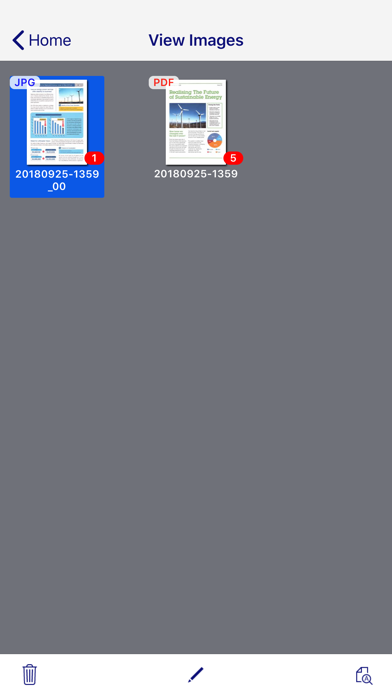
About Epson DocumentScan
The description on the store listing
This app is only for Epson scanners. Make sure that your scanner is supported.
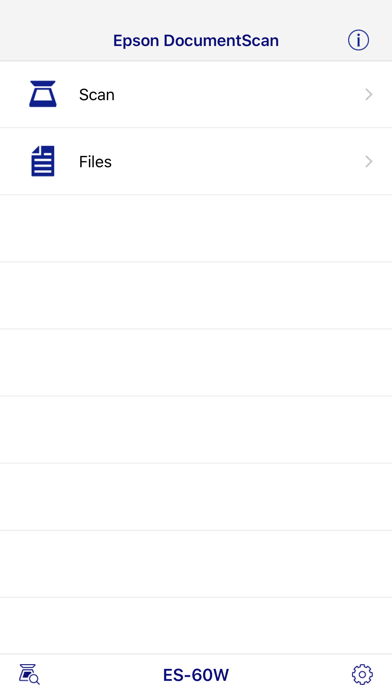
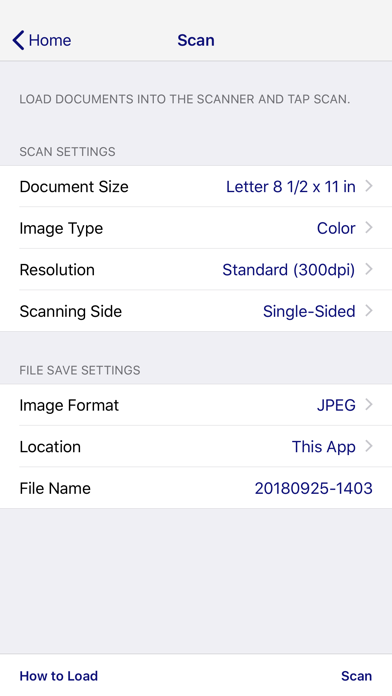
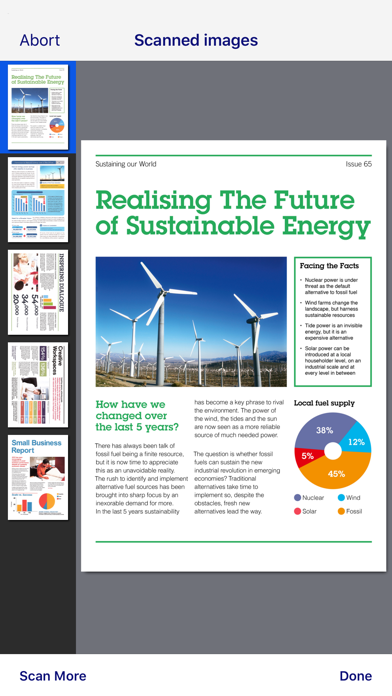
Scan documents directly to your iPhone®, iPod touch or iPad®. You can preview scanned data and send it to email, directly to other applications or to cloud services like Box®, DropBox™, Evernote®, Google Drive™ and Microsoft® OneDrive.
Scanners Supported
https://support.epson.net/appinfo/documentscan/en/index.html
Key Features
- Directly scan to your iPhone, iPod touch or iPad
- Edit scanned pages – multi-page rotation or re-ordering
- Send scanned files via email
- Send saved data to other applications, or to cloud services including Box, DropBox, Evernote, Google Drive and Microsoft OneDrive*. …
Read the full description
This app is only for Epson scanners. Make sure that your scanner is supported. Scan documents directly to your iPhone®, iPod touch or iPad®. You can preview scanned data and send it to email, directly to other applications or to cloud services like Box®, DropBox™, Evernote®, Google Drive™ and Microsoft® OneDrive. Scanners Supported https://support.epson.net/appinfo/documentscan/en/index.html Key Features - Directly scan to your iPhone, iPod touch or iPad - Edit scanned pages – multi-page rotation or re-ordering - Send scanned files via email - Send saved data to other applications, or to cloud services including Box, DropBox, Evernote, Google Drive and Microsoft OneDrive*. *Applications must be installed on your iPhone, iPod Touch or iPad. - Send saved data to your PC via iTunes® - Get help with a built-in FAQ section Advanced features - Autosize recognition, auto image type recognition - Multi-page rotation and re-ordering How to Connect Follow your scanner guide to connect your scanner via Wi-Fi® or AP direct connect mode. EPSON and WorkForce are registered trademarks. All other product and brand names are trademarks and/or registered trademarks of their respective companies. Epson disclaims any and all rights in these marks.
Installs since 29 Aug 2026
Apple does not publish download counts. Estimates are in testing.
Estimated store revenue Estimated Beta
App Store, worldwide, monthly rate from the last 12 chart days to 19 Nov 2026
Below the top 100 grossing apps in the markets we calibrate. In the United States that usually means under about $6.4M a month. App Store purchases and subscriptions only, before Apple's 15 to 30% fee. Ads and web payments are not included.
Ratings
122 ratings, 122 reviews
No rating breakdown published for this app.
Recent reviews
Latest public reviews from the store
- 5 May 2022
RR70W connection issues
I received my scanner thinking it will connect automatically. Not realizing I had to do several things to have it connected without the router from home or the Wi-Fi. It was very frustrating. The lack of instructions how to troubleshoot connectivity would make a person return the scanner and call it a day. Thank goodness for persistence. After reading some of the reviews that people are having the same issues with similar scanners and their troubleshooting attempts have helped me tremendously. Thank you!!! These should be added to the manual. I know this is not the Epson website but reading your reviews helped me to connect my scanner. Thank you again!!! Now to leave a review on Epson site..lol have a great day 😊
- 15 Jul 2021
IOS Issues
Tried to use the App with my iPad and IPhone on two different ES300W scanners. I had the same issues everyone else is reporting. Was able to find the scanner and set up but unable to scan. The app would say that it was searching for scanner. Contacted Tech Support and they were unable to help offering a replacement. The Lady said that the only reason this issue happens is because of a VPN. Mine were turned off. Continued to troubleshoot on my own and found out finally that if you have a connected IPhone the cellular data disrupts the connection. Turned off Cellular data, and power cycled both devices and was able to connect both IPad and the IPhone. Once connected found that I could turn cellular data back on and go into settings - DocumentScan app and turn off Cellular data connection there. Issue resolved. Hope this helps. Now I completely love my ES-300W
- 10 Aug 2017
Not too bad -- once wireless issues are 'solved'
Update (24 hours later): Epson normally has decent products. I have their V500 flatbed scanner, DS-30 single page scanner, and their 3880 large format color printer. I've never had a problem of any sort with any of them. I decided to investigate further before deciding the scanner had bad firmware. I have both 5 and 2.4 GHz wireless connections and an Apple AirPort Extreme used as an Access Point fed via an Ethernet connection (to my main router which is on the other side of the building) is placed in my office. I began to wonder if the problem was either signal overload or a bandwidth limitation. I moved the wireless on my iPad to the 5GHz band. The scans in infrastructure mode now complete successfully and quickly. I’m satisfied and raised my rating to 4-Stars. I did not test the Access Point mode of operation. I’m not sure when/if I will. A missing item DocumentScan should have IMHO is skew removal both in the pages and the content. I find that to be very useful in Epson Scan 2. It's obviously missing in the iOS app. ============================= 12.9" IPad Pro 2nd generation, iOS 10.3.3 Access point mode: Scans take a looooong time to process . I scanned i
What reviewers bring up
Topics mentioned in the latest 8 reviews, by how many reviews mention them
Liked in good reviews (2 reviews)
- connection 2
- issues 2
- router 2
Raised in bad reviews (5 reviews)
- scanner 4
- epson 4
- scanning 3
- hardware 3
- user interface 2
- files section 2
- functionality 2
- multiple 2
Top chart positions
Latest App Store chart ranks by country, last 10 days
Not in any tracked top chart in the last 10 days.
Epson DocumentScan history
Release, install milestones, listing and store changes
- First released on the store 6 Mar 2014
Update frequency
How often Epson DocumentScan ships a new version, month by month
1 updates in the last 12 months. About as often as similar apps, which shipped a median of 1 updates in the same year.
Recent versions
Current version 1.9.1
- Version 1.9.122 Oct 2026
Fixed minor bugs.
- Version 1.9.09 Jul 2025
This release brings some improvements to make the app more stable.
Listing keywords
Words and phrases Epson DocumentScan repeats most in its store listing
Top phrases: iphone ipod touch (3), touch or ipad (3), iphone ipod (3), ipod touch (3), box dropbox evernote (2).
Highlighted words also appear in the title. Counts cover the title, short description and description.
Compliance
What the listing and the app package show
- Store status
- Live
- Upkeep
- Updated 22 Oct 2026
- Age rating
- 4+
Apps like Epson DocumentScan
 WardBulletJared Green★ 4.31
 Tally Counter WidgetT-Logic★ 4.42
 Widget: Custom Widgets GalleryPlanner X LLC★ 4.32
 Zoho Sheet—Spreadsheet on iPadZoho Corporation★ 4.58
 Texts on VideoGyoom★ 4.58
 NuminarNuminar Inc★ 4.56
 KilnLinkSkutt Ceramic Products, Inc.★ 1.88
 Mowr TechnologiesMowr Technologies LLC★ 4.55
 Jungle.Yaccov Snir★ 3.34
Epson DocumentScan: questions and answers
Who makes Epson DocumentScan?
Epson DocumentScan is published by Seiko Epson Corporation.
When was Epson DocumentScan last updated?
The latest version (1.9.1) was released on 22 Oct 2026.
Is Epson DocumentScan free?
Yes. Epson DocumentScan is free to download.
Is Epson DocumentScan still available?
Yes. Epson DocumentScan is live on App Store as of 14 Nov 2026.
Track Epson DocumentScan and its competitors
Watch any app for new versions, rating drops, chart moves and removals. Free plan, no card.