
- Installs
- —
- Apple does not publish download counts
- Rating
- 4.74
- Ratings
- 401
- 401 reviews
- Version
- 17.3
- Updated 17 May 2026
- Released
- 20 Oct 2013
- Tracked since 10 May 2026
- Size
- 193 MB
- Needs 18.2
Screenshots
About QuickPlan - Project Gantt Plan
The description on the store listing
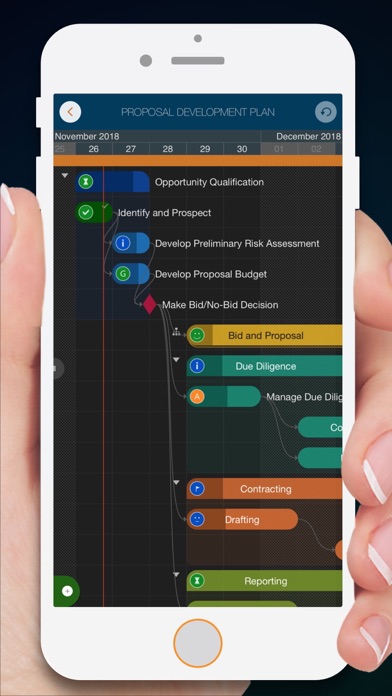
Project management with natural gestures on the Gantt chart designed for small touchscreens. Sync projects across multiple devices, and share projects in teams AND supports Microsoft Project Plan integration.
## PRIVACY FOCUSED:
User-created projects are stored on the user's device or in iCloud Drive, whichever the user chooses.
*** This app is ONLY for iPhone ***
QuickPlan has separate apps for iPhone and iPad. You can save money by buying the app for one device only, or pay the same price for both devices.
* Feature Video https://youtu.be/Ean-OpZkhEQ
* No In-App Purchases.
* QuickPlan is now available for macOS (Free 15-day trial is at https://quickplan.app/trial).
QuickPlan makes …
Read the full description
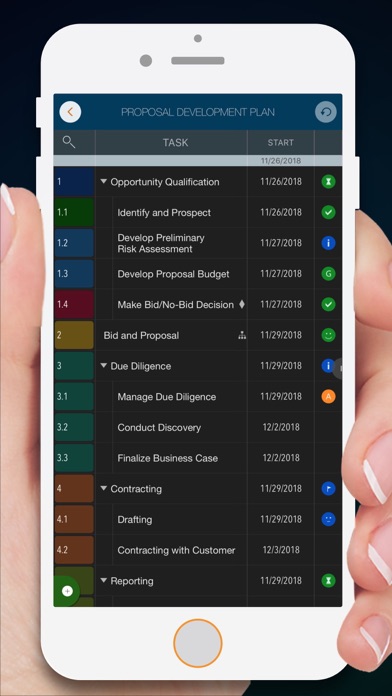
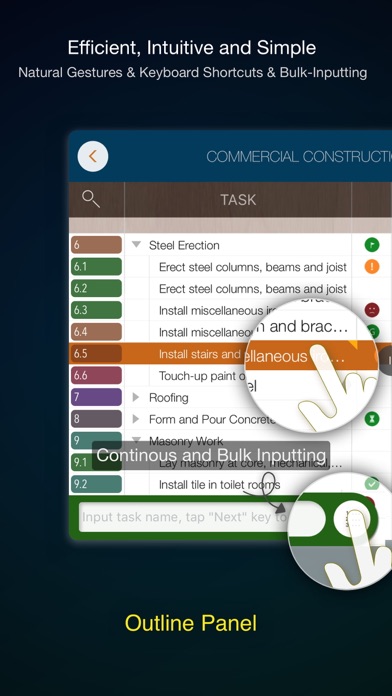
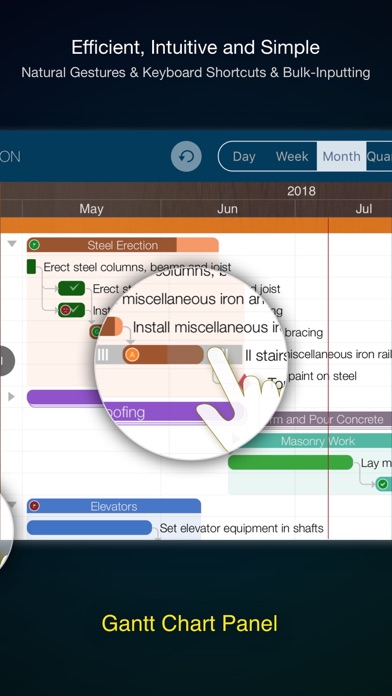
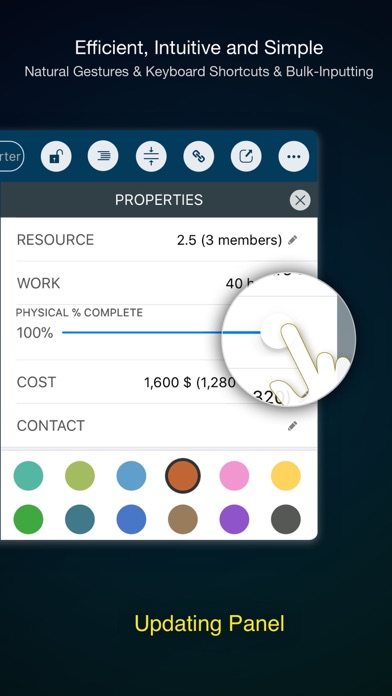
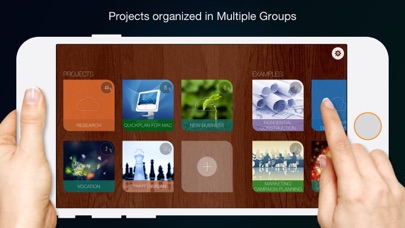
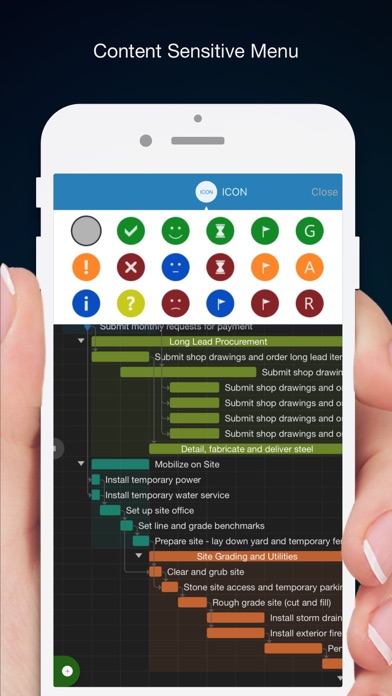
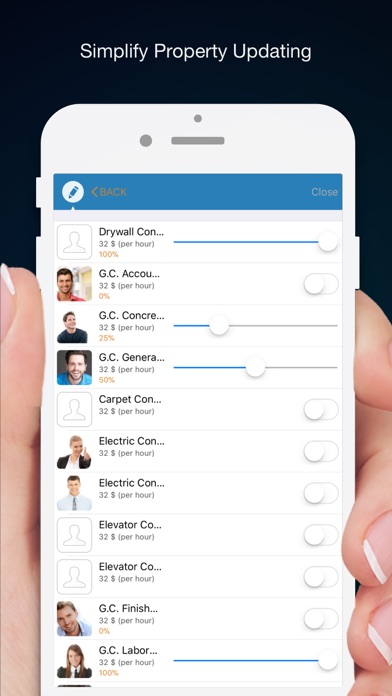
Project management with natural gestures on the Gantt chart designed for small touchscreens. Sync projects across multiple devices, and share projects in teams AND supports Microsoft Project Plan integration. ## PRIVACY FOCUSED: User-created projects are stored on the user's device or in iCloud Drive, whichever the user chooses. *** This app is ONLY for iPhone *** QuickPlan has separate apps for iPhone and iPad. You can save money by buying the app for one device only, or pay the same price for both devices. * Feature Video https://youtu.be/Ean-OpZkhEQ * No In-App Purchases. * QuickPlan is now available for macOS (Free 15-day trial is at https://quickplan.app/trial). QuickPlan makes project planning more convenient than ever. NATURAL GESTUREs and keyboard shortcuts are used in a clean and elegant interface that makes project management more accessible, faster and more efficient than ever before. Visualize, manage and simplify projects in Gantt charts, structure tasks in a tree structure, organize your project calendar and resources, track task status. It's easier than you think, all at your fingertips with a minimum of effort and learning. QuickPlan supports exporting projects to image, Excel, PDF, Microsoft Project and WBS files and importing projects from Microsoft Project (in XML format), WBS, Mindmap, and Excel files. Plans can be synchronized with multiple devices via iCloud Drive. They can be shared with other users and devices via AirDrop, email, and the iOS Files app. QuickPlan optimizes the best features of Microsoft Project Plan and makes them work for iPhone - without the complexity. We bring INTUITIVE and discoverable project management to users of all experience levels. ## EFFICIENT MAINTENANCE - Gestures for tasks: create, remove, move, indent and outdent, change order. - Gestures to zoom in and out, collapse and expand. - Dynamic context menu system makes scheduling a reality on a small touch screen - Batch input - The most fluid Gantt chart app on a clean interface. - Context-based editing of outline, Gantt chart and inspectors. ## STRONG PLANNING - Multiple projects in groups, with support for duplication. - Organize tasks into REAL task groups and sub-projects. - Task color, icon, contact, URLs, and other necessary task fields. - Five outline levels (plus sub-project, for a total of ten outline levels). . Gesture-based management of task links. . Project currency, charge rate, project resource, calendar, task date policy. ## TREE and LIST - Rendering as a tree with support for key path display. - Rendering as a list with support for sorting and filtering. ## UI CUSTOMIZATION - Customization of the task column title and visibility. - Style of the task bar. ## REPORTING - Export as image, PDF, and Microsoft Excel (including three sheets). - With options to customize the output. ## SYNC - Sync projects between iOS and Mac devices via iCloud Drive, OneDrive, and Dropbox. ## INTEGRATION - Export and import Microsoft Project XML files. - Import and export SwiftApp WBS files. - Import from Microsoft Excel files. - Import from iThought Map files. ## SHARE - Supports Airdrop, OneDrive, Dropbox. ## TEAM - Supports creating a sub-plan for specific project members. - The sub-plan contains only the tasks for the specific members. ## NOTIFICATION - Widget to track ongoing tasks (iOS 14 or later). - Today widget and Local Notification. QuickPlan simplifies the complexity of project planning that sets ease as the ultimate goal in organizing your professional projects, plans, efforts, goals and life. The best project planning app for iPhone - Initialize, discuss, present and share your plan, and export it to Microsoft Project Plan for future work. - Strategic Planning - Import MS Project file (in XML format) and reports, tracking. - Plan new ideas - Agree and confirm actions in meetings - Discuss, plan and assign tasks - Track project progress
Installs since 29 Aug 2026
Apple does not publish download counts. Estimates are in testing.
Estimated store revenue Estimated Beta
App Store, worldwide, monthly rate from the last 13 chart days to 20 Nov 2026
Below the top 100 grossing apps in the markets we calibrate. In the United States that usually means under about $6.4M a month. App Store purchases and subscriptions only, before Apple's 15 to 30% fee. Ads and web payments are not included.
Ratings
401 ratings, 401 reviews
No rating breakdown published for this app.
Recent reviews
Latest public reviews from the store
- 26 Mar 2023
This is a solid 4.5 for mobile Gantt charts
I share a project between iphone and ipad, a complex gantt trscking the building of our house. I think it is outstanding. I’d like a way to highlight days where no work was done. I’d also like a way to put multiple milestones on one line. All in all, it’s quick, intuitive, powerful, and it has nice output functions. Good for tracking progress, easy to update steps as time elapses.
- 20 Sep 2021
Amazing app for fair price
It’s rare for an app of this quality to be available for a 1-time purchase. It’s absolutely worth the plunge. Gantt charts can be quite complex, so it’s remarkable how intuitive this app makes managing them, particularly with how small my phone’s screen is compared to an iPad. I am a market research professional and have been using the app every day for a year as a personal tracker for the status of survey fieldwork. I can’t speak to any collaboration features or the desktop app, but for my purposes, it gets a strong recommendation.
- 27 May 2019
NOT a Universal app!
This is very frustrating. I use my iPad to search for an app that does Gannt charts, and the iPhone version of this app comes up first. It seems to do what I need, so I buy it, only later so I find out that it’s NOT a universal app, and that if I want the iPad native version, I would have to pay something like $18 to get that! It’s ridiculous that this shows up first when I’m searching from an iPad and doubly ridiculous that it’s not just a universal app that runs on all my devices! Very disappointed, feel ripped off, and never buying anything from this developer again.
- 21 Oct 2018
Good portable replacement for MS Project.
I’m a Technical Project Manager, Product Manager and ScrumMaster. Having this app on my phone really helps me plan, maintain and adjust resources when I’m away from my laptop. The UX feels like Microsoft Project without the complex overhead. I’ve been using this for nearly a month to manage personal and work relate projects. It’s simple to use, intuitive for beginners and have the common used fields out of the box. The major issue I have and the reason stopping me from giving it 5 stars is that the app crashes when trying to add two or more resources. The crash is constant and very annoying. Luckily the last change does get saved before it crash so you don’t have to redo things.
What reviewers bring up
Topics mentioned in the latest 8 reviews, by how many reviews mention them
Liked in good reviews (4 reviews)
- intuitive 3
- project 3
- complex 3
- gantt charts 2
- powerful 2
- personal 2
- mobile 2
Raised in bad reviews (3 reviews)
- difficult 2
- another 2
- iphone 2
- same 2
Top chart positions
Latest App Store chart ranks by country, last 10 days
- Countries ranked
- 49 of 50
- Best rank
- #27
- Top 10 placements
- 0
- of 49 chart placements
- Average rank
- #58.2
Best countries on App Store
- 🇰🇷 South Korea · Top paid, Business#27
- 🇻🇳 Vietnam · Top paid, Business#32
- 🇭🇰 Hong Kong SAR China · Top paid, Business#34
- 🇵🇪 Peru · Top paid, Business#36
- 🇨🇿 Czechia · Top paid, Business#36
- 🇮🇩 Indonesia · Top paid, Business#38
| Country | Chart | Category | Rank | Best (10 days) | Date |
|---|---|---|---|---|---|
| 🇰🇷 South Korea | Top paid | Business | #27 | #26 | 20 Nov 2026 |
| 🇻🇳 Vietnam | Top paid | Business | #32 | #32 | 20 Nov 2026 |
| 🇭🇰 Hong Kong SAR China | Top paid | Business | #34 | #33 | 20 Nov 2026 |
| 🇵🇪 Peru | Top paid | Business | #36 | #36 | 20 Nov 2026 |
| 🇨🇿 Czechia | Top paid | Business | #36 | #36 | 20 Nov 2026 |
| 🇮🇩 Indonesia | Top paid | Business | #38 | #38 | 20 Nov 2026 |
| 🇲🇾 Malaysia | Top paid | Business | #41 | #36 | 20 Nov 2026 |
| 🇵🇭 Philippines | Top paid | Business | #42 | #42 | 20 Nov 2026 |
| 🇹🇼 Taiwan | Top paid | Business | #44 | #42 | 20 Nov 2026 |
| 🇭🇺 Hungary | Top paid | Business | #45 | #45 | 20 Nov 2026 |
QuickPlan - Project Gantt Plan history
Release, install milestones, listing and store changes
- First released on the store 20 Oct 2013
Update frequency
How often QuickPlan - Project Gantt Plan ships a new version, month by month
2 updates in the last 12 months. About as often as similar apps, which shipped a median of 2 updates in the same year.
Recent versions
Current version 17.3
- Version 17.317 May 2026
Bug fixes and performance improvements.
- Version 17.27 May 2026
This update contains bug fixes and performance improvements.
Listing keywords
Words and phrases QuickPlan - Project Gantt Plan repeats most in its store listing
Top phrases: microsoft project (6), microsoft project plan (3), files import (3), gantt chart (3), icloud drive (3).
Highlighted words also appear in the title. Counts cover the title, short description and description.
Compliance
What the listing and the app package show
- Store status
- Live
- Upkeep
- Updated 17 May 2026
- Age rating
- 4+
Apps like QuickPlan - Project Gantt Plan
 EasyBooks Expenses, AccountingMarla International Limited★ 4.41
 NDTA EventsNational Defense Transportation Association★ 4.89
 WBR EventsWorldwide Business Research USA, LLC★ 4.85
 Orders.co Manager MobileOrders Grid, Inc★ 4.88
 climbto350: aviation job boardClimbto350, LLC★ 4.84
 Workzillawork-zilla.com★ 4.38
 Record Phone Calls: EZTapeTrivia Tribe LLP★ 4.31
 CapptionsCapptions B.V.★ 4.44
 NetClient CSThomson Reuters★ 1.89
QuickPlan - Project Gantt Plan: questions and answers
Who makes QuickPlan - Project Gantt Plan?
QuickPlan - Project Gantt Plan is published by 皓 李.
When was QuickPlan - Project Gantt Plan last updated?
The latest version (17.3) was released on 17 May 2026.
Is QuickPlan - Project Gantt Plan free?
No. QuickPlan - Project Gantt Plan is a paid app priced at $8.99.
Is QuickPlan - Project Gantt Plan still available?
Yes. QuickPlan - Project Gantt Plan is live on App Store as of 14 Nov 2026.
Track QuickPlan - Project Gantt Plan and its competitors
Watch any app for new versions, rating drops, chart moves and removals. Free plan, no card.