
- Installs
- —
- Apple does not publish download counts
- Rating
- 4.51
- Ratings
- 1.4K
- 1.4K reviews
- Version
- 6.2.0
- Updated 17 Mar 2025
- Released
- 13 Jun 2012
- Tracked since 10 May 2026
- Size
- 18 MB
- Needs 12.0
Screenshots
About SmartScan Pro: PDF scanner
The description on the store listing
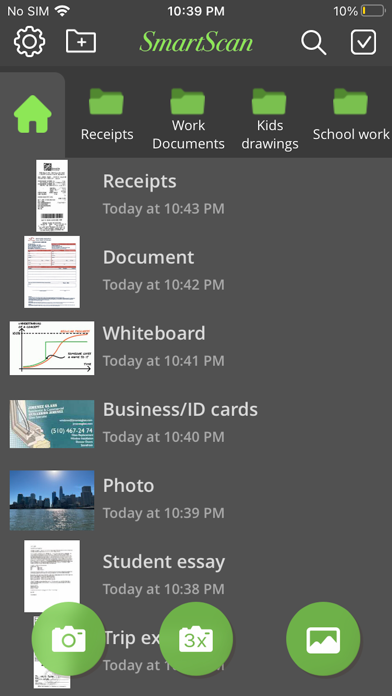
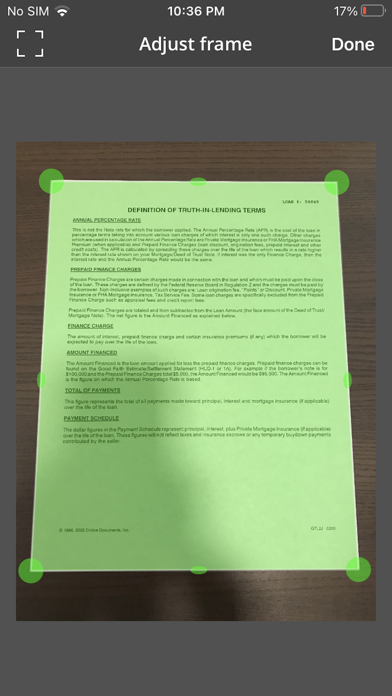
Your iPhone becomes a fully-featured, powerful document scanner with SmartScan. You can quickly and easily scan your multipage documents in high quality PDF or JPEG files on your iPhone or iPad. You can then rename and organize them, and send them anywhere.
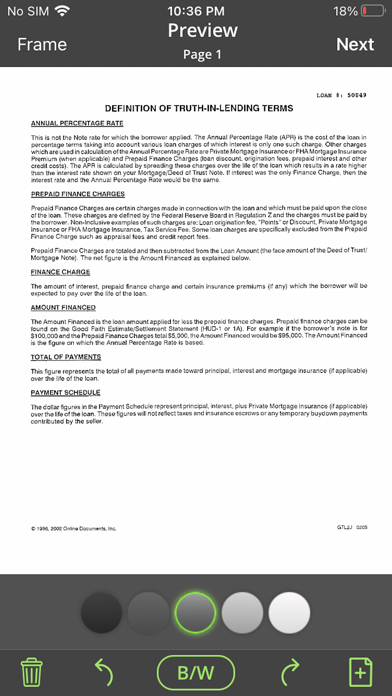
SmartScan uses complex and efficient algorithms to accurately detect document edges, correct their perspective, eliminate shadows, and perfectly contrast text, black on white. You can also choose between color and black-and-white photo modes. Our user interface is powerful and easy to use. With this app you can easily adjust the brightness, color, and rotation of your device.
SmartScan offers SuperScan, a scanning mode that captures …
Read the full description
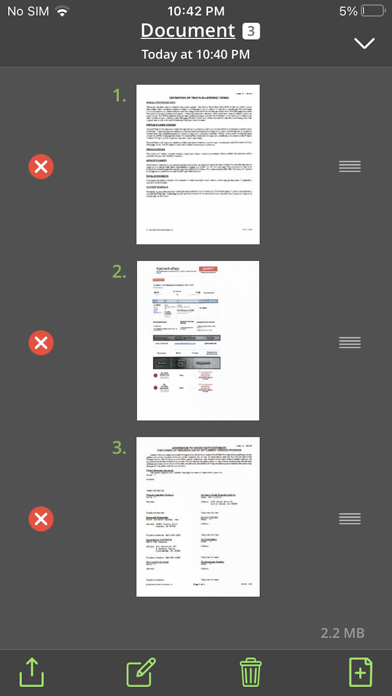
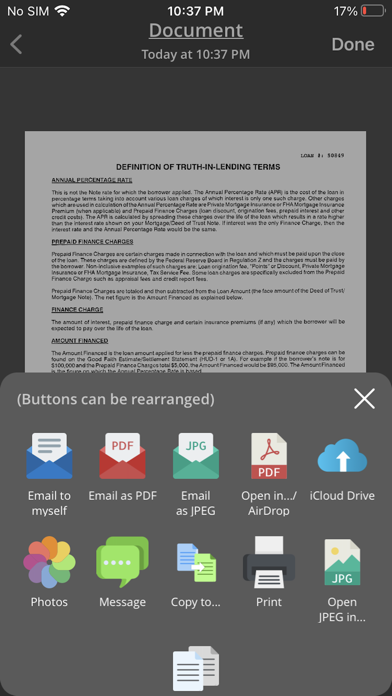
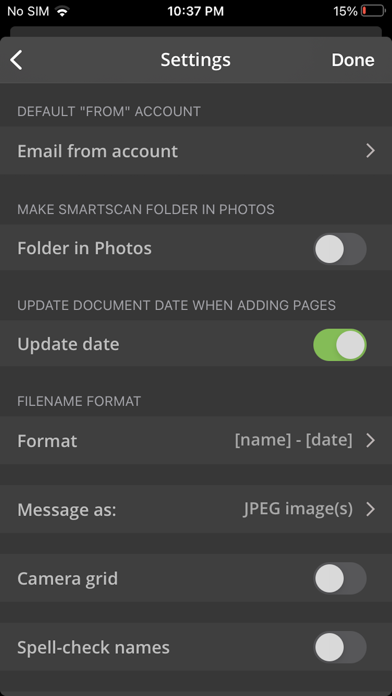
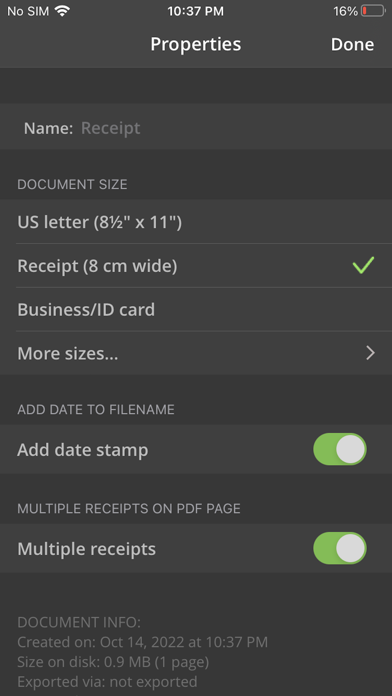
Your iPhone becomes a fully-featured, powerful document scanner with SmartScan. You can quickly and easily scan your multipage documents in high quality PDF or JPEG files on your iPhone or iPad. You can then rename and organize them, and send them anywhere. SmartScan uses complex and efficient algorithms to accurately detect document edges, correct their perspective, eliminate shadows, and perfectly contrast text, black on white. You can also choose between color and black-and-white photo modes. Our user interface is powerful and easy to use. With this app you can easily adjust the brightness, color, and rotation of your device. SmartScan offers SuperScan, a scanning mode that captures sharper images, especially in low-light conditions. Acquiring multiple takes of the same scan, SuperScan guarantees the best result. SmartScan also has an "Email to myself" feature that works with a single tap. SMARTSCAN FEATURES: • Automatic document edge detection and shooting. Perspective correction • SuperScan mode for sharpest scans • Document naming, storage in folders and smart search • “Email to myself” feature for quick routine emails • Add and reorder pages at any time • Arrange multiple receipts or business cards on a PDF page for printing, etc. • Email or message documents as PDF, JPEG, or PNG, or save to Photos • Touch ID & passcode lock • Upload, auto-upload and backup to iCloud Drive • Open PDFs or JPEGs in other apps like Dropbox or Google Drive to send to clouds • Copy & paste scans to other scans or Clipboard, and merge • AirDrop function • Printing via AirPrint or printing apps • Compact attachments with adjustable size • Ultra-fast processing Scanning tips • Make sure the document is laying flat in a bright location • For optimal edge detection results, make sure to have a contrasting outline or margin around your document while snapping the photo • When shooting in low light conditions, use flash to illuminate the scene. However, be careful not to produce too much glare from shiny documents or surfaces. SmartScan is on a road of constant improvement, and we value your input and feedback. If you have any questions or problems with the SmartScan app, please email us at [email protected]. We would be happy to help you out. Our Privacy policy: https://www.amaximapps.com/ssepp.htm License agreement: https://www.apple.com/legal/internet-services/itunes/dev/stdeula/
Installs, last 30 days
Apple does not publish download counts. Estimates are in testing.
Estimated store revenue Estimated Beta
App Store, worldwide, monthly rate from the last 13 chart days to 20 Nov 2026
Below the top 100 grossing apps in the markets we calibrate. In the United States that usually means under about $6.4M a month. App Store purchases and subscriptions only, before Apple's 15 to 30% fee. Ads and web payments are not included.
Ratings
1,357 ratings, 1,357 reviews
No rating breakdown published for this app.
Recent reviews
Latest public reviews from the store
- 9 Jan 2024
Excellent resource
A very helpful tool for sharing information fast. Love it!
- 27 Aug 2021
Use it regularly!
Glad to have this for sending invoices on my phone quickly after finishing my work instead of forgetting to do it later! Thanks for making this app!
- 17 Jan 2018
Makes life easier
Awesome new feature combining scans. Files are easy to create and access, and I like the simplicity of the design. Highly recommend!
- 28 Dec 2017
Bad quality
The quality of the scans is terrible. If the scans produced an image like the phone camera does it would be great
What reviewers bring up
Topics mentioned in the latest 8 reviews, by how many reviews mention them
Liked in good reviews (6 reviews)
- scans 2
Raised in bad reviews (2 reviews)
No topic comes up twice.
Top chart positions
Latest App Store chart ranks by country, last 10 days
Not in any tracked top chart in the last 10 days.
SmartScan Pro: PDF scanner history
Release, install milestones, listing and store changes
- First released on the store 13 Jun 2012
Update frequency
How often SmartScan Pro: PDF scanner ships a new version, month by month
0 updates in the last 12 months. Less often than most similar apps: they shipped a median of 6 updates in the same year.
Recent versions
Current version 6.2.0
- Version 6.2.017 Mar 2025
Subscription model Minor bug fixes
Listing keywords
Words and phrases SmartScan Pro: PDF scanner repeats most in its store listing
Top phrases: email to myself (2), low light conditions (2), edge detection (2), light conditions (2), low light (2).
Highlighted words also appear in the title. Counts cover the title, short description and description.
Compliance
What the listing and the app package show
- Store status
- Live
- Upkeep
- Updated 17 Mar 2025
- Age rating
- 4+
Apps like SmartScan Pro: PDF scanner
 Xero Accounting for businessXero Ltd★ 4.66
 Stynt Dental Jobs MarketplaceStynt Inc★ 4.34
 WealthboxStarburst Labs, Inc.★ 4.79
 Timeero GPS Time TrackingTimeero LLC★ 4.69
 Jump Desktop (RDP, VNC, Fluid)Phase Five Systems★ 4.49
 Bria EnterpriseCounterPath Corporation★ 4.49
 Zoho Meeting - Meet VirtuallyZoho Corporation★ 4.52
 Your Flex BenefitsAptia UK Limited★ 4.46
 PDF Reader Pro Edition®iTECH DEVELOPMENT SYSTEMS INC.★ 4.37
SmartScan Pro: PDF scanner: questions and answers
Who makes SmartScan Pro: PDF scanner?
SmartScan Pro: PDF scanner is published by AMAXIM APPS, INC.
When was SmartScan Pro: PDF scanner last updated?
The latest version (6.2.0) was released on 17 Mar 2025.
Is SmartScan Pro: PDF scanner free?
Yes. SmartScan Pro: PDF scanner is free to download.
Is SmartScan Pro: PDF scanner still available?
Yes. SmartScan Pro: PDF scanner is live on App Store as of 20 Nov 2026.
Track SmartScan Pro: PDF scanner and its competitors
Watch any app for new versions, rating drops, chart moves and removals. Free plan, no card.